
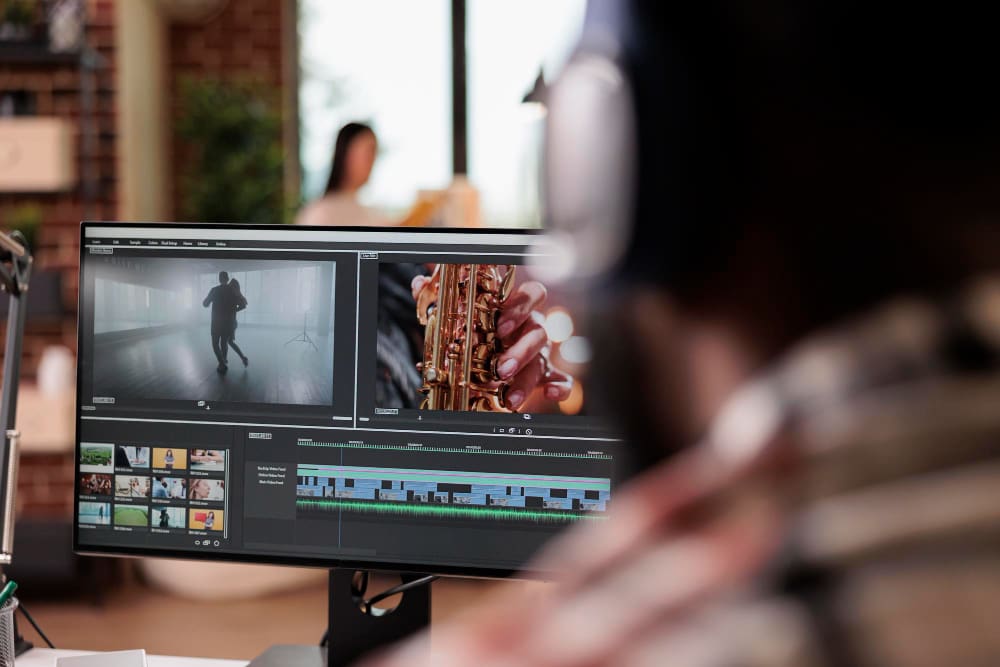
Video content has become the most powerful way to share stories, sell products, and build brands. However, the technical barriers to entry—expensive cameras, complex editing software, and hours of manual labor—have historically kept many creators on the sidelines. Artificial Intelligence is changing that narrative by automating the most tedious parts of the creative process. Today, a single person can produce a week’s worth of professional video content in just a few hours.
If you are looking to streamline your workflow and elevate your production quality, having the right stack of tools is essential. Here are the eight best AI applications currently empowering creators to produce high-quality video with minimal effort.
1. Pollo AI

Pollo AI is a frontrunner for creators who prioritize speed and realism without needing extensive technical knowledge. This platform specializes in generating photorealistic AI avatars that can deliver scripts with natural micro-expressions and perfect lip-syncing. It is particularly effective for social media marketers and educators who need to put a “human face” on their content without actually filming themselves.
What truly sets Pollo AI apart is its focus on portability and ease of use. Unlike many heavy-duty video editors that require a powerful desktop computer, Pollo AI offers a dedicated video generator app. This allows users to generate a high-quality video script, choose an avatar, and render the final product directly from their smartphone. Whether you are at a coffee shop or commuting, you can turn a written thought into a professional video presenter in minutes, making it an indispensable tool for the mobile-first creator.
2. Kling AI

Kling AI has quickly risen to prominence as one of the most sophisticated video generation models available today. While some AI tools focus strictly on talking heads, Kling AI is designed for high-fidelity, cinematic video generation. It excels at understanding complex physical movements and environmental lighting, producing clips that look remarkably like traditional cinematography. It is often the first choice for creators who want to generate B-roll, atmospheric backgrounds, or conceptual visuals from simple text prompts.
The realism offered by Kling AI is often described as “next-generation.” It handles transitions and spatial consistency with a level of polish that few competitors can match. For creators working on high-end explainer videos or brand storytelling, Kling AI provides the visual “wow factor” that keeps audiences engaged. It bridges the gap between AI-generated content and professional filmmaking, allowing users to manifest complex scenes that would otherwise require a massive production budget and a full crew to capture. The latest upgrade, Kling 3.0, further improves motion realism and scene consistency, making outputs even closer to real cinematic footage.
3. HeyGen

HeyGen has become a staple in the creator economy due to its innovative features like “Instant Avatar” and “Video Translate.” The platform allows you to create a digital twin of yourself by uploading a short video clip, which then enables you to generate new content by simply typing a script. This effectively clones your presence, allowing you to “film” dozens of videos simultaneously.
Beyond its avatar capabilities, HeyGen’s translation tool is a massive asset for global creators. It can take a video recorded in English and dub it into over 40 languages while automatically adjusting the speaker’s lip movements to match the new audio. This makes it incredibly easy to reach international audiences without the need for subtitles or re-recording. Its interface is intuitive, designed specifically for marketing teams and solo creators who need to produce high volumes of personalized content quickly.
4. Synthesia
Synthesia is often regarded as the enterprise standard for AI video generation, focusing heavily on corporate training, internal communications, and instructional content. It offers a massive library of over 140 diverse AI avatars and supports more than 120 languages. The platform operates on a slide-based system, making it feel very familiar to anyone who has used PowerPoint or Google Slides.
The primary strength of Synthesia lies in its scalability and professional polish. Users can easily add “micro-gestures”—such as a slight nod or a raised eyebrow—to specific parts of the script to ensure the avatar’s body language matches the tone of the message. This level of granular control ensures that the final video doesn’t feel robotic. For organizations that need to maintain a consistent brand voice across hundreds of training modules, Synthesia provides a reliable and highly efficient workflow.
5. Runway
Runway is the “artist’s choice” in the AI video space. It is a comprehensive creative suite that offers tools for text-to-video, video-to-video, and advanced frame interpolation. Its latest model, Gen-3 Alpha, is capable of generating stunningly realistic and stylistically diverse video clips from simple text descriptions. Unlike tools focused solely on presenters, Runway is built for creators who want to push the boundaries of visual art.
Runway also includes a suite of “magic tools” that simplify the editing process. You can use AI to remove backgrounds, erase objects from moving footage, or expand the borders of a video frame (outpainting). This makes it a powerful hybrid tool—it isn’t just for generating new content, but also for fixing and enhancing existing footage. For creators who want to combine traditional filming with AI-enhanced visual effects, Runway offers the most robust set of features.
6. Descript
Descript has revolutionized the way we think about video editing by turning it into a text-based task. Instead of staring at a complex timeline of audio and video waves, Descript transcribes your video into a script. If you want to cut a scene, you simply delete the text from the script, and the video is automatically edited. This makes the editing process as easy as editing a Word document.
One of Descript’s most famous features is “Overdub,” which creates a digital clone of your voice. If you realize you made a mistake in your recording, you can simply type the correct word into the script, and the AI will generate the audio in your own voice to fix the error. For creators who produce podcasts or talking-head videos, Descript drastically reduces the time spent on “polishing” and allows them to focus more on the narrative structure of their content.
7. InVideo AI
InVideo AI is designed for creators who need to go from an idea to a finished video in a single step. By entering a prompt like “Create a 60-second video about the history of coffee for YouTube Shorts,” the AI handles everything: it writes the script, selects relevant stock footage from a massive library, adds a voiceover, and places background music.
This tool is a powerhouse for content creators who run “faceless” YouTube channels or news aggregation accounts. While it allows for manual editing and tweaking, its primary value is its ability to generate a coherent, high-quality draft in seconds. It takes the “blank canvas” anxiety out of the creative process, providing a solid foundation that a creator can then refine to match their specific brand voice and style.
8. CapCut
While many know CapCut as the go-to editor for TikTok, its suite of AI features has made it a serious contender for professional-grade production. CapCut integrates AI-driven auto-captions, background removal, and smart “auto-reframe” features that make it easy to convert horizontal videos into vertical formats. It also includes an AI script writer that helps creators brainstorm viral ideas based on current trends.
For creators exploring advanced AI-powered filmmaking, CapCut has also introduced tools focused on Seedance 2.0 video creation, allowing users to experiment with more cinematic AI-generated visuals and smarter motion generation directly within the ecosystem. Features like these continue to push CapCut beyond simple editing and into full-scale AI-assisted content production.
CapCut’s strength lies in its massive library of AI-enhanced effects and transitions that are specifically designed for high engagement on social media. It simplifies complex tasks like color grading and audio leveling with one-click “enhance” buttons. For creators who need to stay on top of fast-moving trends and produce content that feels “native” to platforms like Instagram and TikTok, CapCut is arguably the most efficient tool in the toolkit.
Conclusion
The transition from traditional production to AI-assisted creation is no longer a luxury; it is becoming a necessity for anyone looking to compete in the modern attention economy. Whether you are using Pollo AI to manage your brand’s presence through its mobile app or leveraging the cinematic power of Kling AI for high-end visuals, these tools provide the leverage you need to produce more content at a higher quality than ever before. By building your toolkit with these eight apps, you can spend less time struggling with technology and more time focusing on the ideas that matter.