
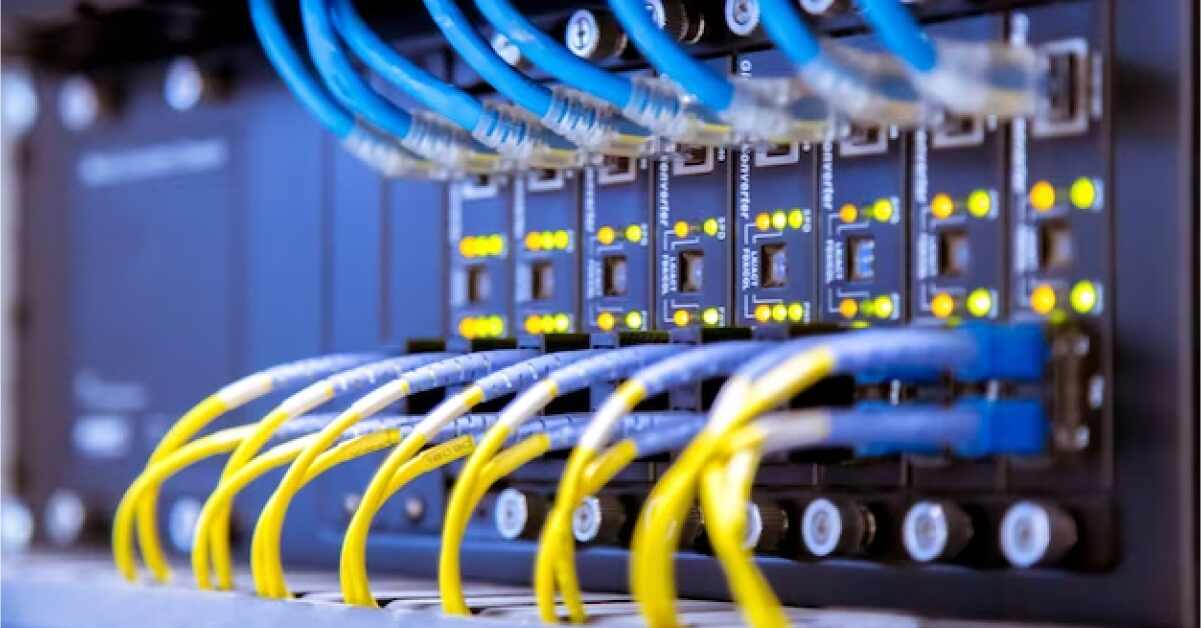
Most people buying server hardware spend weeks agonizing over processors, RAM configurations, and storage tiers. Then they get to networking and grab whatever is cheapest with the right port count. I’ve watched this happen across small businesses, growing startups, and mid-sized IT departments. The switch gets treated like a commodity. A cable organizer with blinking lights.
That assumption gets expensive. Quietly, and then all at once.
What a Switch Actually Does Under Load
A network switch manages traffic between devices on the same network, routing packets from one port to another without broadcasting everything to everybody. In a home setup with a few laptops and a smart TV, almost anything works fine.
In a server environment, the story changes. You might have multiple physical servers, virtualization hosts, NAS arrays, backup appliances, and management interfaces all talking to each other simultaneously. Backups running at night. VM migrations mid-afternoon. Database queries that need fast, consistent throughput. If your switch can’t keep up, packets get dropped or delayed, and the whole stack suffers for it.
The hardware doing that work matters. Specifically: the switching fabric, buffer memory, and how the device handles congestion.
Where Cheap Switches Fail
Consumer and prosumer switches often share a backplane that can’t actually support all ports running at full speed simultaneously. The spec sheet says “gigabit on all ports,” which is technically true — but the internal bandwidth can’t sustain that across every port at once. Under real load, you see slowdowns that are hard to trace because nothing is obviously broken.
Buffer memory is the other thing nobody talks about. When traffic bursts hit faster than downstream devices can absorb them, a switch with shallow buffers drops packets. Your applications see this as retransmissions, higher latency, and general instability. The kind of thing that generates tickets without obvious causes.
For server environments specifically, Network Switches designed for that workload handle these problems differently. The backplane is sized for non-blocking throughput. Buffers are deep enough to handle traffic bursts without dropping packets. Port density is higher, and the management interfaces give you actual visibility into what’s happening on the wire.
Latency Is the Silent Killer
High throughput gets most of the attention, but latency consistency matters just as much in dense server environments. A switch that introduces 5-10 microseconds of additional latency on each hop doesn’t sound bad until you realize that a single database query might touch multiple services, each adding that overhead. In a microservices architecture, that adds up quickly.
Low-latency cut-through switching — where the switch starts forwarding a packet before it finishes receiving it — is standard in professional hardware. Store-and-forward switches, common in cheaper gear, wait for the whole packet. The difference is measurable, especially for high-frequency, small-packet traffic like database operations or real-time analytics.
The VLAN Question
Any server environment past a certain size needs VLANs. You want management traffic on a separate segment from production data. Storage traffic isolated from general east-west traffic. Security policies enforced at the network layer, not just at the application layer.
This requires a managed switch with proper 802.1Q VLAN support, and ideally one that also handles QoS (quality of service) configuration so you can prioritize time-sensitive traffic. Consumer switches don’t offer this. Unmanaged switches definitely don’t. And even some “smart” managed switches have VLAN implementations that are technically compliant but awkward to configure and unreliable at scale.
When you’re designing server infrastructure, the switch’s management capabilities matter as much as its forwarding performance. You want SNMP support for monitoring. You want port mirroring for troubleshooting. You want a CLI or web interface that doesn’t require a support ticket to navigate.
10GbE — When Do You Actually Need It
Gigabit is fine for most workloads. But there are specific scenarios where 10 Gigabit Ethernet starts making sense. Large VM migrations between hosts. Database servers with heavy storage I/O. Any workload that does a lot of bulk data movement between nodes.
The cost of 10GbE has dropped significantly. Switches with 10GbE uplinks and a mix of 1GbE access ports are reasonable for environments that need high-bandwidth connections to a few servers while keeping costs manageable on the access layer. Full 10GbE deployments make sense for hyperconverged infrastructure, dense virtualization, or anywhere storage traffic runs over the network.
The thing to avoid is hitting a bandwidth ceiling and then realizing you need to re-cable the whole rack to fix it. Planning for the next few years of growth is easier to do at initial deployment.
Redundancy Is Not Optional
Single points of failure in networking are a known bad idea. Yet plenty of server rooms have a single switch with no redundant uplinks and no failover path. When that switch fails — and they do fail — everything on it goes down together.
At minimum, servers running critical workloads should have dual NICs connected to separate switches with link aggregation or active-passive failover configured. This requires switches that support LACP (Link Aggregation Control Protocol) and are manageable enough to configure it properly.
Stacking — where multiple physical switches present as a single logical unit — is another approach for larger deployments. It simplifies management and provides redundancy without complex spanning tree configurations.
A Note on Buying Decisions
The TCO (total cost of ownership) math often favors spending more upfront on the right hardware. A switch that fails under load, needs replacement in two years, or requires hours of troubleshooting time every month is not actually cheap. The purchase price is one number. What the equipment costs you in downtime and engineering time is a different calculation.
For anyone putting together a serious server deployment, the networking layer deserves the same scrutiny as the compute and storage layers. The switch is not an afterthought. It’s the component every other piece of hardware has to go through.
Get that wrong and everything else underperforms, regardless of how well the rest of the stack is spaced out.