

Nothing transforms an ordinary gathering into an extraordinary experience quite like lighting. Among the tools available to modern event planners, laser lights stand apart for their ability to sculpt space, energize crowds, and create visual narratives that linger in memory long after the final guest departs. Yet these powerful beams present a genuine challenge—without precise management, even the most impressive laser system can feel chaotic, unsafe, or underwhelming. The difference between a forgettable light display and a jaw-dropping spectacle lies not in the hardware alone, but in how effectively you command it. Advanced control systems are the key to unlocking the full creative and technical potential of your laser investment. Whether you’re orchestrating a corporate gala, a music festival, or an intimate wedding reception, understanding your control options changes everything. In this guide, we’ll explore the two dominant approaches reshaping how event professionals manage their laser fixtures: DMX control for unmatched precision and synchronization, and app-based remote solutions that deliver flexibility and speed when you need it most.
The Foundation of Professional Lighting: Why Laser Control Matters
Laser lights have evolved from novelty accessories into cornerstone elements of modern event production. Where once a single beam sweeping across a fog-filled room was enough to impress, today’s audiences expect intricate visual choreography—patterns that dance in perfect rhythm, colors that shift with emotional beats, and aerial effects that transform ceilings into living canvases. This evolution demands far more than plugging in a fixture and pressing play.
Safety stands as the most compelling reason for precise laser control. Regulatory bodies worldwide impose strict requirements on laser use in public spaces, particularly regarding audience scanning and exposure limits. A misaligned beam or an uncontrolled burst of intensity isn’t just an aesthetic failure—it’s a liability. Proper control systems allow you to set hard boundaries on beam travel, define safe zones, and ensure compliance with local regulations without sacrificing creative ambition.
Beyond safety, control precision directly shapes the attendee experience. A perfectly timed laser burst during a keynote reveal creates a visceral emotional response. Subtle color washes that shift as guests move from cocktails to dinner guide mood without anyone consciously noticing the transition. These effects don’t happen by accident. They require deliberate programming, real-time adjustment, and the ability to respond to the unpredictable nature of live events. Mastering these capabilities is what separates competent technicians from true professional lighting experts—those who treat every photon as a brushstroke in a larger composition. The tools you choose to achieve that mastery will define the ceiling of what your events can become.
DMX Control: The Gold Standard for Synchronized Laser Shows
DMX, or Digital Multiplex, is the communication protocol that has governed professional stage lighting for decades. Originally developed in 1986 to standardize how dimmers and controllers communicate, it has since become the universal language spoken by virtually every piece of professional lighting equipment—from moving heads and LED panels to fog machines and, crucially, laser fixtures. When your laser speaks DMX, it can participate in a coordinated conversation with every other fixture in your rig, responding to the same cues, following the same timeline, and contributing to a unified visual story.
The power of DMX for laser control lies in three core advantages. First, synchronization becomes absolute—you can trigger a laser burst at precisely the same millisecond a spotlight hits a performer or a pyrotechnic fires overhead. Second, complexity becomes manageable. Through careful channel assignment, a single operator can manipulate dozens of parameters across multiple fixtures simultaneously, building layered compositions that would be impossible to achieve manually. Third, repeatability ensures that a show programmed once can be executed flawlessly night after night, venue after venue, without variation. For event planners who need to guarantee consistent results across touring productions or multi-day conferences, this reliability is invaluable. Gaining DMX control expertise represents a significant professional milestone—it signals to clients and collaborators alike that you operate at the highest tier of technical capability and that your events will deliver precision that audiences can feel even when they can’t articulate why.
Getting Started with DMX for Your Laser Fixtures
Every DMX system operates on a universe of 512 channels, each carrying a value between 0 and 255. Your laser fixture occupies a specific number of these channels depending on its capabilities—a basic unit might use six channels controlling intensity, color selection, pattern, rotation speed, horizontal position, and vertical position, while advanced models may consume twenty or more. The first step is assigning a unique starting address to each fixture so the controller knows which channels belong to which device. Set this address directly on the laser’s display panel or via DIP switches on the rear housing.
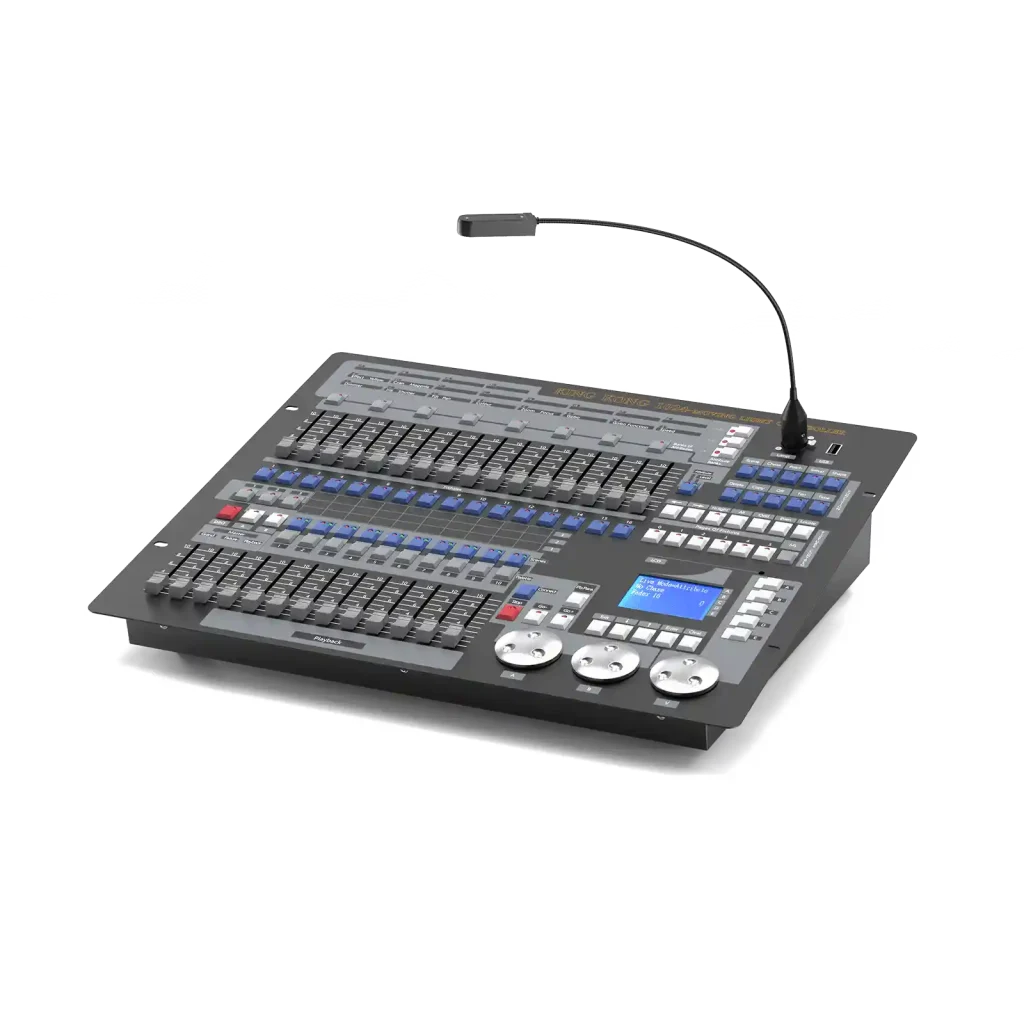
Connect your laser to the DMX controller using standard five-pin or three-pin XLR cables, running from the controller’s output to the fixture’s input. If you’re daisy-chaining multiple units, route a cable from the first fixture’s output to the next fixture’s input, continuing the chain and terminating the final fixture with a 120-ohm resistor plug to prevent signal reflection. Once physically connected, bring up your console and select the channels corresponding to your laser’s address. Start with intensity—push the assigned channel’s fader to confirm communication. Then experiment with color channels to cycle through available wavelengths, and adjust pattern channels to explore built-in gobos or starshower effects. Document each channel’s function as you go, building a reference sheet that will accelerate future programming sessions.
Advanced DMX Programming for Dynamic Effects
Once basic control feels intuitive, you can begin constructing chases—sequences of pre-programmed states that the controller cycles through automatically. Build a chase by recording individual scenes (sometimes called steps or cues), each capturing a specific combination of color, position, pattern, and intensity across all your laser fixtures. Assign transition times between steps to create smooth fades or sharp snaps depending on the energy you want to convey.
For music-driven events, sync your chases to a BPM clock. Most professional consoles offer tap-tempo functions or accept external MIDI clock signals from a DJ mixer or DAW, ensuring your laser movements lock to the beat without manual intervention. When integrating multiple lasers into a single DMX network, stagger their addresses carefully and use grouping functions on your console to control them collectively or independently as needed. A common technique involves programming complementary but offset patterns across units, creating depth and movement that a single fixture cannot achieve alone. If you encounter flickering, unresponsive channels, or erratic behavior, check your cabling first—damaged XLR connectors and missing terminators account for the vast majority of DMX issues. Verify that no two fixtures share the same address, and confirm your controller’s output universe matches the fixtures’ expected input. Systematic troubleshooting keeps your show running and your reputation intact.
Embracing Modernity: The Efficiency of App Remote Control
While DMX remains the backbone of large-scale productions, a quieter revolution has been unfolding in parallel—one driven by smartphones, tablets, and wireless connectivity. App-based laser control has emerged as a genuine game-changer for event planners who need speed, mobility, and simplicity without sacrificing creative impact. Where traditional DMX setups require physical cabling, dedicated consoles, and significant setup time, wireless control systems collapse that infrastructure into a device already sitting in your pocket.
The practical advantages for working professionals are immediate and tangible. Remote operation from anywhere in the venue means you’re no longer tethered to a tech booth at the back of the room. You can stand in the middle of the dance floor, observe the visual effect from the audience’s perspective, and make real-time adjustments without relaying instructions through a headset. Intuitive visual interfaces replace the abstraction of numbered channels and fader positions with drag-and-drop color pickers, pattern previews, and timeline editors that feel familiar to anyone who has used a modern smartphone. Quick adjustments on the fly become second nature—when the client decides mid-reception that the color scheme needs to shift from cool blues to warm ambers, you tap twice and it’s done. Pre-programmed shows stored within the app allow you to build entire sequences in advance, test them during soundcheck, and trigger them with a single press during the event itself. For mobile DJs, wedding planners, and corporate event coordinators managing tight turnarounds, app remote control eliminates the friction that once made laser lighting feel inaccessible to anyone without dedicated technical training.
Integrating App Control into Your Event Workflow
Start by selecting laser fixtures that explicitly support wireless control protocols—look for built-in Wi-Fi or Bluetooth modules and confirm compatibility with the manufacturer’s dedicated application or widely supported third-party platforms. Brands like UKING have made this increasingly accessible by offering DMX-compatible laser fixtures with integrated wireless functionality, allowing planners to transition between control methods as the event demands. Once you’ve identified compatible hardware, download the control app and create your workspace before arriving at the venue so you can focus setup time on physical positioning rather than software configuration.
On-site, power your laser fixtures and enable their wireless broadcast mode, typically accessible through the unit’s onboard menu. Open the app and scan for available devices—each fixture should appear as a named or numbered node you can select and assign to groups. Navigate the interface to confirm basic functions first: adjust master intensity to verify communication, then cycle through available colors and patterns to ensure responsive feedback. From there, build custom shows by layering scenes onto a visual timeline within the app. Assign transition durations, color shifts, and pattern changes to each scene, then save the sequence as a reusable preset you can deploy at future events.
Many modern apps also bridge the gap between wireless convenience and professional infrastructure by offering DMX control emulation. Through a Wi-Fi-to-DMX gateway device, your app can output standard DMX signals to fixtures that lack native wireless capability, allowing you to manage a mixed rig—some wireless, some wired—from a single unified interface. This hybrid approach lets you scale your system as your business grows without abandoning equipment you already own.
Choosing the Right Control Solution for Your Event
Selecting between DMX and app-based control isn’t a matter of one being universally superior—it’s about matching the tool to the context. A large-scale concert or touring theatrical production with dozens of synchronized fixtures, pyrotechnics, and video integration demands the rock-solid timing and deep programming capabilities that only a dedicated DMX console can provide. The investment in cabling, trained operators, and rehearsal time pays dividends when thousands of eyes are watching and every cue must land with millisecond accuracy.
Conversely, a mobile DJ working three weddings in a weekend needs to load in fast, adjust on the fly, and break down without fuss. App-centric control thrives here—minimal hardware, instant visual feedback, and the freedom to tweak colors from the dance floor while reading the crowd’s energy in real time. Nightclubs and mid-size corporate events often benefit from a hybrid approach, where a compact DMX controller handles the backbone programming while app remote control provides wireless override capability for spontaneous moments or last-minute client requests.
When evaluating your path, weigh four factors honestly. Budget determines whether you can invest in professional consoles and trained operators or need a leaner infrastructure. Scale dictates complexity—five fixtures behave differently than fifty. Your technical skill level and that of your team should guide whether you adopt DMX immediately or grow into it through app interfaces that emulate DMX environments. Finally, consider effect complexity: if your creative vision demands frame-accurate synchronization across a massive rig, DMX is non-negotiable. If your priority is responsive, intuitive adjustments during fast-paced events, app solutions deliver that agility without compromise. Many planners find that starting with app control builds confidence and creative vocabulary that translates naturally into DMX proficiency as their productions grow in ambition.
Mastering Laser Control to Elevate Your Event Productions
A laser fixture without intelligent control is merely an expensive flashlight—bright, perhaps attention-getting, but ultimately unable to tell a story or shape an emotional journey. The control system you place behind your lasers is what transforms raw photons into narrative, turning beams into brushstrokes that paint experiences across the canvas of your venue. DMX delivers the precision and synchronization that large-scale productions demand, offering millisecond-accurate cues, deep programming complexity, and the repeatability that touring shows and high-profile corporate events require. App-based remote control answers the modern planner’s need for speed, mobility, and intuitive operation, making sophisticated laser effects accessible during fast-paced events where flexibility matters more than rigid pre-programming. Neither approach invalidates the other—they represent complementary philosophies that often work best in tandem. Treat your control infrastructure not as an afterthought or a technical burden, but as a creative investment equal in importance to the fixtures themselves. The event professionals who thrive in the years ahead will be those who command their light with intention, confidence, and the right tools—crafting seamless visual experiences that audiences feel in their bones and carry with them long after the venue goes dark.