
In modern business, speed isn’t just an advantage—it’s survival. Deals close or die in an inbox. Projects move forward or stall based on whether someone can find a contract, a quote, or a report right now, not “when I get back to my desk.”
And quietly sitting behind that speed problem is something most teams ignore: messy PDFs.
- Sales teams dig through old threads for the “latest” proposal
- Finance chases missing invoices and approvals
- Legal sends revised contracts… then revised versions of the revision
- Operations teams re-create checklists and SOPs that already exist—somewhere
The result is a permanent background tax on your business: time, focus, and opportunities lost because your documents can’t keep up with your decisions.
The fix isn’t another heavy platform. It’s using the PDFs you already rely on with a higher level of discipline—especially around how you combine, separate, and present them.
That’s where tools like merge PDF and split PDF, powered by services such as pdfmigo.com, become more than simple utilities. Used correctly, they’re quiet infrastructure for a faster, more trustworthy business.
The Hidden Cost of “Just Attach the File”
Think about how PDFs show up in a typical week:
- A supplier sends a 12-page catalog when you only needed the pricing grid
- A client receives three separate attachments: proposal, terms, and case study
- HR circulates a 60-page employee handbook to answer one simple policy question
- Leadership gets a massive analytics report when they just need two charts
Nothing obviously “breaks,” but friction builds:
- People ignore important documents because they look long and overwhelming
- Teams work from different versions of the same file
- Customers and partners feel like they’re doing the work of sorting through your information
Multiply that across dozens of threads, and you get a business that feels slower and more reactive than it has to be.
Strategy #1: Turn Scattered Files Into One Clear “Business Packet”
For external communication—especially with customers, investors, and partners—fragmented PDFs send the wrong signal.
Instead of separate attachments for:
- Proposal
- Terms & conditions
- Implementation plan
- Short case study
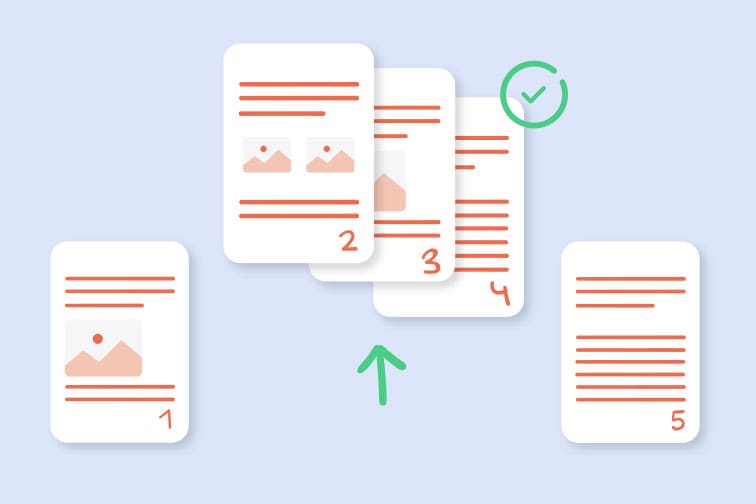
…bundle them into a single, logically ordered document using merge PDF:
- Executive summary
- Proposal and scope
- Legal terms
- Implementation roadmap
- Supporting proof (case study, metrics)
This does three things immediately:
- Reduces friction – One file, one click, one narrative to follow.
- Builds trust – Your company looks organized, considered, and serious.
- Guides decisions – You control the sequence in which stakeholders encounter your information.
For time-pressed decision-makers, a well-structured packet feels like relief—someone did the thinking for them.
Strategy #2: Use Split PDFs to Deliver Only What a Stakeholder Needs
The reverse problem is just as common: enormous PDFs where only a slice matters.
Examples:
- A 90-page market report, but the CEO only needs the 6-page executive summary
- A full contract, but your partner just needs the specific schedule or appendix
- A complete audit report, but your product team only needs the findings related to a single feature
Instead of forwarding the entire document and hoping someone scrolls, use split PDF to carve out:
- “Summary-only” versions for leadership
- Role-specific extracts for different departments
- Client-friendly excerpts that remove internal notes and noise
This keeps people focused on what they can act on today—not paralyzed by a wall of pages.
Strategy #3: Standardize “Core Documents” Into Reusable PDF Kits
Almost every business has a stable set of documents that are reused, edited, and re-sent thousands of times:
- NDAs and standard contracts
- Onboarding packs for clients or employees
- Implementation checklists and SOPs
- Brand guidelines and asset usage rules
- Common proposal sections (company overview, methodology, pricing structure)
Instead of reinventing these each time:
- Identify the 10–15 core PDFs that show up in most deals or projects.
- Keep them updated as modules: overview, legal, process, case studies.
- Use merge PDF to assemble a custom pack for each scenario—without rewriting from scratch.
Your team can respond faster because they’re assembling from high-quality standardized blocks, not starting from a random previous email.
Strategy #4: Build Role-Based Document Views From One Source of Truth
One of the biggest sources of confusion in growing companies is that different teams need different “views” of the same underlying information.
Take a major project or program. From one master bundle—plan, budget, risks, legal terms, timelines—you can create tailored PDFs via split PDF:
- Executive View – 4–6 pages: goals, milestones, key metrics, major risks
- Operations View – detailed timelines, responsibilities, and SOPs
- Finance View – cost breakdowns, payment schedules, financial assumptions
- Client View – stripped-down, brand-safe subset focused on outcomes and coordination
Everyone stays aligned on the same reality, but no one is forced to wade through irrelevant pages.
Strategy #5: Reduce Legal and Compliance Risk Through Document Hygiene
Messy documents aren’t just annoying; they can be risky.
If people are:
- Editing contracts locally and sending new versions manually
- Forwarding full reports with internal commentary to external partners
- Mixing outdated and updated terms in different files
…you’re opening the door to disputes, misunderstandings, and compliance issues.
Smarter PDF workflows help:
- Use a single, centrally maintained master contract; generate deal-specific versions with only the necessary schedules merged in.
- Split sensitive sections (internal commentary, risk analyses) out of PDFs before sharing externally.
- Clearly label and archive signed packets as final merged PDFs that can’t be casually altered.
You reduce ambiguity about what was agreed, when, and under which terms.
Strategy #6: Make It Work on Mobile, Where Business Actually Happens
A lot of business decisions now happen:
- On phones, between meetings
- On tablets during travel
- On lightweight laptops over spotty Wi-Fi
That means your PDF discipline has to respect mobile reality:
- Avoid sending five separate files when one optimized packet will do.
- Split out ultra-lean “mobile PDFs” with just the essentials (e.g., deal terms summary, key charts).
- Compress and clean documents so they open quickly and scroll smoothly.
If a stakeholder can’t open and understand your PDF in 60 seconds on a phone, the decision is likely delayed—or derailed.
The Quiet Infrastructure Behind Faster Business
None of these changes require a giant software rollout or a new “digital transformation” initiative. They require:
- A mindset that treats PDFs as part of your operational infrastructure
- Simple, repeatable habits around how you bundle and slice information
- A reliable, browser-based toolkit like pdfmigo.com to do the heavy lifting behind the scenes
With smarter use of merge PDF and split PDF, you turn cluttered attachments into clear packets, noisy reports into sharp excerpts, and ad-hoc document juggling into a quiet system that makes your business feel faster, sharper, and easier to work with.
In a real-time economy, the companies that win aren’t just the ones with the best ideas—they’re the ones whose information can keep up.