
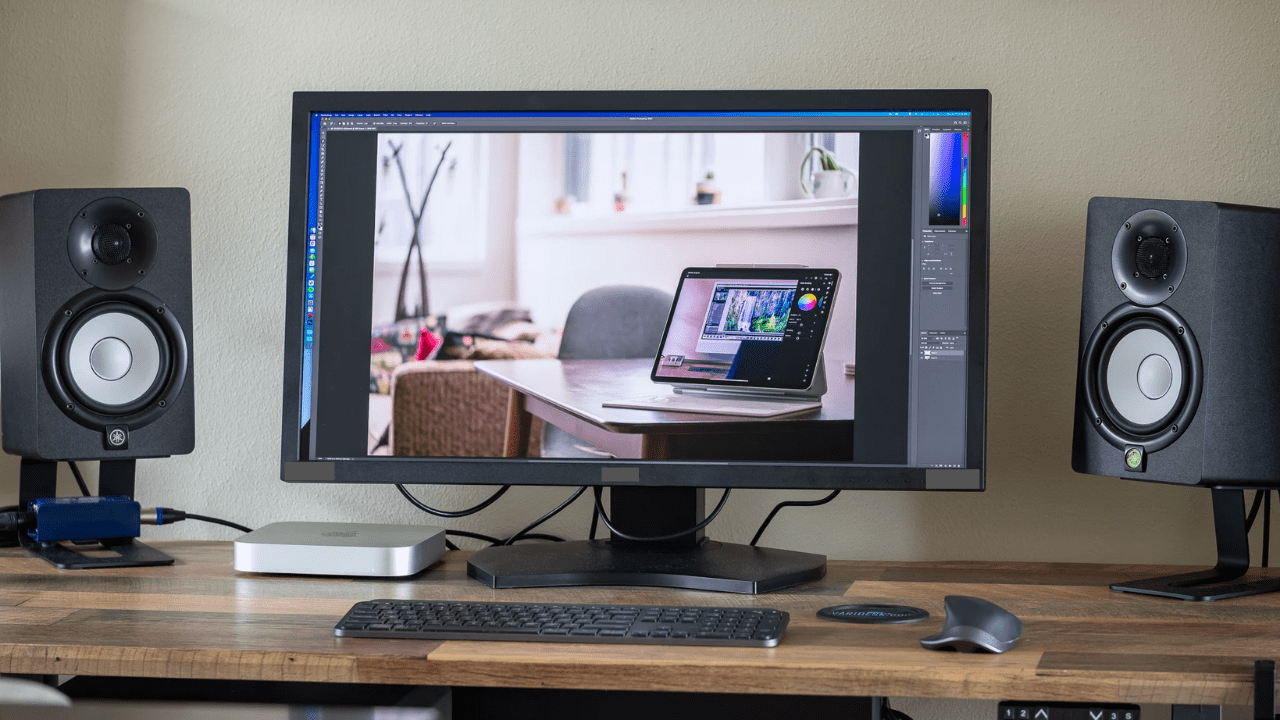
Photo editing needs clear screens and true colors. Many people edit photos every day for work, school, or fun.
Color accuracy makes a big difference in professional photography. As a result, more people are concerned about monitor quality. A weak screen can ruin a good photo.
A strong screen can save hours of work. This is why resolution and panel type matter so much. When details look sharp, and colors stay true, editing feels easy. When they do, editing feels hard and tiring.
This guide explains everything in simple words. It helps beginners and young students understand the basics. By the end, you will know what to look for and why it matters for real photo editing work.
Why Monitor Choice Matters for Photo Editing
A monitor shows your photo before you share or print it. If the screen appears incorrect, the final photo will also be incorrect. This is why editors prioritize the screen over size or brand. Monitors for photo editing play a crucial role because they display accurate colors and sharp details throughout every step of the editing process. They help you notice small changes in light and shade that regular screens often miss. This ensures your edits appear natural and accurate on every device where the photo is displayed.
A good monitor helps you:
- See fine details clearly.
- Spot color changes fast.
- Edit without eye strain.
- Trust what you see on screen.
Bad screens hide shadows and wash colors. This leads to poor edits. Over time, this also wastes effort. Choosing the right resolution and panel type fixes this problem.
Understanding Resolution in Simple Terms
Resolution means how many tiny dots make up the picture. More dots mean more detail. Fewer dots mean blurry edges. Photo editing needs clear detail. This helps with skin tones, shadows, and sharp lines.
Common Monitor Resolutions Explained
Here are common options you will see
- Full HD, or 1080p.
- Quad HD, or 1440p.
- Ultra HD, or 4K.
Full HD works for basic tasks. But it limits detail. 1440p gives more space and clarity. 4K shows the most detail and helps with zoom work.
Why Higher Resolution Helps Editors
Higher resolution lets you see more of the photo at once. You zoom less and work faster. Small flaws stand out clearly. This matters when fixing spots or edges.
Most monitors for photo editing today use at least 1440p. Many professionals choose 4K because it shows true detail without strain.
Choosing the Right Panel Type for True Colors
Panel type controls how colors and light appear. It also affects viewing angles and comfort. This choice matters as much as resolution.
IPS Panels and Why Editors Love Them
IPS panels show strong colors and wide viewing angles. Colors stay the same even when you move your head. This helps during long edits.
Benefits of IPS panels include
- Accurate colors
- Stable brightness
- Clear view from all sides.
Because of this, IPS is the top choice for photo editing screens.
VA and TN Panels Explained Simply
VA panels display deep blacks, but colors shift more noticeably. TN panels respond fast but show weak colors. Both work for games or office tasks. They do not lend themselves well to photo editing.
For clear and honest colors, IPS wins every time.
Color Accuracy and Why It Matters
Color accuracy refers to the screen’s ability to display real colors. Photo editors rely on this. When colors shift, prints look wrong. Social posts look dull. This breaks trust.
Understanding Color Gamut in Easy Words
The color gamut refers to the range of colors a screen can display. More colors mean better accuracy.
Most editors look for
- sRGB support for web work.
- AdobeRGB for print work.
A good IPS screen covers most of these spaces. This helps photos appear consistent everywhere.
Brightness and Contrast Basics
Brightness helps you see details in light areas. Contrast helps you see shadows. Balanced levels help eyes stay relaxed. Good monitors for photo editing maintain even brightness across the entire screen. This helps when editing large photos.
Screen Size and Aspect Ratio Tips
Size affects comfort, not quality. Larger screens give more space. Smaller screens save desk space. Aspect ratio also matters. Most editors use 16 by 9. Some prefer 16 by 10 for extra height. Pick a size that fits your space and posture.
Common sizes include
- 24 inches for small desks.
- 27 inches for balanced work.
- 32 inches for wide layouts.
Refresh Rate and Response Time: Do They Matter
Photo editing does not need high refresh rates. This matters more for games. A standard 60 Hz screen works well. Focus more on color and resolution instead. Response time also matters less. Color stability matters more.
Eye Comfort and Long Editing Sessions
Editing takes hours. Eye comfort helps you stay focused. These reduce strain and help you work longer without pain.
Look for features like
- Flicker-free display
- Low blue light mode
- Matte screen finish
Budget Tips for Beginners and Students
You do not need the most expensive screen. Many mid-range options work well. This setup supports learning and growth. As skills grow, you can upgrade later.
Focus on these basics
- IPS panel
- At least 1440p resolution.
- Good color coverage
Final Thoughts
Choosing the right monitor helps every photo look its best. Resolution controls detail. Panel type controls color truth. Together, they shape your editing experience. When the screen feels right, editing feels smooth and fun. You work faster and trust your results. This matters for beginners and pros alike.
With clear goals and simple choices, you can pick a screen that supports your creative journey. Focus on clarity, focus on color, and focus on comfort. The right monitor for photo editing turns effort into art, making photo editing a joy every day.
