
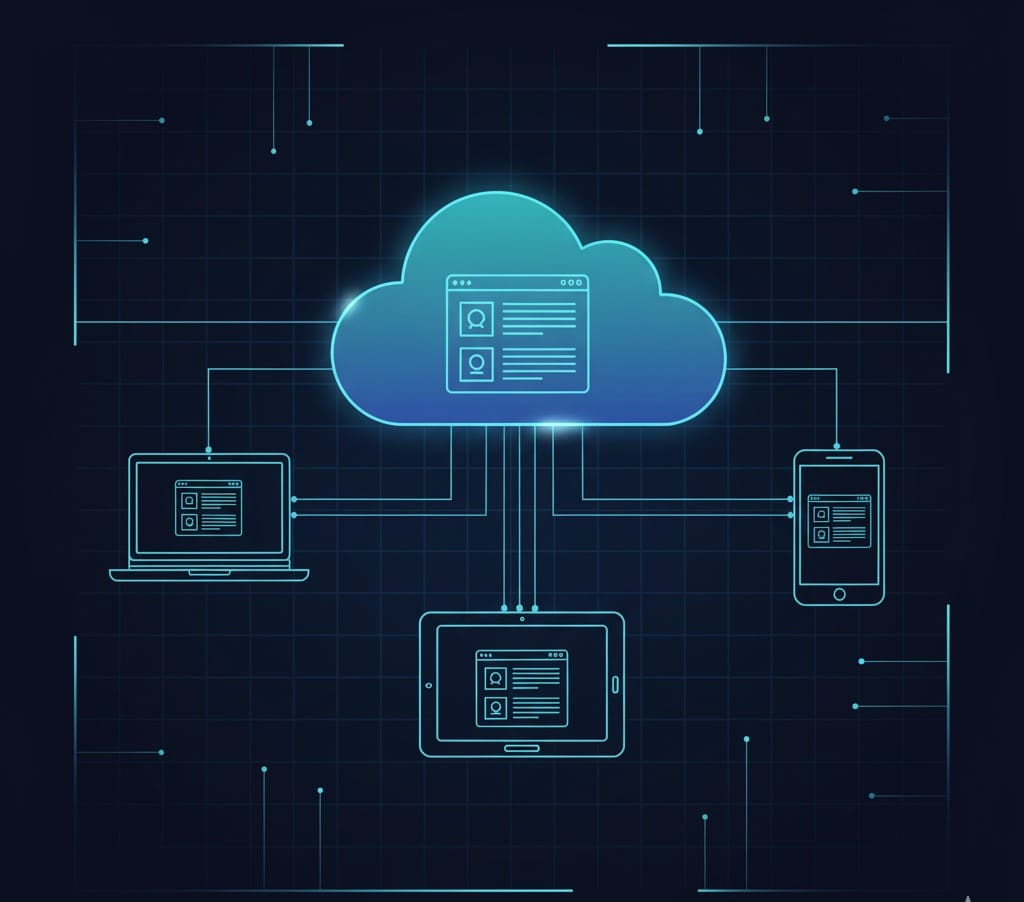
Remember when installing software meant inserting a CD-ROM, waiting through endless installation screens, and praying it wouldn’t crash your computer? Those days are long gone. Today, you’re probably using Software as a Service (SaaS) right now—whether you’re checking Gmail, collaborating on Google Docs, or video conferencing on Zoom—without even realizing it.
But what exactly is SaaS, and why has it revolutionized how businesses operate? In this comprehensive guide, we’ll break down everything you need to know about Software as a Service, from how it works to why it might be the perfect solution for your business needs.
Understanding SaaS: The Basics
What Does SaaS Stand For?
SaaS stands for Software as a Service, and it’s exactly what it sounds like—software delivered as a service rather than a product you purchase and install. Instead of buying a box or downloading files to your hard drive, you simply log in through your web browser and start using the application immediately.
Think of it like this: buying traditional software is like buying a house—you pay a large sum upfront, you’re responsible for all maintenance, and you’re stuck with it even if your needs change. SaaS, on the other hand, is like renting an apartment—you pay monthly, the landlord handles maintenance, and you can move when your situation changes.
Image Suggestion: Simple typographic graphic with the equation “Software + Cloud + Subscription = SaaS” with minimalist icons.
How Does SaaS Actually Work?
SaaS applications live on cloud servers managed by the provider, not on your local device. Here’s the simple breakdown:
- The provider hosts the software on their secure cloud infrastructure
- You access it via the internet using any web browser or mobile app
- You pay a subscription fee (usually monthly or annually)
- The provider handles everything—updates, security, maintenance, and backups
- You use the software from anywhere, on any device with internet access
This cloud-based delivery model means you’re always using the latest version of the software without lifting a finger. No more “Please update to version 12.3.5” notifications disrupting your workflow!
Image Suggestion: Flowchart showing: User Device → Internet Connection → Cloud Server → Application Access, with icons for security locks and automatic updates.
Key Characteristics That Define SaaS
What makes SaaS different from downloading software from the internet? Several defining characteristics set it apart:
Cloud-Based Accessibility: Access your applications from your office computer, home laptop, or smartphone while traveling. As long as you have internet, you’re in business.
Subscription-Based Pricing: Instead of paying thousands upfront, you pay a predictable monthly or annual fee. This pay-as-you-go model makes enterprise-grade software accessible even to startups and small businesses.
Automatic Updates: Remember spending hours updating software and dealing with compatibility issues? SaaS providers push updates automatically in the background, ensuring you always have the latest features and security patches.
Scalability and Flexibility: Need to add 50 new users next month? Or scale down during slower seasons? With SaaS, it’s usually just a few clicks. No need to purchase additional licenses or infrastructure.
Multi-Tenant Architecture: This might sound technical, but it’s simple—one instance of the software serves multiple customers (tenants), with each customer’s data kept completely separate and secure. This shared infrastructure keeps costs down while maintaining security.
Image Suggestion: Infographic grid displaying all 5 characteristics with icons and one-sentence descriptions in a visually scannable format.
SaaS vs. Other Cloud Models: What’s the Difference?
The cloud computing world has its own alphabet soup of acronyms. Let’s clear up the confusion:
SaaS vs. PaaS (Platform as a Service)
SaaS delivers complete, ready-to-use applications. You don’t build anything—you just use it. Examples include Salesforce for CRM or Slack for team communication.
PaaS provides a platform for developers to build their own applications. Think of Heroku or Google App Engine. Unless you’re a developer, you probably won’t interact with PaaS directly.
SaaS vs. IaaS (Infrastructure as a Service)
IaaS offers virtualized computing resources over the internet—essentially renting servers, storage, and networking. Amazon Web Services (AWS) and Microsoft Azure are prime examples.
SaaS sits on top of all this infrastructure, delivering the actual applications you use daily.
The Simple Breakdown: IaaS is the foundation, PaaS is the development toolkit, and SaaS is the finished application ready for business use.
Image Suggestion: Visual pyramid or layers diagram showing IaaS at the base, PaaS in the middle, and SaaS at the top, with examples for each level.
Why Businesses Are Switching to SaaS
The global SaaS market is booming—and for good reason. Here’s why businesses of all sizes are making the switch:
Lower Costs and Predictable Budgeting
Traditional software often requires significant upfront investment: purchasing licenses, buying servers, hiring IT staff for maintenance. SaaS eliminates most of these costs. You pay a predictable subscription fee, and the provider handles the infrastructure, security, and maintenance. This predictability makes budgeting much easier and frees up capital for other business priorities.
Faster Deployment Means Quicker Results
Need a new CRM system? With traditional software, implementation could take months. With SaaS, you can often be up and running within hours or days. This speed-to-value is crucial in today’s fast-paced business environment where waiting months for software deployment just isn’t viable.
Enhanced Collaboration Across Teams
Modern SaaS applications are built for collaboration. Multiple team members can work on the same document simultaneously, leave comments in real-time, and see updates instantly. This is especially valuable for remote and hybrid teams that need to stay connected regardless of physical location.
Enterprise-Grade Security Without the Enterprise Price Tag
Reputable SaaS providers invest millions in security infrastructure—advanced encryption, regular security audits, compliance certifications, and dedicated security teams monitoring threats 24/7. For most small to medium businesses, achieving this level of security on-premise would be prohibitively expensive.
Image Suggestion: Icon-based benefits visualization with 4-6 sections showing cost savings, speed, collaboration, and security with supporting percentages or statistics.
Popular SaaS Examples You’re Probably Already Using
SaaS has penetrated virtually every business function. Here are some categories and leading examples:
Customer Relationship Management (CRM): Salesforce, HubSpot, Zoho CRM help businesses manage customer relationships, track sales pipelines, and automate marketing.
Project Management: Asana, Trello, Monday.com, and ClickUp keep teams organized, track project progress, and manage workflows efficiently.
Communication and Collaboration: Slack, Microsoft Teams, and Zoom have become essential tools for modern workplace communication, especially in the remote work era.
Accounting and Finance: QuickBooks Online, Xero, and FreshBooks handle invoicing, expense tracking, and financial reporting without the complexity of traditional accounting software.
Marketing Automation: Mailchimp, Marketo, and ActiveCampaign power email campaigns, lead nurturing, and marketing analytics.
The beauty of SaaS is its accessibility—tools that once required enterprise budgets are now available to businesses of all sizes.
Image Suggestion: Grid layout showcasing 8-10 popular SaaS tools organized by category, with recognizable logos or icons and brief one-line descriptions.
Understanding SaaS Pricing Models
One of SaaS’s most appealing aspects is pricing flexibility. Here are the most common models:
Per-User Pricing: Pay for each active user. This model is straightforward and scales with your team size. Common in collaboration tools and CRM systems.
Tiered Pricing: Choose from Basic, Professional, and Enterprise plans with increasing features at each level. This lets you start small and upgrade as needs grow.
Usage-Based Pricing: Pay for what you actually use—data storage, API calls, emails sent, or transactions processed. This model rewards efficiency and can be very cost-effective.
Freemium Model: Basic features are free forever, with premium features requiring payment. It’s a risk-free way to test software before committing financially.
Flat-Rate Pricing: One price for unlimited access, regardless of user count. Simple and predictable, though less common.
When evaluating pricing, don’t just look at the sticker price—consider implementation costs, training needs, and potential add-ons. Many SaaS providers offer annual billing discounts, which can save 15-30% compared to monthly payments.
Pro tip: Visit OfferLooters.com to discover exclusive deals and promotional offers on popular SaaS platforms that can significantly reduce your subscription costs!
Image Suggestion: Comparison table showing different pricing models with example price ranges, best-for scenarios, and popular tools using each model.
How to Choose the Right SaaS Solution
With thousands of SaaS options available, choosing the right one can feel overwhelming. Follow this framework:
Start with Your Needs: What specific problems are you trying to solve? List must-have features versus nice-to-haves. Involve actual end-users in this process—they’ll use it daily.
Check Integration Capabilities: Does it work seamlessly with your existing tools? API availability and pre-built integrations can make or break adoption.
Evaluate Security and Compliance: Look for relevant certifications (SOC 2, ISO 27001, GDPR compliance). If you’re in a regulated industry like healthcare or finance, compliance requirements are non-negotiable.
Test Before You Commit: Take advantage of free trials. Get hands-on experience with the actual interface and features. Have your team test it too—their buy-in is crucial for successful adoption.
Review the Fine Print: Check Service Level Agreements (SLAs) for uptime guarantees, understand data ownership terms, and review cancellation policies. What happens to your data if you leave?
Consider Long-Term Viability: Research the vendor’s track record, financial stability, and customer reviews. You’re entering a relationship, not just buying software.
Image Suggestion: Decision-making flowchart or checklist infographic guiding readers through evaluation criteria step-by-step.
Potential Challenges to Consider
While SaaS offers tremendous benefits, it’s important to understand potential drawbacks:
Internet Dependency: You need a reliable internet connection. While some apps offer offline modes, core functionality typically requires connectivity.
Data Security Concerns: You’re trusting a third party with your data. While reputable providers offer excellent security, it requires due diligence on your part.
Limited Customization: SaaS products are standardized to serve many customers. If you need extensive customization, you might hit limitations.
Ongoing Costs: While subscription fees are manageable monthly, they add up over years. For some applications, perpetual licenses might be more economical long-term.
The key is weighing these considerations against the benefits for your specific situation. For most businesses, the advantages far outweigh the drawbacks.
The Future of SaaS: What’s Coming Next
The SaaS industry continues evolving rapidly. Here are trends shaping its future:
AI Integration: Artificial intelligence is being embedded into SaaS platforms, offering predictive analytics, automation, and intelligent recommendations that make software even more powerful and user-friendly.
Vertical SaaS Growth: Industry-specific solutions tailored for healthcare, construction, legal, or other specialized fields are gaining traction over generic horizontal platforms.
Enhanced Security Features: Zero-trust architecture, advanced encryption, and privacy-first design are becoming standard as data protection regulations tighten globally.
Low-Code/No-Code Platforms: These democratize software development, allowing non-technical users to create custom workflows and applications without writing code.
The SaaS revolution is far from over—it’s just getting started.
Image Suggestion: Future trends visualization with 4-5 trend bubbles showing growth projections or adoption rates with modern, forward-looking design.
Conclusion: Is SaaS Right for Your Business?
Software as a Service has fundamentally transformed how businesses access and use technology. By eliminating large upfront costs, reducing IT burden, and providing instant access to powerful tools, SaaS has democratized enterprise-grade software for organizations of all sizes.
Whether you’re a solopreneur, small business, or growing enterprise, SaaS likely has solutions that can streamline your operations, enhance productivity, and reduce costs. The key is identifying your specific needs, carefully evaluating options, and choosing providers that align with your business goals and values.
Ready to explore SaaS solutions for your business? Visit OfferLooters.com to discover exclusive deals, promotional offers, and discounts on hundreds of top-rated SaaS platforms. Why pay full price when you can access the same powerful tools at a fraction of the cost?
Frequently Asked Questions (FAQs)
What is SaaS in simple terms?
SaaS (Software as a Service) is software you access through the internet via a web browser instead of installing on your computer. You pay a subscription fee (usually monthly or annually) to use the application, and the provider handles all maintenance, updates, and security. Common examples include Gmail, Salesforce, Slack, and Zoom. It’s like renting software rather than buying it—you get to use it without worrying about installation, maintenance, or upgrades.
How is SaaS different from traditional software?
The main differences are in delivery, pricing, and maintenance. Traditional software requires installation on individual devices, involves one-time purchase costs, and requires manual updates and local IT support. SaaS is accessed online through browsers, uses subscription pricing, automatically updates in the background, and is maintained entirely by the provider. SaaS also offers greater accessibility (use from any device) and easier scalability (add or remove users instantly) compared to traditional software.
Is SaaS secure for my business data?
Yes, when you choose reputable providers. Leading SaaS companies invest heavily in security measures that typically exceed what most businesses could implement themselves—including data encryption (in transit and at rest), regular security audits, compliance certifications (SOC 2, ISO 27001, GDPR), multi-factor authentication, and 24/7 threat monitoring. However, security levels vary by provider, so always research their security practices, compliance certifications, and track record before entrusting them with sensitive business data.
How much does SaaS typically cost?
SaaS pricing varies widely based on functionality, users, and features. Basic tools might cost $10-25 per user monthly, while comprehensive enterprise solutions can reach $100+ per user monthly. Many providers offer tiered pricing (Basic, Professional, Enterprise) so you can choose what fits your budget. Additionally, most SaaS platforms provide free trials or freemium versions to test before buying. Annual billing often provides 15-30% discounts compared to monthly payments. Visit OfferLooters.com for current deals and promotional pricing on popular SaaS platforms.
Can I use SaaS without technical expertise?
Absolutely! SaaS is designed for ease of use by non-technical users. Most platforms offer intuitive interfaces, guided onboarding, video tutorials, and customer support to help you get started quickly. You can typically sign up, invite team members, and start using basic features within minutes without any coding or IT knowledge. While some advanced features or complex integrations might require technical assistance, the vast majority of SaaS functionality is accessible to anyone comfortable using a web browser. This accessibility is one of SaaS’s biggest advantages—empowering businesses to leverage powerful tools without maintaining IT departments.
