

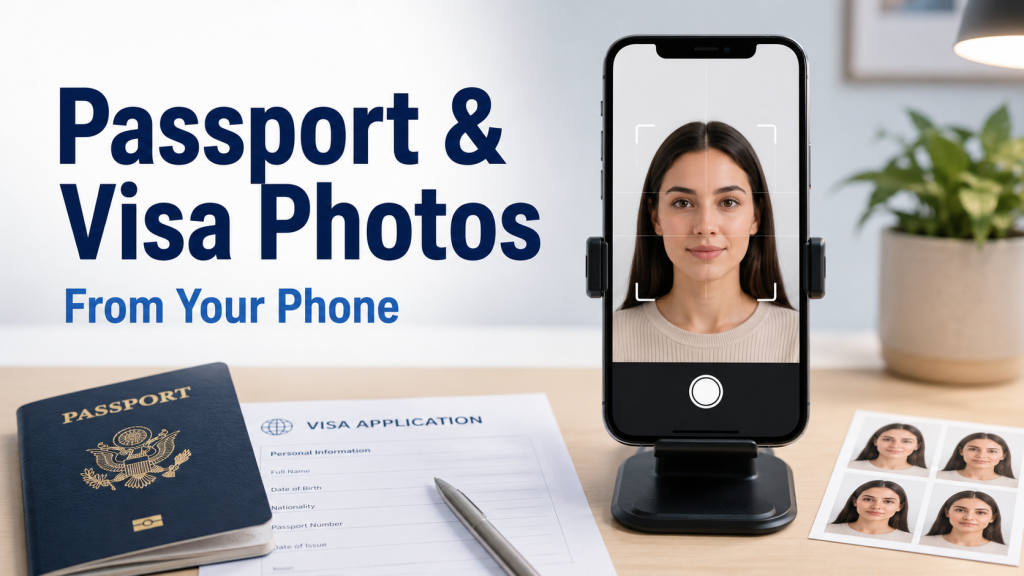
A Smarter Way to Prepare Official Photos
Getting a passport or visa photo used to mean visiting a studio, waiting for your turn, paying for prints, and hoping the final result matched the official requirements. For many people, that process feels outdated, especially when almost everything else can now be handled from a phone. Today, a good smartphone camera and a reliable online tool can help you create compliant passport and visa photos from home.
Whether you are applying for a passport renewal, a student visa, a work permit, or a travel document, your photo must meet strict rules. Size, background, face position, lighting, and expression all matter. A small mistake can lead to rejection, delays, or extra costs. This is where using a visa photo online tool becomes useful, because it simplifies the process while helping you meet official standards.
Why Phone-Based Passport and Visa Photos Are Becoming Popular
People want faster, easier, and more affordable solutions. Visiting a studio may still work, but it is not always convenient. You may be short on time, live far from a photo shop, or need a photo urgently for an online application. With your phone, you can take several shots, choose the best one, and prepare it within minutes.
A phone-based method also gives you more control. You can retake the photo until your face, posture, and lighting look right. Instead of accepting one rushed studio shot, you can review your options carefully. For families, students, remote workers, and frequent travelers, this saves both time and money.
What Makes an Official Photo Different from a Regular Selfie?
A passport or visa photo is not a casual picture. It must follow specific rules set by government authorities. These rules vary by country and document type, but many basic requirements are similar.
A proper official photo usually needs:
- A plain, light-colored background
- Clear visibility of the full face
- Neutral facial expression
- No heavy shadows on the face or background
- Correct head size and photo dimensions
- No filters, beauty effects, or artistic editing
- Proper eye level and straight posture
This is why using a normal selfie without adjustment is risky. Even if the picture looks good, it may not meet the technical requirements. A visa photo maker helps convert your simple phone image into a document-ready photo by cropping, resizing, and formatting it correctly.
How a Visa Photo Maker Helps
A modern visa photo maker is designed to remove the guesswork from the process. Instead of manually checking dimensions and cropping your image yourself, the tool guides you through each step. You upload your photo, select the country and document type, and let the system prepare the image according to the required format.
This is especially helpful because visa photo rules can be different for each destination. A U.S. visa photo, Schengen visa photo, Canadian visa photo, and UK passport photo may not all follow the same size or background standards. A dedicated tool helps match the photo to the selected document so you are not relying on rough estimates.
Step-by-Step Process to Make a Photo from Your Phone
Creating a passport or visa photo from your phone is simple if you follow the right method. The quality of your original picture matters, so start carefully.
First, choose a place with good natural light. Stand near a window, but avoid direct sunlight that creates strong shadows. Keep the background simple and plain. A white or light wall usually works best.
Next, place your phone at eye level. Ask someone to take the picture, or use a tripod and timer. Look straight at the camera with a neutral expression. Keep your mouth closed and your eyes open. Avoid tilting your head.
Then upload the image to a visa photo generator. Select the correct country and document type. The tool will usually adjust the crop, size, and background, then provide a digital or printable version.
Tips for Taking a Better Photo at Home
A better original photo leads to a better final result. You do not need professional equipment, but you do need careful setup.
Keep these tips in mind:
- Use the rear camera if possible, as it usually provides better quality.
- Clean your phone lens before taking the photo.
- Avoid standing too close to the wall to reduce shadows.
- Remove hats, sunglasses, and large accessories unless allowed for official reasons.
- Wear clothing that contrasts with the background.
- Keep your shoulders straight and your face centered.
- Take several photos and choose the clearest one.
These small details can make a big difference. A clear, well-lit photo is easier to process and more likely to look professional.
Why Background and Lighting Matter
Lighting is one of the most common reasons people struggle with official photos. Poor lighting can create shadows, uneven skin tones, or blurry results. Government photo systems often reject images that are too dark, too bright, or unclear.
The background is equally important. A busy room, patterned wall, or visible object behind you can make the photo unsuitable. Some online tools can remove or replace the background, but it is still better to start with a clean setting. This gives the final photo a more natural and polished appearance.
Digital Copies and Print-Ready Files
Many applications now allow users to upload a digital photo directly. This is convenient, but the file must still match the required size, format, and resolution. A visa photo online tool can create a digital copy that is ready for uploading to an application portal.
In some cases, you may still need printed photos. A good tool can also provide a print-ready layout, often arranged so multiple photos fit on standard photo paper. This allows you to print at home or at a local print shop without paying for a full studio session.
Common Mistakes to Avoid
Even with a good phone, mistakes can happen. The most common issues are usually simple but important.
Avoid these errors:
- Smiling too broadly or making an unusual expression
- Using a photo with shadows across the face
- Wearing glasses when they are not allowed
- Cropping the head too closely
- Taking the photo from a high or low angle
- Using filters or skin-smoothing effects
- Uploading an old photo that no longer reflects your appearance
Your photo should look natural, current, and clear. It should represent how you look now, not how you looked several years ago.
Who Can Benefit Most from Online Photo Tools?
Online photo tools are useful for many types of users. Travelers can prepare photos quickly before submitting visa applications. Students applying abroad can create document photos without visiting multiple studios. Remote workers and digital nomads can handle paperwork from anywhere. Parents can take children’s passport photos at home, which is often easier than taking them to a studio.
Businesses and agencies can also benefit when they need ID-style photos for staff records, badges, or documentation. The speed and convenience make online photo preparation practical for both personal and professional use.
Choosing the Right Visa Photo Generator
Not every tool gives the same quality. When selecting a visa photo generator, look for one that supports multiple countries and document types. It should offer proper cropping, background adjustment, and downloadable files. The process should be simple enough for beginners, with clear instructions at each step.
A reliable tool should also help reduce the risk of rejection by aligning the photo with official-style requirements. While no tool can guarantee approval in every case, using one designed for document photos is much safer than guessing the size and format yourself.
Cost and Convenience Compared to a Studio
A studio may charge for taking and printing photos, and you may need to return if the photo is rejected. Online options are often more affordable, especially if you only need a digital file. You also save travel time, waiting time, and the effort of scheduling a visit.
For people who need photos for multiple applications, the savings can be even greater. You can create different formats from your phone without starting from scratch each time. This flexibility is one of the biggest advantages of using an online photo solution.
Make Your Next Application Easier
Passport and visa photos do not have to be stressful. With a smartphone, proper lighting, and a dependable online tool, you can prepare a professional-looking photo without visiting a studio. The key is to take a clear image, follow basic photo rules, and use a tool that formats it correctly for your required document.
Making passport and visa photos from your phone is practical, fast, and budget-friendly. Whether you are preparing for travel, study, work, or immigration paperwork, this modern method helps you move through the application process with more confidence and less hassle.