
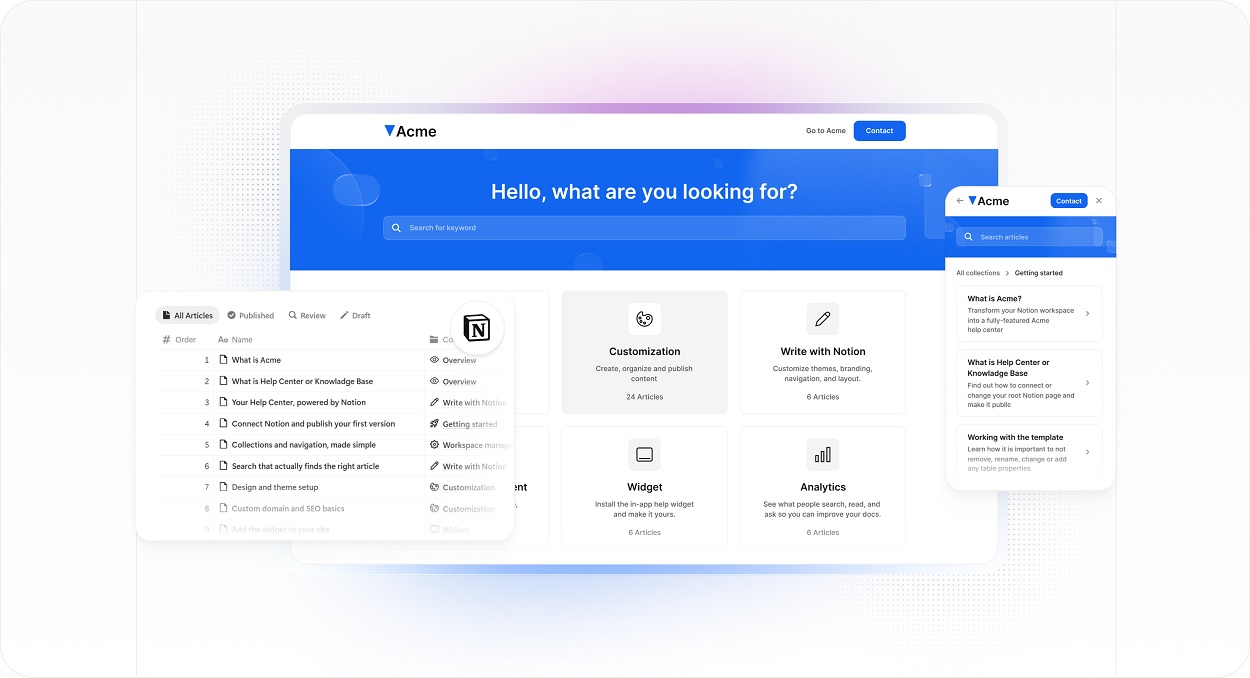
Small teams rarely start with a perfect support system. They start with whatever helps them move quickly: notes in Notion, old FAQ pages, saved email replies, onboarding checklists, chat answers, product notes, and short explanations written after a customer gets stuck.
That is normal. The problem comes later, when those answers stay scattered. Support becomes slower, new customers repeat the same questions, and useful knowledge stays hidden inside the team instead of helping customers solve problems on their own.
Better customer support does not always require a bigger team or a complicated help desk. Often, the fastest improvement is to turn existing docs into clear self-service content customers can search, read, and trust.
Start with the questions customers already ask
The best support content usually comes from real customer questions. Before writing a large documentation plan, look at the issues your team answers again and again.
For a small business, those questions might come from inbox replies, live chat, sales calls, onboarding sessions, product demos, or messages from existing customers. These repeated questions are not just support noise. They are a map of what customers cannot yet solve by themselves.
Good first topics often include:
- account access and login issues
- billing, invoices, and plan questions
- setup and onboarding steps
- feature usage questions
- policy and limit explanations
- common troubleshooting steps
- what to do when something fails
These are the support articles most likely to save time because they answer questions customers are already asking.
Sort what you already have before rewriting everything
A common mistake is to start from a blank page. Most small teams already have useful material. It may not be polished, but it often contains the core answer.
Collect the docs, replies, notes, and explanations you already use, then sort them into three simple groups:
- Ready with light editing: the answer is mostly correct, but the wording needs cleanup.
- Useful but not customer-ready: the information is valuable, but it includes internal language, hidden assumptions, or too much team context.
- Internal only: the content helps your team operate, but it should not be published publicly.
This step matters because internal notes and public support articles have different jobs. Internal notes help the team move faster. Customer-facing support content helps someone outside the company solve a problem without needing extra explanation.
Rewrite docs around the customer problem
Once you know which material can be reused, the next step is to rewrite it from the customer’s point of view.
Internal documents are often named around the way the team thinks. Customers think in visible problems and tasks. A page called Billing settings overview may make sense internally, but a customer is more likely to look for Update your billing email or Download an invoice.
A useful support article should make the answer obvious. It should explain:
- what the article helps with
- who the steps apply to
- what the customer needs before starting
- the exact steps to follow
- what should happen after the steps
- what to do if the issue continues
This turns a raw explanation into a practical support asset. The customer does not need to understand your internal workflow. They only need to know what to do next.
Keep each article focused on one job
Small teams often try to save time by putting too much into one article. That can make the page harder to scan and harder to maintain.
A good support article usually does one clear job:
- helps the customer complete a task
- explains a rule or policy
- troubleshoots one specific issue
- defines a concept the customer needs to understand
If the article changes purpose halfway through, split it. For example, How to connect your account and Why your account is not syncing may be related, but they answer different questions. Separate articles are easier to search, update, and share with customers.
Organize support content so customers can find it
Even well-written articles can fail if customers cannot find them. A list of documents is not the same as a support center. Customers need search, categories, clear titles, and next-step links.
For many small teams, simple categories are enough:
- getting started
- account and billing
- using the product or service
- orders, payments, or subscriptions
- troubleshooting
- policies and limits
The goal is not to mirror your internal folders. The goal is to match how customers think. They may not know your feature names, but they usually know the task they are trying to complete or the issue they are seeing.
Use one customer-facing layer instead of scattered pages
As a business grows, support content often spreads across too many places. Some answers live in a public FAQ. Others sit in Notion, Google Docs, old emails, onboarding PDFs, or private team notes. That makes it harder for customers and harder for the team.
A better approach is to keep one writing workflow internally and create one clean customer-facing layer externally. For example, teams that already write in Notion can use a tool to turn Notion docs into a help center without changing where the team writes and organizes the source material.
Keep the support content current
A help center is not finished the day it launches. It stays useful only if someone keeps it connected to real customer problems and product changes.
A lightweight review process is usually enough. Use signals such as:
- repeated customer questions
- search terms with weak or missing answers
- new product or service changes
- pricing, policy, or billing updates
- articles support keeps correcting manually
- pages customers still do not understand
These signals show where an article is missing, unclear, or outdated. They also stop support content from becoming a static archive that no longer reflects the business.
Give important articles an owner
Documentation often becomes outdated because nobody owns it. That does not mean every small team needs a heavy editorial process. But important articles should have a clear owner and a simple review rhythm.
At minimum, track:
- who owns the article
- what area it supports
- when it was last reviewed
- when it should be reviewed again
- whether it is draft, live, or outdated
This keeps support content reliable without creating a large content operations process.
Review support content like part of the customer experience
Support content is not only a back-office resource. It is part of the customer experience.
When a customer is confused, stuck, or trying to complete an important step, your documentation may be the first place they go. If the article is clear, the business feels more reliable. If the answer is missing or outdated, the customer may lose trust before they ever speak to support.
A simple review can reveal where the system needs improvement. Ask:
- Which questions still create repeated support messages?
- Which articles does the team share most often?
- Which categories feel thin or hard to browse?
- Which topics still live only in internal notes?
- Which pages no longer match the current product, service, or policy?
That is the shift from having a few support pages to running a useful self-service support system.
Conclusion
Small teams do not need to rebuild customer support from scratch to make it better. In many cases, the raw material already exists in internal docs, saved replies, onboarding notes, FAQs, and repeated answers the team gives every week.
The work is to turn that material into customer-facing help: audit what exists, remove internal context, rewrite around customer tasks, organize content so it can be found, and keep it current with a simple review loop.
Done well, better support documentation gives customers faster answers, reduces repeated questions, and helps the team spend more time on the problems that truly need human support.