

Virtual meetings now shape how people work and learn every day. Offices, schools, and teams depend on video calls to stay connected.
A workplace study reveals that more than 77 percent of remote workers participate in video meetings daily.
Many attend four or more calls each day. This trend continues to grow as work becomes increasingly flexible. Yet long meetings on small laptop screens cause stress and tired eyes. Faces shrink, notes overlap, and focus breaks fast. This makes meetings feel heavy and confusing.
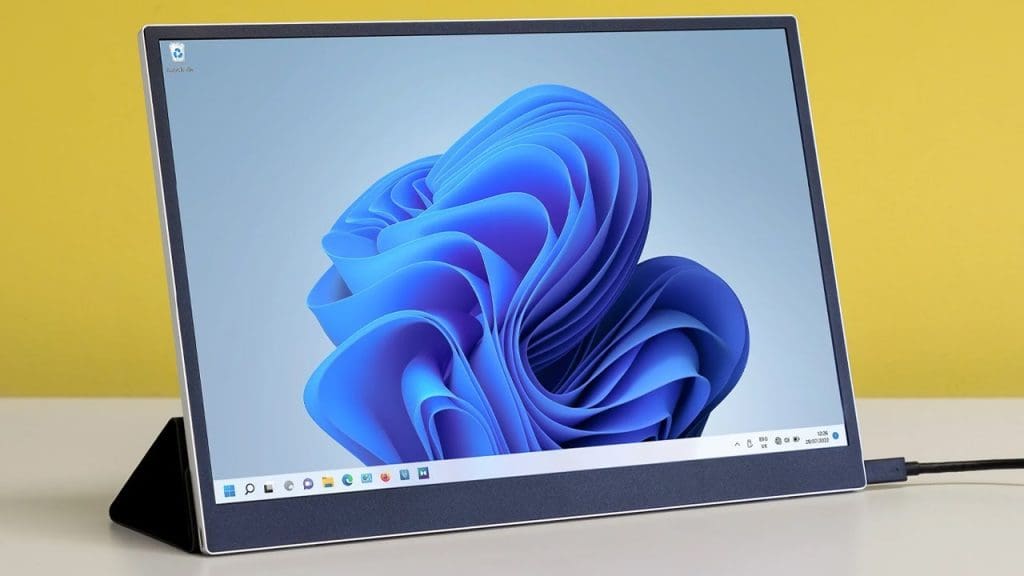
People miss details and feel less confident while speaking. Portable laptop monitors provide a convenient solution. They add extra screen space without effort. They feel easy to use and fit into daily routines. They help meetings run smoothly and calmly.
This article explains six clear ways portable laptop monitors make virtual meetings easier for everyone.
1. Extra Screen Space Reduces Screen Stress
Small laptop screens create pressure during meetings. Video faces slides, chats, and notes fight for space. This causes quick tab switching and confusion. Portable laptop monitors solve this issue by giving a second screen, and a clear setup lowers screen stress right away. Your eyes relax since the content stays visible. Your hands stop jumping between tabs. Your mind feels calm and steady.
- One screen shows meeting faces.
- One screen shows slides or files.
- One task stays on each screen.
Why Clear Space Improves Meeting Comfort
When space feels open, your body relaxes. You breathe better and sit still. You listen longer without feeling tired. This comfort helps you stay engaged from start to end. Meetings feel easier and less draining.
2. Better Focus Keeps Conversations Smooth
Focus often breaks during virtual meetings. Small screens force fast switching between apps. This draws attention and causes missed points. Portable laptop monitors support better focus by allowing tasks to be spread across multiple screens.
- The meeting stays visible at all times.
- Notes stay open without hiding faces.
- Chat stays readable without clicks.
Your eyes move gently instead of jumping. Your mind stays on the topic. This steady focus enhances your ability to speak and listen effectively.
How Focus Builds Stronger Communication
When focus stays strong, your words sound clear. You reply with confidence and calm. You catch tone and meaning better. Others notice your attention and respond well. This creates smoother conversations and better teamwork.
3. Easy Note Taking Without Missing Anything
Note-taking feels hard on one screen. When notes open, the meeting view shrinks or hides. This makes people miss expressions and key moments. Portable laptop monitors fix this problem with a clean setup. You type freely while watching the speaker. You never pause the meeting view. This keeps you present and active.
- One screen shows the live meeting.
- One screen stays open for notes.
- Both stay visible at once.
Why Two Screens Improve Memory
When you see and write at the same time, your brain works better. Notes feel clear and organized. You remember details after the meeting ends. This helps with follow-ups and tasks later.
4. Smooth Screen Sharing Builds Confidence
Screen sharing often causes stress. People search for files and close windows fast. This looks messy and wastes time. Portable laptop monitors make screen sharing smooth and simple. This setup removes panic during sharing. You know where everything sits. You switch views without rushing.
- Prepare content on one screen.
- Share only the needed screen.
- Keep meeting faces visible.
How This Makes You Look Prepared
When sharing feels easy, you speak with confidence. You avoid delays and mistakes. Others trust your message and ideas. Meetings move faster and feel more professional.
5. Better Eye Contact Creates Human Connection
Eye contact matters in virtual meetings. It helps people feel noticed and respected. Small screens often divert the viewer’s attention away from the camera. Portable laptop monitors help improve eye contact in a natural way.
- Meeting faces stay near eye level.
- Notes move to the second screen.
- Your gaze feels steady.
This setup keeps your eyes closer to the camera. Others feel your attention.
Why This Improves Meeting Energy
When people feel seen, they open up more. Trust grows, and talks feel warmer. Meetings stop feeling cold or distant. This human touch enhances teamwork and fosters a deeper understanding.
6. Flexible Setup Fits Every Meeting Style
Not all meetings feel the same. Some need slides. Some need teamwork. Some need quiet listening. Portable laptop monitors adapt to every style with ease.
- Use them at home
- Use them in offices
- Use them while traveling
They feel light and easy to carry. Setup takes very little time. This flexibility supports busy schedules and sudden calls. This freedom helps people feel ready anywhere
- Quick setup saves time.
- Easy movement supports travel.
- Simple design fits daily use.
Conclusion
Virtual meetings now fill our days. They connect teams, classrooms, and ideas across distances. Yet small screens create big challenges. Portable laptop monitors address these issues in straightforward ways. They add space and reduce stress.
They improve focus and note-taking. They make sharing smooth and eye contact natural. They adjust to every meeting style with ease.
Each benefit supports real daily needs. This makes meetings feel calm, clear, and human. When tools support comfort, communication improves. Portable laptop monitors help virtual meetings feel easier, more focused, and more confident every day.
