
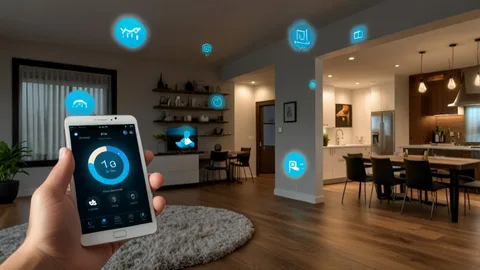
A thoughtful approach to home automation turns scattered smart devices into a cohesive system that actually improves daily life instead of adding complexity. Good home automation begins with clear outcomes, a resilient network backbone, sensible automation rules, and commissioning that proves the system works in real conditions. This guide walks you through planning, device selection, network design, commissioning, privacy and security, and how to keep the system useful and maintainable for years — not just until the next app update.
Start with outcomes, not gadgets
The most common mistake in home automation is shopping first and thinking later. Instead of collecting devices, define three to five outcomes you want the system to deliver: reduce energy bills by 10–20 percent, simplify evening routines for everyone in the house, provide secure remote access for short-term guests, or support aging-in-place features like automated lighting and fall-detection alerts. When you plan home automation around outcomes, every device and integration has a clear purpose. Decisions about lighting control, thermostats, locks, shades, or sensors become practical rather than aspirational.
Design the invisible backbone: network and power
Reliable home automation depends on a robust network and predictable power. Start with a wired backbone to the AV/automation rack and use managed Wi-Fi access points placed after a heat-map survey. Segment IoT devices onto a separate VLAN or SSID so cameras, locks, and smart speakers cannot freely talk to your personal devices. For power, hard-wired switches and motorized shades reduce maintenance, while battery sensors provide flexibility. A good home automation plan documents where power will be available and where long-term batteries are acceptable versus where line power is preferable.
Choose standards and avoid single-vendor lock-in
Look for platforms that support industry standards (Matter, Zigbee, Z-Wave, or open IP APIs) so you can replace individual devices without ripping out your whole system later. A competent home automation design uses a hybrid approach: IP devices where bandwidth and video are required, mesh protocols for low-power sensors, and a controller or hub that exposes APIs for future integrations. Avoid systems that force you into proprietary clouds for every minor feature — choose controllers that let critical automations run locally without internet dependency.
Keep critical functions local-first and private
Not all automations should depend on the cloud. For safety-critical features like door locks, smoke alarms, and emergency scenes, ensure local-first operation so the house still functions if internet access fails. Privacy matters too: define what data the system will retain, how long video or access logs are stored, and who can view them. Many homeowners prefer a hybrid model where raw footage is stored locally and only event clips are uploaded to cloud services when needed. Make these rules part of the project scope so privacy and reliability are explicit deliverables.
Design automations people will actually use
Automation should reduce friction, not create surprise. Start small and iterate. Implement a few high-value scenes — for example, an “arrive home” scene that unlocks the door, turns on entry lights, and sets a comfortable temperature; a “bedtime” scene that locks doors and dims lights; and a daytime energy mode that coordinates shades and thermostats. Make automations transparent: name them clearly, document triggers, and provide obvious manual overrides. Test automations with real household members during commissioning — real usage quickly reveals confusing logic or false triggers.
Integrate systems for compound benefits
Home automation becomes exponentially more useful when systems share context. Motorized shades coordinated with thermostats reduce peak cooling loads, occupancy sensors can steer HVAC to occupied zones only, and door locks tied to cameras provide entry snapshots for verification. During design, plan integration points and prefer platforms with reliable drivers or open APIs. If multiple trades are involved — HVAC, shading, AV — coordinate them early to avoid rework and ensure the automation platform can access the necessary control points.
Commissioning: prove it works in real life
Commissioning is the most under-appreciated phase of home automation. A proper commissioning process includes a Wi-Fi heatmap under load, automation acceptance tests, sensor placement validation, failover checks (internet out, controller reboot), and documentation of firmware versions and baselines. The commissioning report should list every device, its network location, the automations tested, and pass/fail outcomes. Don’t accept a system until the commissioning checklist is complete — it’s the only way to ensure what’s installed performs as promised.
Security and lifecycle update policies
Cybersecurity is operational work. Change default passwords, enable two-factor authentication on cloud portals, and patch firmware on a regular schedule. Implement a staged update policy: apply firmware updates to a single pilot device, monitor for regressions, then roll them out across the network. Maintain an inventory of devices with serial numbers and firmware versions so you can quickly identify affected units when a vulnerability is announced. For larger projects, consider a managed service that handles staged updates and remote diagnostics.
Handover and household training
A project is only as good as the people who use it. Handover should include concise, role-based training: a homeowner walkthrough of daily scenes for everyday users and an admin session for whoever will manage users and firmware. Deliver a short operations binder (or digital folder) that includes network diagrams, device lists, default credentials changed to a secure method, and recovery steps for account problems. Provide short how-to videos for common tasks — these reduce support calls and help the household adopt automations quickly.
Maintenance, monitoring, and TCO
Plan for maintenance. Devices age, batteries deplete, and software evolves. Create a maintenance schedule that covers firmware checks, battery replacements, filter changes in thermostats, and annual re-commissioning for critical automations. Decide whether you want a managed plan for monitoring and updates or prefer to handle maintenance in-house. Include total cost of ownership in your planning — small recurring fees for cloud services or managed support are often worth the operational peace of mind they provide.
Accessibility and inclusive design
Home automation can significantly improve accessibility when designed intentionally. Voice interfaces, one-touch scenes, reachable keypads, and automated night lighting reduce friction for people with mobility or vision challenges. Test control interfaces with the intended users and provide alternative control surfaces so everyone in the household can operate essential functions comfortably.
Measure success and iterate
After the system is live, measure outcomes against the initial goals. Track energy metrics if savings were an objective, survey household satisfaction, and log incident reductions if safety was a priority. Use this data to iteratively improve automations and to justify future phases. A well-documented first phase makes subsequent expansions faster and less risky.
Final thoughts
Home automation at its best is invisible: it makes life easier, safer, and more efficient without demanding constant attention. Achieve that by starting with outcomes, building a resilient network, choosing interoperable standards, insisting on local-first reliability for critical systems, and commissioning everything under real use conditions. With those fundamentals in place, home automation becomes a lasting improvement to your home — not another box of obsolete gadgets.