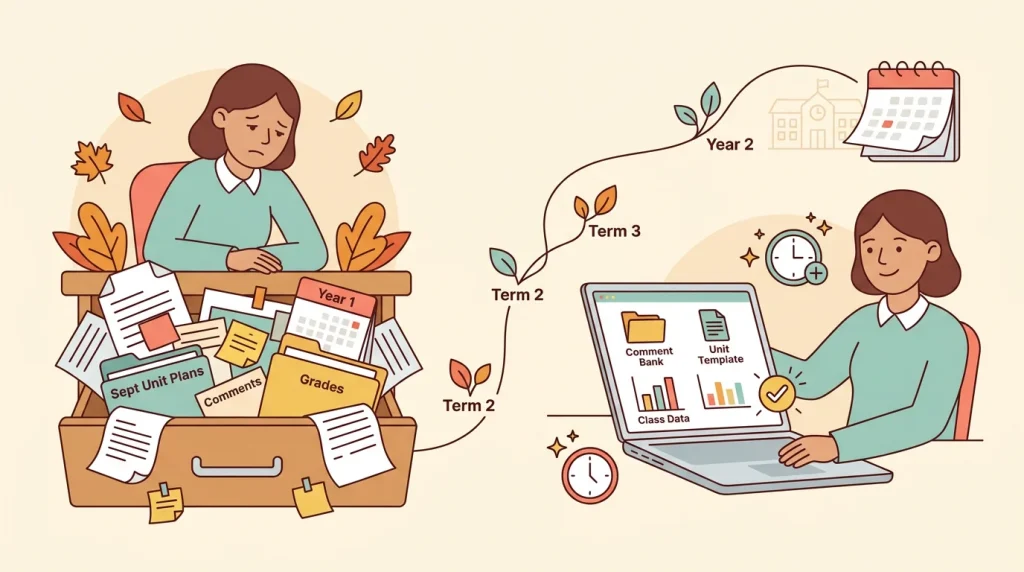
Think about that one kitchen drawer stuffed with old receipts, spare keys, and takeout menus. You dig through the whole thing just to find one rubber band. A teacher’s binder works the same way, except the rubber band is tomorrow’s lesson plan.
A modern digital classroom fixes that. It’s not about scanning paper into a PDF, it’s about pulling planning, grading, and organization into one connected space you can actually find things in.
Here’s what that shift really looks like, and why it’s finally worth making.
Why the Paper Binder Finally Broke Down
For years, the binder was the system: one crowded shelf holding everything a classroom needed. It just wasn’t built for how much teaching actually demands today.
The scattered systems teachers juggle
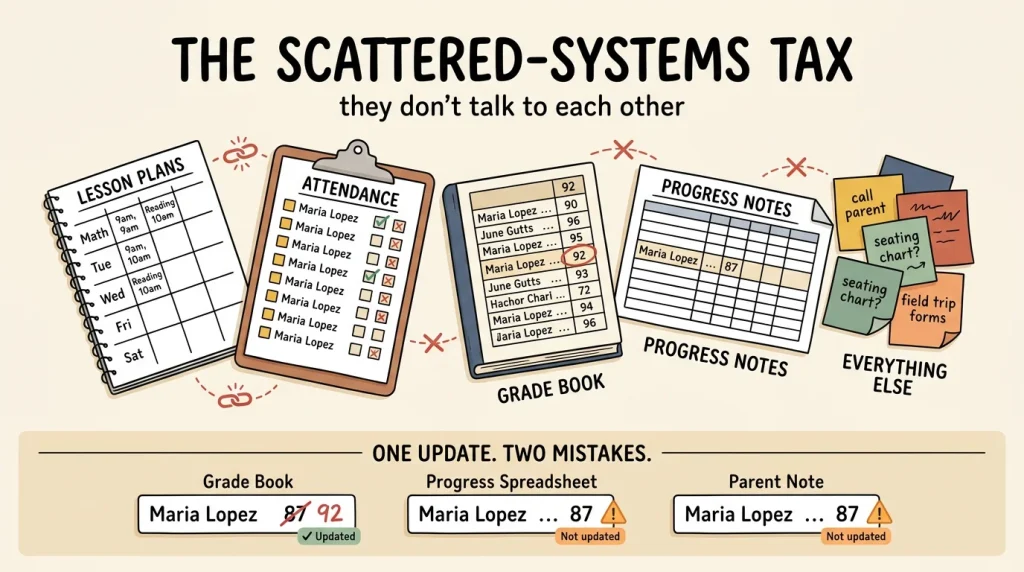
Most teachers aren’t running one system. They’re running four or five:
- a lesson-plan book
- an attendance sheet
- a grade book
- a spreadsheet for progress notes
- maybe a sticky-note pile for everything else
Each one lives in its own binder or file, and none of them talk to each other. Update a seating chart in one and the attendance sheet never knows it happened.
That split creates a hidden tax: duplicate data entry. Write a student’s name and grade in the grade book, then copy it into the progress spreadsheet, then again into a parent-conference note. Change one number and the other two are already wrong.
What paper simply cannot do
A binder can hold information, but it can’t do much with it. You can’t search a stack of paper for every late assignment this month in seconds; you’d have to flip through every page by hand.
There’s no automatic average, no trend line showing whether a student is slipping, and no way for a substitute to glance at today’s plan without decoding your handwriting.
Worse, paper has no backup. A coffee-stained folder or a binder left on a bus can mean weeks of records gone for good, with nothing to fall back on. And even when it survives intact, paper still can’t reveal a pattern across a term.
Only you can, flipping through one page at a time.
What a Digital Classroom Actually Centralizes
A modern setup pulls planning, grading, attendance, and rosters into one connected hub instead of scattering them across a binder, a spreadsheet, and three different apps. The goal is one source of truth, not five apps duct-taped together.
One place for lessons and plans
When your lesson plans link directly to the classes and dates they belong to, you’re never digging through old files to remember what you taught last Tuesday.
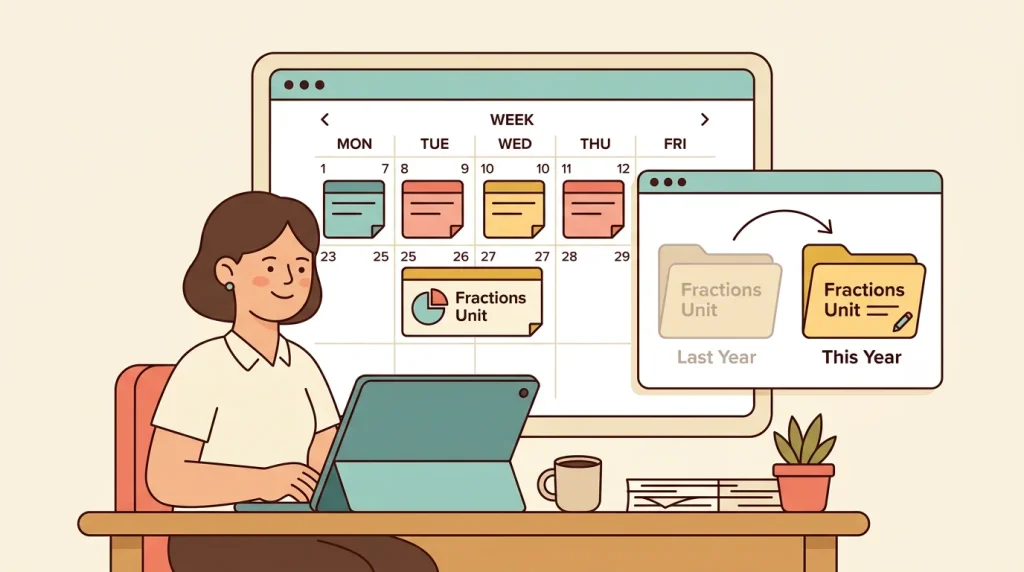
Reusable templates take this further: build a unit once, then adapt it each year instead of starting from a blank page every September.
Think of a fifth-grade teacher who reuses last year’s fractions unit, tweaking a few activities instead of rebuilding the whole thing from scratch.
Rosters and organization that update themselves
Class lists, seating charts, and groupings live in one editable place, which sounds small until you’re mid-semester and juggling a new student, a seating swap, and a shifted reading group all in the same week.
Good class management tools make sure a change in one spot doesn’t create work everywhere else: changing a roster automatically flows into grading and attendance, so you’re not updating the same information three separate times.
That same logic carries into grading. Enter a grade once, and it updates the gradebook, the student’s profile, and any parent-facing summary, all at once.
Everything stays searchable, timestamped, and backed up automatically, so nothing gets lost to a spilled coffee or a forgotten flash drive.
Grading and Feedback Without the Red Pen
Grading a stack of papers with a red pen used to mean hours of repetitive scribbling, and a gradebook that only told you where a student stood today.
A digital gradebook changes that: it calculates weighted averages automatically, flags missing work the moment it’s due, and turns feedback into something you build over time instead of rewriting every night.
Faster, more consistent marking
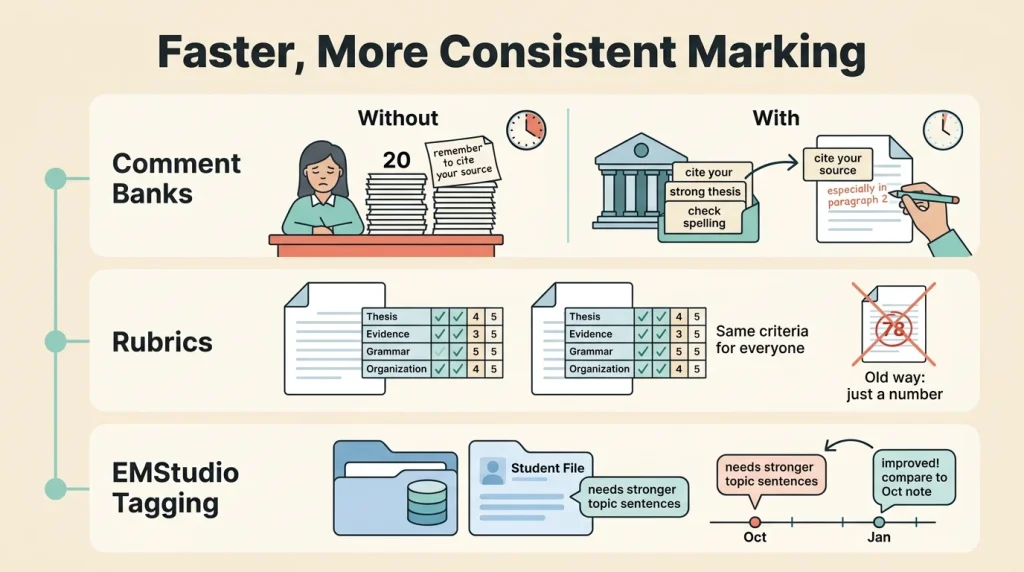
Comment banks are the biggest time-saver here. Instead of typing “remember to cite your source” for the twentieth time, you save it once and drop it in wherever it fits, then tweak it for the student in front of you.
Rubrics attached to each assignment do similar work on the fairness side: every student is measured against the same criteria, and the breakdown is visible to them, not just a number circled in red.
In a tool like EMStudio, that feedback can also be tagged and attached to an individual student’s record, so a comment from October is still there to reference in January.
Seeing patterns before they become problems
A single missing assignment is easy to miss on paper. Three missing assignments showing up together on a dashboard is not. That’s the shift we’re after: progress becomes a trend you can watch, not a lone score in a box.
Consider a seventh-grade teacher who notices one student’s average sliding across three separate assignments; catching that in week two, instead of at report cards, buys weeks of runway to step in.
And when work comes back digitally, there’s no lost-assignment excuse and no shuffling papers to find it.
Planning and Organization in One Workspace
A paperless classroom only works if the pieces talk to each other. Calendars, lesson plans, deadlines, and attendance all need to live on the same timeline instead of scattered across apps and folders.
EMStudio is built around that idea: one connected workspace where planning and record-keeping share the same data instead of duplicating it.
Keeping the whole term in view
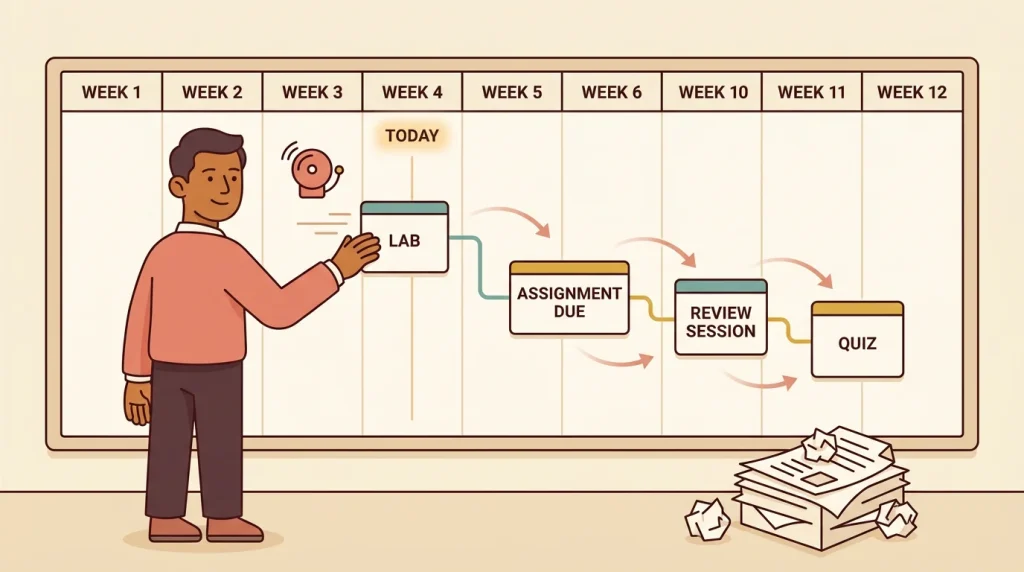
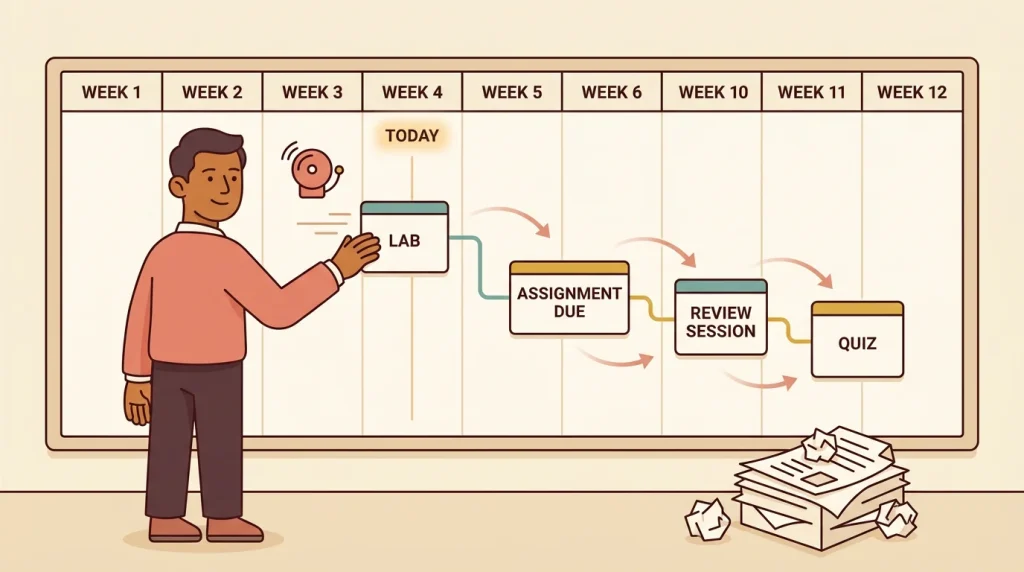
A unit map gives you the whole term at a glance: where you are now, what’s coming next, and how today’s lesson connects to next week’s. That view matters more than a stack of loose lesson plans ever could.
Better still, when life happens and a lesson has to move, related deadlines shift with it automatically.
Reschedule a lab because of a fire drill, and the linked assignment due date, review session, and quiz move too, without you hunting down every place that date lives.
Records that follow the student
Behavior notes, accommodations, and contact logs scattered across notebooks and email threads are easy to lose and hard to hand off. Keep them on one student profile instead, and they stay attached all year, from the first week to the last.
Consider a teacher heading out for a planned absence.
Instead of leaving a sub a stack of folders and a rushed note, they hand off a profile that already holds the accommodations, the recent behavior notes, and the attendance history tied to the same roster used for grading and reporting.
What used to take an evening now takes minutes.
Making the Switch Without Losing Your Mind
Going paperless doesn’t have to mean flipping a switch on a random Monday and hoping for the best. The teachers who stick with it treat the shift like any other new skill: start small, build confidence, then expand.
A staged migration that actually sticks
Pick one function to start with, usually the gradebook, since it’s the thing you touch every single day. Move one class or one unit into it first. That gives you a low-stakes test run instead of a full overhaul with no way back if something breaks.
When you digitize, start with the current term, not three years of binders sitting in a closet. Old records can wait or stay on paper entirely. Once grading feels natural, layer in planning and attendance.
Set up your templates and categories once at the start, and every day after that stays fast. Keep paper backups through the first term too. It’s a safety net, not a step backward.
Common friction points and fixes
The biggest complaint isn’t the tool. It’s the setup time. Budget a few hours upfront to build categories, templates, and class lists in EMStudio.
That investment is front-loaded: most teachers feel the payoff by week two or three, once entry and grading get quick.
If your whole department is going paperless together, agree on shared naming conventions before anyone starts entering data. One teacher’s “Unit 3 Quiz” and another’s “Q3 Test” makes shared folders and gradebooks a mess fast.
A five-minute conversation up front saves everyone a headache later.
What Teachers Gain Back Once It Clicks
Once the pieces are connected, the payoff isn’t abstract. It shows up as actual hours, calmer routines, and records you can trust.
Hours back in your week
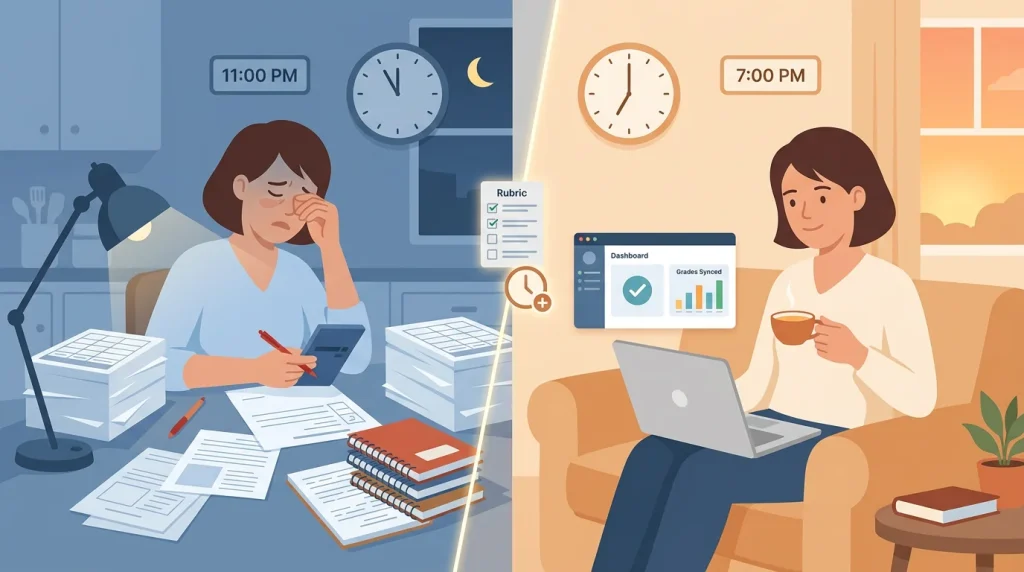
Think of a middle school teacher who used to spend Sunday night averaging grades by hand. With automated calculations, that math happens the moment a score is entered, and a rubric built once can be reused all year instead of rebuilt each unit.
That’s real time back for lesson planning or, better yet, for rest.
Parent emails get faster too. Instead of flipping through a paper gradebook to find one missing assignment, one search in EMStudio pulls up a student’s full record instantly.
Communication improves because the data behind it is already organized and current, not scattered across three notebooks.
A system that grows with you
The first year takes the most setup. After that, it compounds. A comment bank written once gets reused and refined every term, and a unit template built in September saves an evening every time it’s needed again next year.
Looking at data across terms also shows you something:
- which units consistently trip students up
- which assessments actually predict growth
- where your own teaching has room to sharpen
And because everything lives in one system rather than a single binder, records are safe, portable, and easy to hand off if you switch grades, schools, or just want a substitute to pick up seamlessly.
Going paperless was never about the paper. It’s about trading a drawer full of loose parts for one workspace where planning, grading, and organization actually talk to each other.
Once that clicks, you stop hunting for things and start teaching with them. Fewer headaches, more hours back in your week.
Ready to bring your classroom into one place? Check out our class management tools to see how it comes together.