
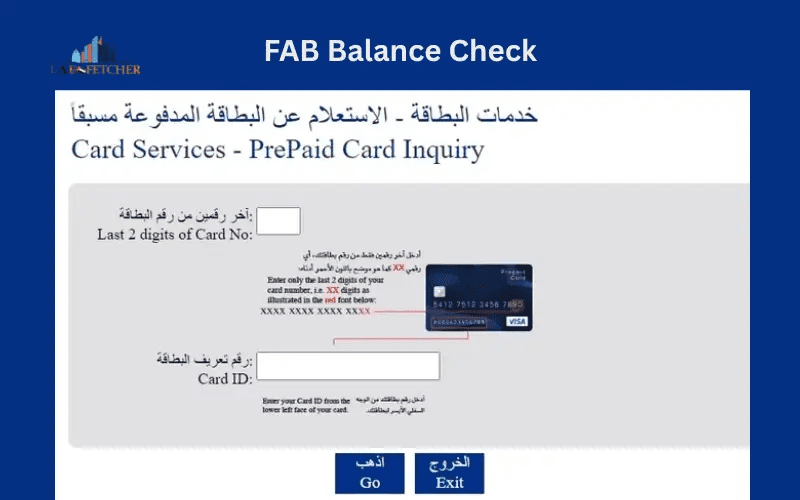
If you’re living or working in the UAE, the FAB Prepaid Card (First Abu Dhabi Bank) is one of the most convenient ways to manage your money. Whether you’re using it for salary transfers, shopping, or travel purposes, knowing how to check your FAB prepaid card balance is essential to keep track of your spending and avoid declined transactions.
In this 2025 updated guide, you’ll learn all the easy and secure ways to perform a FAB balance check — including online, through the mobile app, via SMS, and at ATMs. These methods ensure that you can instantly monitor your card balance anytime, anywhere. We’ll also share practical tips to manage your prepaid card safely and answer some of the most frequently asked questions about FAB prepaid services.
What Is a FAB Prepaid Card?
The FAB Prepaid Card is a reloadable payment card issued by First Abu Dhabi Bank, one of the UAE’s largest financial institutions. It works similarly to a debit card, except that it’s not directly linked to a bank account. Instead, you load funds onto the card and use it for transactions such as:
- Shopping online or in-store
- Paying bills and utilities
- ATM withdrawals
- Receiving salaries (for some companies)
- Traveling abroad with multi-currency options
Because it’s prepaid, you can only spend the amount available on the card, making it an excellent option for budgeting, employees, and even tourists in the UAE.
Why Checking Your FAB Prepaid Balance Is Important
Keeping track of your card balance helps you:
- Avoid failed transactions during payments
- Track spending and budgeting effectively
- Detect any unauthorized transactions early
- Refill your card before it runs out of funds
Whether you’re using an eDirham, Travel, or Payroll prepaid card, checking your balance regularly keeps your finances transparent and organized.
Updated FAB Prepaid Card Balance Check Methods (2025)
Here are all the latest and verified methods you can use to check your FAB prepaid card balance in 2025.
1. Check FAB Prepaid Balance Online (Official Website)
One of the easiest ways to check your FAB prepaid card balance is through the FAB online banking portal.
Steps:
- Visit the official FAB website: www.bankfab.com
- Click on “Login” → “Personal Banking”.
- Enter your user ID and password.
- Once logged in, go to the Prepaid Cards section.
- Select your specific prepaid card (e.g., Salary, Travel, or eDirham).
- Your current balance and transaction history will appear on the screen.
Tip: Make sure you are using a secure internet connection and never share your login credentials with anyone.
2. Check FAB Prepaid Card Balance via Mobile App
FAB’s official mobile banking app is another convenient way to view your prepaid card balance anytime, anywhere.
Steps:
- Download the FAB Mobile App (available on Android and iOS).
- Log in using your registered mobile number or banking credentials.
- Navigate to the “Cards” section.
- Select your prepaid card to view balance, spending, and reload options.
You can also set up real-time notifications for transactions, helping you monitor every payment or deduction instantly.
3. FAB Balance Check via SMS
If you don’t have internet access, FAB allows you to check your prepaid balance via SMS banking.
Steps:
- Go to the SMS app on your registered mobile number.
Type the following message:
BAL <space> Last 4 digits of your card number
- Send it to 2121 (FAB’s official SMS banking number).
Within a few seconds, you’ll receive an SMS with your current card balance and other basic account details.
Note: SMS banking may require prior activation through FAB’s customer service or branch.
4. Check Balance Using FAB ATM
If you prefer a physical method, you can use any FAB ATM across the UAE to check your prepaid balance instantly.
Steps:
- Insert your FAB prepaid card into the ATM.
- Enter your PIN code.
- Select “Balance Inquiry” from the menu.
- The screen will display your current balance.
- You can also print a mini statement if needed.
This method is secure and helpful for users who want both digital and printed balance details.
5. Check via FAB Customer Care
If you face issues with online or SMS methods, you can contact the FAB customer care center.
Contact Details:
- Within UAE: 600 52 5500
- Outside UAE: +971 2 681 1511
Provide your card details (never share full card number or PIN) and request a balance inquiry. The representative will guide you through safely verifying your balance.
Other Useful FAB Prepaid Card Services
Besides checking your balance, FAB prepaid cardholders can also:
- Reload or Top-Up: Add funds online, through ATMs, or at FAB branches.
- View Transaction History: See spending patterns in the app or online portal.
- Block or Replace Card: In case of loss or theft, request a replacement immediately.
- Use Abroad: FAB prepaid travel cards can be used worldwide with secure currency conversion.
Tips to Manage Your FAB Prepaid Card Safely
To keep your prepaid card and funds secure, follow these best practices:
- Enable SMS alerts for every transaction.
- Avoid sharing your card number or PIN with anyone.
- Use only secure ATMs and online portals.
- Check your balance regularly to detect any unauthorized usage.
- Report lost or stolen cards immediately to FAB support.
FAB’s customer support and mobile app provide quick blocking features to protect your money instantly.

Final Thoughts
Checking your FAB prepaid card balance in 2025 is now easier than ever. Whether you prefer the mobile app, SMS, ATM, or online banking, all methods are designed for speed, convenience, and security.
By staying aware of your balance, you can avoid declined payments, monitor expenses, and make the most of your FAB prepaid card — whether it’s for daily purchases, salary payments, or travel abroad.
So next time you wonder “How can I check my FAB prepaid card balance?”, just choose the method that fits your routine and stay in control of your finances with First Abu Dhabi Bank.
Common Issues and Solutions
Q1: My FAB prepaid balance isn’t updating after top-up. What should I do?
➡ Wait for 15–30 minutes. If not updated, contact FAB support to confirm the transaction.
Q2: I forgot my prepaid card PIN. How can I reset it?
➡ Visit the nearest FAB ATM or call the FAB helpline to request a PIN reset.
Q3: Can I use my FAB prepaid card for online shopping?
➡ Yes, most FAB prepaid cards are enabled for online purchases. Ensure your card is activated for e-commerce transactions.