
A Technical Reference for IT Managers, Network Engineers & Procurement Professionals
The Problem with Siloed Infrastructure Purchasing
Enterprise IT infrastructure is procured in silos. Storage teams evaluate SSDs on IOPS and cost per terabyte. Networking teams select switches on port density and switching capacity. Wireless teams choose access points on coverage and client density. Procurement teams negotiate unit prices without modelling multi-year support costs.
The result is infrastructure that meets every individual specification but fails as an integrated system. NVMe-oF storage deployments that discover the switch fabric cannot sustain lossless Ethernet under load. Wi-Fi 6E access point rollouts that reveal the PoE switch budget is 40% under what full AP density requires. Server refresh projects that spec the drives correctly but miss the fact that the storage controller requires a firmware update that voids the support contract.
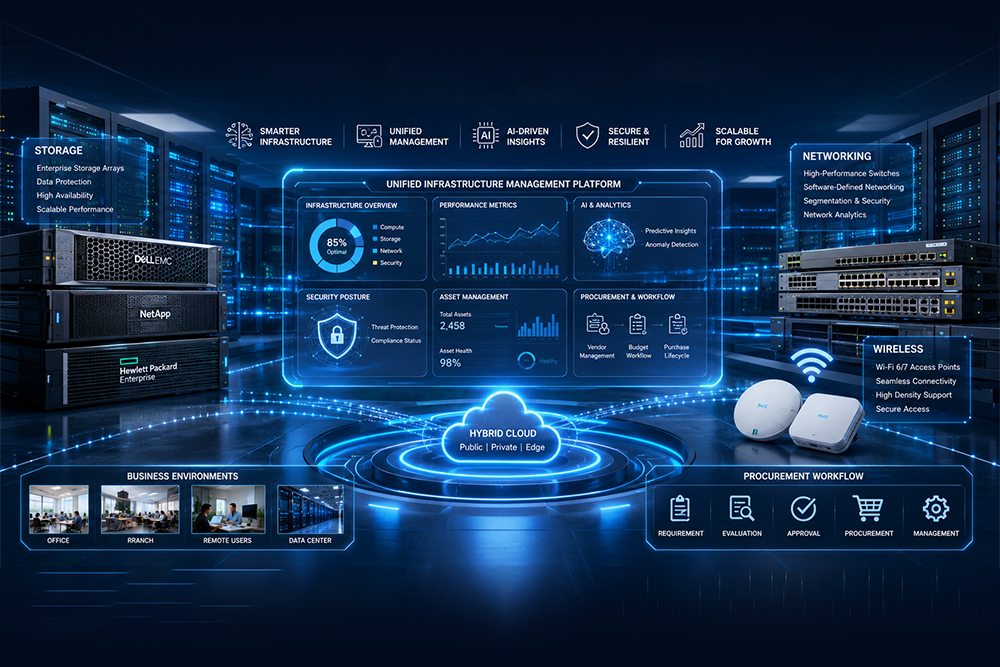
This guide presents a unified framework for enterprise IT infrastructure decision-making across four interconnected layers: storage, switching, wireless access, and procurement strategy. Each layer is covered with sufficient technical depth for engineering-level decision-making, with cross-layer dependency analysis highlighted throughout.
This guide references detailed category resources from HardDiskDirect.com, a specialist enterprise IT hardware supplier. Links to the full category guides are provided at the end of each section.
The Four Infrastructure Layers and Their Dependencies
Before examining each layer in detail, the table below summarizes the cross-layer dependencies that make a unified buying framework necessary. Every cell in the ‘Key Dependency’ column represents a design decision in one layer that constrains a decision in another.
| Infrastructure Layer | Core Function | Key Cross-Layer Dependency | Detailed Reference |
| Enterprise SSD Storage | Primary & cache storage for servers/arrays | Switch bandwidth & latency for NVMe-oF | HardDiskDirect SSD Guide |
| Network Switching | Layer 2/3 backbone, inter-VLAN routing, PoE | Storage throughput, AP uplink speed | HardDiskDirect Switch Guide |
| Wireless Access Points | End-user Wi-Fi, IoT integration, guest access | PoE switch budget, uplink capacity | HardDiskDirect WAP Guide |
| IT Procurement | Vendor strategy, TCO modelling, SLA management | All three hardware layers | HardDiskDirect Procurement Guide |
Layer 1: Enterprise SSD Storage
Solid-state storage is the performance anchor of modern enterprise infrastructure. Whether deployed in direct-attached server storage, all-flash arrays, or NVMe-oF fabric configurations, the specifications chosen at procurement time define the IOPS ceiling, latency floor, and data durability of the entire storage tier for the lifetime of the deployment.
Form Factor and Interface Selection
The SSD form factor and interface combination is the first decision gate. Three options dominate the 2026 enterprise market:
- U.2 / U.3 NVMe (PCIe Gen 4 or Gen 5): The enterprise production standard. Hot-swap capable in most server chassis, delivering random 4K IOPS exceeding 1.5 million on Gen 5 platforms and sequential reads above 7,000 MB/s. Mandatory for OLTP databases, hyperconverged infrastructure, and NVMe-oF fabric storage.
- M.2 NVMe (PCIe Gen 3 or Gen 4): High throughput in a compact form factor for edge servers, appliances, and caching tiers. TBW (Total Bytes Written) ratings are typically lower than equivalent U.2 enterprise drives — critical to verify for write-intensive deployments.
- SATA SSD (2.5″ or M.2): Hard capped at approximately 550 MB/s by the SATA interface. Appropriate for capacity-tier storage, backup-to-disk, and OS boot volumes where latency and IOPS are secondary to cost per terabyte.
Four Specifications That Determine Real-World Performance
DWPD: Endurance Sizing
Drive Writes Per Day (DWPD) defines how many full sequential writes the drive is rated to sustain per day over its warranty period. A 1.92 TB drive at 1 DWPD equals 1.92 TB of writes per day. For write-heavy workloads — OLTP transaction logs, VM snapshots, real-time analytics — specify 3 DWPD or higher. Read-optimized workloads (content delivery, analytics queries, OS boot) are well served by 0.3–1 DWPD at a materially lower cost.
4K Random Latency: The Operational Metric
Sequential throughput figures (MB/s) dominate marketing material but are largely irrelevant for transactional enterprise workloads. The metric that determines database response time and VM storage responsiveness is random 4K latency at full queue depth — specifically the 99th-percentile (P99) latency. For enterprise NVMe, target P99 read latency below 500 microseconds and P99 write latency below 100 microseconds under queue depth 32.
Power Loss Protection: Non-Negotiable
Enterprise SSDs include onboard capacitors that flush the volatile write cache to NAND on sudden power loss. Consumer and prosumer drive routinely omit this feature. Without Power Loss Protection (PLP), a sudden power event can corrupt in-flight write operations and degrade NAND cells through improper program-erase cycles. PLP is not optional for any SSD deployed in a production server or storage array.
NVMe-oF Transport and the Switch Dependency
Organizations deploying NVMe over Fabrics with RoCEv2 transport face a hard dependency between storage and network infrastructure. RoCEv2 requires lossless Ethernet, which requires Data Center Bridging (DCB) on the switching fabric — specifically Priority Flow Control (PFC) to prevent packet drops and Enhanced Transmission Selection (ETS) to manage traffic prioritization. A switch fabric that does not support DCB will cause severe performance degradation and increased write latency in NVMe-oF deployments, regardless of how well the drives themselves are specified.
Cross-layer dependency: Finalize your switching architecture and confirm DCB support before committing to NVMe-oF throughput targets. The switch is the binding constraint, not the drives.
Workload-to-SSD Specification Matrix
| Workload Type | Recommended Tier | Interface | Min. DWPD |
| OLTP Database (Primary) | High-endurance NVMe | U.2 PCIe Gen 4/5 | 3+ |
| VM Storage / HCI | Mid-endurance NVMe | U.2 / M.2 PCIe Gen 4 | 1–3 |
| Read-heavy Analytics | Read-optimized NVMe | U.2 / M.2 | 0.3–1 |
| Backup-to-Disk / Archive | SATA SSD (capacity tier) | SATA 2.5″ | 0.3 |
| OS Boot / Read Cache | Entry NVMe or SATA | M.2 or 2.5″ SATA | 1 |
Detailed product comparisons, TBW tables, and brand recommendations are available in the 2026 Enterprise SSD Buying Guide from HardDiskDirect.com.
Layer 2: Network Switching
The switching fabric is the infrastructure layer on which everything else depends. It delivers PoE power to access points, carries east-west storage traffic between servers, enforces network segmentation via VLANs, and provides the physical underlay for overlay fabrics such as VXLAN. Architecture decisions made at the switching layer will constrain storage and wireless performance for the lifetime of the deployment.
Dell PowerSwitch Portfolio by Deployment Tier
- N-Series (N1100–N3200) — Access and Distribution: Stackable managed switches delivering PoE+ and PoE++ for campus edge and branch office deployments. Scalable to 12-unit stacks with 160 Gbps stacking bandwidth. Appropriate access-tier deployments where port density, PoE budget, and uplink speed are the primary requirements.
- S-Series (S3100–S5200) — Data Centre ToR and Aggregation: 25GbE to 100GbE capable top-of-rack and aggregation switches. Full support for VXLAN, EVPN, and BGP underlay. The standard choice for spine-leaf architectures in hyperconverged and cloud-edge environments. Supports DCB for NVMe-oF over RoCEv2.
- Z-Series (Z9300–Z9700) — Core and Spine: 400GbE spine switches for hyperscale data centres and large enterprise cores. Deep-buffer configurations available for storage traffic burst absorption. Used as spine nodes in high-density spine-leaf deployments alongside S-Series leaves.
Architecture Selection: Three-Tier vs. Spine-Leaf
Three-Tier (Access-Distribution-Core)
The traditional enterprise campus model. Access switches (typically N-Series) serve end devices and deliver PoE. Distribution switches aggregate access uplinks and enforce routing policy. Core switches provide high-speed transit. Suitable for campus environments where north-south traffic (client to server) dominates east-west (server to server) traffic. Does not scale well for HCI or disaggregated NVMe-oF storage workloads.
Spine-Leaf (Clos Network)
Every leaf switch connects directly to every spine switch. East-west traffic between any two servers’ traverses exactly two hops regardless of network scale. Latency is predictable; bandwidth is uniform, and the fabric scales by adding leaf-spine pairs without redesign. Essential for NVMe-oF storage fabrics, HCI clusters, and containerized microservices. Dell S-Series as leaf nodes and Z-Series as spine nodes is the standard enterprise configuration.
Cross-layer dependency: Calculate your total PoE wattage requirement before selecting access switches. HPE Aruba AP-635 (Wi-Fi 6E) requires 802.3bt PoE++ at up to 25.5W per port. At 24 APs per switch, that represents 612W of PoE load before phones, cameras, and IoT devices are added.
Switching Specifications for Storage and Wireless Workloads
- PoE Standard and Budget: 802.3af (15.4W per port), 802.3at/PoE+ (30W), 802.3bt/PoE++ (90W). Verify both the per-port maximum and the total switch PoE power supply capacity. A 48-port PoE++ switch fully loaded with Wi-Fi 6E APs can require a 2,000W+ power supply budget.
- DCB/Lossless Ethernet: Required for NVMe-oF over RoCEv2. Requires Priority Flow Control (PFC) and Enhanced Transmission Selection (ETS). Not universally available on all N-Series models — verify before selecting switches for storage network roles.
- Buffer Depth: Storage traffic exhibits large, bursty write patterns. Shallow-buffer switches drop packets under burst conditions, causing retransmissions that dramatically increase effective write latency. Specify deep-buffer S-Series or Z-Series switches for storage-facing ports.
- Uplink Oversubscription Ratio: Access-to-distribution uplinks should be 10:1 oversubscribed or better. With 24 ports of 2.5GbE AP uplinks (60 Gbps aggregate), a minimum 25GbE uplink to distribution is required to avoid congestion under full load.
For full product comparisons, architecture diagrams, and PoE budget calculators, see the Business Leader’s Guide to Dell Switches from HardDiskDirect.com.
Layer 3: Wireless Access Points
Wireless infrastructure has transitioned from a supplementary access method to the primary network access layer for most enterprise end-users. AP selection now determines not only coverage and throughput but also IoT device integration capability, location services architecture, network security segmentation, and the PoE infrastructure requirements placed on the switching layer below.
Wi-Fi Generation: 2026 Landscape
| Generation | Standard | Frequency Bands | Peak Throughput | Primary Enterprise Use |
| Wi-Fi 4 | 802.11n | 2.4 / 5 GHz | ~450 Mbps | Legacy links, budget outdoor CPE |
| Wi-Fi 5 | 802.11ac | 2.4 / 5 GHz | ~3.5 Gbps | SMB, retail, cost-sensitive sites |
| Wi-Fi 6 | 802.11ax | 2.4 / 5 GHz | ~9.6 Gbps | Enterprise indoor, high-density outdoor |
| Wi-Fi 6E | 802.11ax + 6 GHz | 2.4 / 5 / 6 GHz | ~9.6 Gbps | Ultra-dense enterprise, future-proofing |
| Wi-Fi 7 | 802.11be | 2.4 / 5 / 6 GHz | ~46 Gbps | Forward-looking enterprise deployment |
Management Platform Selection
Management platform selection precedes AP model selection. Deploying APs from different management ecosystems in the same site without deliberate design creates roaming inconsistencies, policy fragmentation, and operational overhead.
TP-Link Omada: SMB to Mid-Market
The Omada SDN platform provides centralized Wi-Fi management, seamless Layer 3 roaming, and VLAN-based network segmentation for deployments of up to hundreds of APs. The product range covers every deployment scenario: Wi-Fi 7 indoor ceiling APs (EAP783), Wi-Fi 6 wall-plate APs for per-room hospitality deployments (EAP655-Wall, EAP615-Wall), IP68-rated outdoor Wi-Fi 6 units (EAP650-Outdoor), and Pharos-platform directional CPEs for point-to-point building links at distances up to 29 km (CPE710). The OC200 hardware controller manages up to 100 Omada APs without requiring a dedicated server, making it well-suited to sites where permanent server infrastructure is not available.
HPE Aruba: Enterprise Grade
The HPE Aruba AP-515 (Wi-Fi 6, dual-band) and AP-635 (Wi-Fi 6E, tri-band) are designed for enterprise environments where security posture, AI-driven RF optimization, and IoT integration are primary requirements. Both models integrate Bluetooth 5 and Zigbee (802.15.4) radios, enabling asset tracking, indoor positioning, and IoT device onboarding without separate gateway hardware. The AP-635 adds a dedicated 6 GHz radio delivering up to seven clean 160 MHz channels, addressing the spectrum of congestion that limits Wi-Fi 6 in ultra-dense deployments. Aruba Central provides cloud-based multi-site management with AI-based client troubleshooting, application visibility, and role-based access policy enforcement.
Deployment Scenario Reference
| Deployment Scenario | Recommended Model(s) | Primary Constraint |
| Hotel / dormitory (per-room AP) | EAP655-Wall or EAP615-Wall | PoE+ switch, Cat5e cabling per room |
| Open-plan office (50–150 users) | EAP783 or HPE AP-515 | Omada/Aruba controller, 2.5GbE uplinks |
| Outdoor venue / campus | EAP650-Outdoor (Wi-Fi 6) | IP68 enclosure, PoE+ cable runs |
| Building-to-building link (<29 km) | CPE710 pair | Line-of-sight, Pharos Control platform |
| High-density enterprise (200+ concurrent) | HPE AP-635 (Wi-Fi 6E) | 802.3bt PoE++, Aruba Central licensing |
| Small office / home office | EAP225 or TL-WA1201 | 802.3af PoE or DC adapter |
Full product specifications, MPN reference tables, and per-product analysis for all 16 AP models in this lineup are available in the Wireless Access Point Buying Guide from HardDiskDirect.com.
Layer 4: Procurement Strategy and TCO
Hardware procurement decisions made without a full total cost of ownership (TCO) model consistently underestimate 5-year infrastructure costs by 40–60%. The following framework provides a structured approach to procurement that integrates with the hardware decisions across the three infrastructure layers above.
Five-Year TCO Components
- Unit Hardware Cost: Typically, 30–50% of 5-year TCO. The figure most organizations focus on exclusively in the procurement process.
- Support and Maintenance Contracts: NBD (Next Business Day) parts replacement is the minimum acceptable SLA for production infrastructure. 4-hour on-site support contracts are appropriate for Tier-1 critical systems. Multi-year contracts negotiated at purchase are consistently 15–25% cheaper than annual renewals.
- Software and Licensing: Aruba Central cloud management subscriptions, Dell OS10 advanced feature licensing, and Omada Cloud Controller subscriptions all carry recurring per-device annual costs. These must be modelled into the TCO before hardware commitments are made.
- Power and Cooling: High-density NVMe SSDs draw significantly more power than SATA equivalents at equivalent capacity. A 48-port PoE++ switch at full load can require 2,000W+. For data centre deployments, include infrastructure power and cooling cost in the TCO model at the component level.
- Planned Refresh: SSDs have a finite endurance limit defined by TBW rating. Plan for proactive replacement at 80% of rated TBW. Network switches typically have a 7–10 year refresh cycle; wireless APs are typically 4–6 years given the pace of Wi-Fi standard development.
Vendor Strategy
Consolidated Single-Vendor
- Single point of support escalation — one vendor owns the full stack.
- Pre-validated product interoperability across the vendor’s portfolio.
- Volume discount leverage across product categories.
- Risk: vendor lock-in limits negotiating leverage at contract renewal.
Best-of-Breed Multi-Vendor
- Select the highest-performing or best-value product per category independently.
- Competitive pressure at renewal — vendors know they can be replaced.
- Risk: interoperability validation responsibility falls on internal engineering teams; support finger-pointing in complex cross-vendor incidents.
Recommended approach: consolidate within categories (standardize one switch vendor, one AP platform, one primary storage vendor) while evaluating vendors independently across categories. This balances integration reliability with procurement leverage.
Supply Chain Risk Mitigation
Extended lead times continue to affect enterprise networking and storage hardware in 2026. Key mitigation measures:
- Maintain 10–15% buffer stock above minimum spare requirements for all critical production components.
- Use authorized distributors with confirmed on-hand stock for standard SKUs rather than OEM direct for time-sensitive deployments.
- Lock pricing and component availability at purchase order stage, not at delivery stage, for multi-phase projects.
- For phased deployments, front-load procurement of long-lead items (enterprise APs, core switches, high-endurance NVMe SSDs) even when installation is deferred.
A complete procurement checklist, vendor evaluation framework, and licensing guidance are available in the IT Professionals & Procurement Teams Buying Guide from HardDiskDirect.com.
Cross-Layer Decision Matrix
The matrix below maps common enterprise deployment scenarios to the infrastructure layers requiring active decision-making. Use it to scope which buying guides and which internal teams need to be engaged for a given project before purchasing begins.
| Deployment Scenario | SSD Layer | Switch Layer | Wireless Layer | Procurement Layer |
| Data centre refresh | ✔ Required | ✔ Required | Optional | ✔ Required |
| Campus Wi-Fi rollout | — | ✔ Required | ✔ Required | ✔ Required |
| HCI / hyper-converged | ✔ Required | ✔ Required | Optional | ✔ Required |
| Hotel / hospitality fit-out | — | ✔ Required | ✔ Required | ✔ Required |
| Remote site / branch office | Optional | ✔ Required | ✔ Required | ✔ Required |
| NVMe-oF storage fabric | ✔ Required | ✔ Required | — | ✔ Required |
| IoT / smart building | — | ✔ Required | ✔ Required | ✔ Required |
| Building-to-building link | — | — | ✔ Required | Optional |
Pre-Purchase Infrastructure Checklist
The following checklist should be completed before any purchase order is issued for enterprise infrastructure components across any of the four layers covered in this guide.
Storage
- Define workload profiles: IOPS, throughput, latency, and endurance requirements per application tier.
- Select interface standard: NVMe (U.2/M.2) for performance tiers, SATA for capacity/archive.
- Verify DWPD rating against expected write intensity for each drive position.
- Confirm Power Loss Protection (PLP) on all production-tier SSDs.
- If deploying NVMe-oF over RoCEv2: confirm DCB (PFC + ETS) support on target switch platform.
Switching
- Select architecture: three-tier for campus, spine-leaf for data centre / HCI.
- Calculate PoE budget per switch: sum all connected device wattages, add 20% headroom.
- Verify uplink speed: access-to-distribution oversubscription should not exceed 1:10.
- Confirm DCB support (PFC + ETS) for NVMe-oF storage fabrics where applicable.
- Plan VLAN segmentation: storage, management, user, IoT, and guest traffic isolated from deployment day.
Wireless Access Points
- Select Wi-Fi generation based on client device profile and concurrent user density.
- Select management platform (Omada SDN or Aruba Central) before selecting individual AP models.
- Complete a site survey or predictive RF model before finalizing AP placement and count.
- Verify the PoE standard on access switches matches AP requirements (802.3bt for AP-635 and EAP783).
- For outdoor deployments: confirm IP rating meets local environmental and insurance requirements.
- For directional CPE links: verify line-of-sight clearance and Fresnel zone before purchase.
Procurement
- Build a 5-year TCO model including hardware, support contracts, software licensing, and power/cooling.
- Define minimum support for SLA: NBD for standard production, 4-hour on-site for Tier-1 critical systems.
- Lock pricing and availability for long-lead items at PO stage for all phased projects.
- Evaluate single-vendor vs. best-of-breed strategy on a per-project basis.
- Establish buffer stock of 10–15% above minimum spares for all critical production components.
Category Buying Guide Index
The four detailed buying guides referenced throughout this article are published by HardDiskDirect.com, a specialist enterprise IT hardware supplier. Each guide provides product-level specifications, comparison tables, and use-case recommendations for its respective infrastructure category.
| Guide Title | Primary Audience | URL |
| 2026 Enterprise SSD Buying Guide | Sysadmins, Storage Architects | Read the Full Guide → |
| IT Professionals & Procurement Guide | IT Managers, Procurement Teams | Read the Full Guide → |
| Business Leader’s Guide to Dell Switches | Network Engineers, IT Directors | Read the Full Guide → |
| Wireless Access Point Buying Guide | IT Admins, Hospitality, Education | Read the Full Guide → |
Conclusion: Integrated Infrastructure Outperforms Specified Infrastructure
The central argument of this guide is simple: individual specification of excellence does not guarantee system performance. A storage tier specified correctly in isolation will underperform if the switching layer was not sized to support it. A wireless deployment planned without a PoE budget analysis will require switch replacement within months. A procurement strategy that optimizes unit price without modelling support contract costs will produce a TCO that significantly exceeds budget at year three.
The cross-layer dependencies highlighted throughout this guide — NVMe-oF and DCB, Wi-Fi 6E and PoE++, vendor consolidation and renewal leverage — are the specific failure modes that integrated infrastructure planning prevents. Work through the checklist at the end of this guide before issuing any purchase orders, engage the relevant category guides for detailed product validation, and treat cross-layer dependency analysis as a first-class deliverable in every infrastructure project.
The four detailed category guides referenced in this article are available at HardDiskDirect.com/blog. HardDiskDirect.com stocks the full range of enterprise SSDs, Dell switches, TP-Link Omada, and HPE Aruba products referenced across all four guides.