
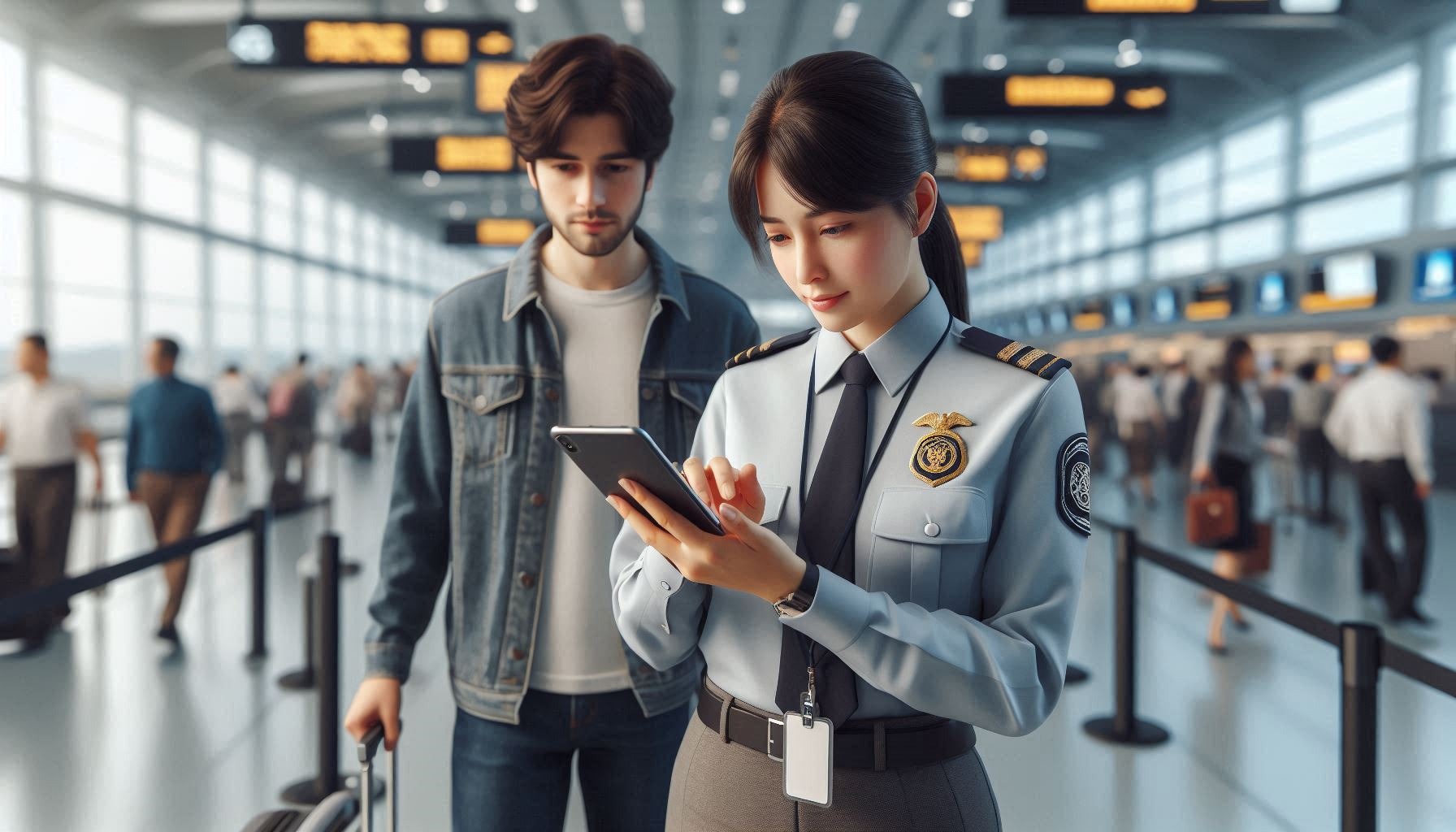
A legal guide to knowing your digital rights at international checkpoints, protecting personal data before travel, and understanding where border search authority ends and digital privacy begins.
WASHINGTON, DC
The modern border no longer stops at luggage, passports, currency declarations, and customs forms, because the most revealing item a traveler carries is often the phone holding years of messages, photos, banking apps, medical alerts, business files, passwords, and location history.
For privacy-conscious travelers, the question is no longer whether a suitcase can be opened at the airport, because the real concern is whether a border officer can scroll through a device that contains the practical equivalent of a home, office, diary, wallet, and legal archive.
The answer is complicated because U.S. border authorities have broad search powers, but travelers still have practical rights, legal distinctions, preparation options, and important differences based on citizenship, immigration status, device condition, and the type of search requested.
The border search exception gives officers broad power, but digital devices are not ordinary luggage.
At the U.S. border and international ports of entry, courts have long recognized a border search exception that allows government officers to inspect people, luggage, vehicles, and goods without the same warrant requirements that usually apply inside the country.
That doctrine was built around physical contraband, customs enforcement, immigration screening, agricultural protection, weapons, currency violations, and prohibited goods entering the country.
The problem in 2026 is that a phone is not a suitcase, because it can hold years of personal data, privileged communications, family records, business negotiations, medical information, political activity, romantic history, financial accounts, and cloud-connected services.
Civil liberties groups have argued that the privacy stakes are far higher when the item being searched is a digital device, and the Electronic Frontier Foundation has continued to press courts to require stronger protections for electronic device searches at the border through its border device search litigation.
That legal fight matters because the border remains one of the few places where a traveler may face government pressure to expose deeply personal information without the warrant protections they would expect during an ordinary domestic police encounter.
CBP distinguishes between basic searches and advanced searches.
U.S. Customs and Border Protection separates device searches into basic and advanced categories, and that distinction matters because the practical invasion can be very different depending on what officers do with the device.
A basic search generally involves manual review, where an officer looks through information available on the device itself, while an advanced search may involve connecting external equipment to review, copy, or analyze device contents more deeply.
CBP’s own electronic device search guidance explains that officers may inspect electronic devices during border processing, including phones, computers, cameras, tablets, and similar equipment.
For travelers, the practical difference is enormous because a cursory glance through recent photos or messages is not the same as a forensic extraction that can preserve, analyze, and report on a much larger portion of the device’s contents.
That is why serious travelers should prepare before the trip, because the time to think about device exposure is not while standing exhausted in secondary inspection with a locked phone and no plan.
What agents can inspect depends partly on whether the data is local or cloud-based.
Border officers are generally focused on data accessible from the device being searched, and privacy guidance has emphasized that live access to cloud-only content raises different issues than reviewing information stored locally.
The Electronic Frontier Foundation’s travel checklist notes that border officers should disconnect devices from the internet during searches and should not use devices as gateways to live cloud content.
That distinction matters because many modern phones are not just storage devices; they are portals into email accounts, cloud drives, business platforms, legal files, family photo libraries, password managers, and remote archives.
A traveler who carries a phone logged into every account may therefore expose far more than the physical device itself, especially if offline files, synced messages, downloaded documents, and cached content remain available.
The safer approach is lawful data minimization, meaning the traveler carries only the files, apps, accounts, and local content required for the trip.
Citizenship and immigration status can change the practical stakes.
U.S. citizens have the strongest practical position because they cannot be denied entry to the United States, even if they decline to unlock a device, though they can still face delay, questioning, device detention, or other consequences.
Lawful permanent residents may also have important protections, but refusal can create complications depending on the facts, the inspection context, and how officers interpret the situation.
Visa holders, tourists, students, business travelers, and travelers under visa waiver programs generally face greater practical risk because border officers have broader discretion in admission decisions, and refusal to cooperate may affect those decisions.
The American Civil Liberties Union’s airport rights materials emphasize that airport and border encounters are legally complex, especially where electronic devices and immigration status are involved, which is why travelers should understand their position before reaching the checkpoint through resources such as the ACLU’s airport enforcement guide.
A privacy plan that is sensible for a U.S. citizen returning home may be much riskier for a noncitizen seeking admission, so status must shape the strategy.
You may decline to provide a passcode, but refusal can have consequences.
Travelers are often told they never have to unlock their phones, but the practical reality is more nuanced: the legal right to refuse does not always prevent delays, seizures, denials of entry for noncitizens, or extended questioning.
A U.S. citizen may refuse to provide a passcode and still must be admitted eventually, but the device may be held for days, weeks, or longer while the government decides what to do next.
Noncitizens may face higher stakes if they refuse, as admission to the country can depend on inspection decisions, admissibility determinations, visa status, and officer discretion.
The responsible traveler should decide in advance whether they would unlock a device, what sensitive data they are willing to carry, and whether they have a clean travel device that limits the consequences of either choice.
Improvising that decision at the border is dangerous because stress, fatigue, family pressure, language barriers, and uncertainty can lead to choices the traveler later regrets.
If you unlock, typing the passcode yourself is safer than saying it aloud.
If a traveler chooses to unlock a device, privacy advocates often recommend asking them to enter the passcode themselves rather than speaking it aloud or handing it over.
This approach does not prevent a search, but it reduces the risk that the password itself becomes unnecessarily exposed to officers, cameras, bystanders, written notes, or later misuse.
The traveler should remain polite, calm, and direct, because hostility at a border checkpoint usually increases scrutiny rather than protecting privacy.
The best phrasing is practical, not dramatic, such as saying that the traveler prefers to enter the passcode personally if the device is going to be unlocked.
The goal is to protect the password while complying with the decision already made, not to escalate a legal argument in a crowded inspection environment.
Device seizure is one of the most serious practical risks.
If officers decide to hold a device, the traveler may lose access to communications, hotel confirmations, banking apps, ride services, client files, medical information, and two-factor authentication systems.
That is why border device preparation must include paper backups, alternative contact methods, trusted emergency contacts, secondary authentication plans, and a way to continue the trip if the main phone or laptop is unavailable.
Travelers should ask for a custody receipt if a device is seized, including the officer’s name, badge number, contact information, date, location, and any form number provided.
They should also write down details immediately after the encounter, including what was requested, what was searched, whether equipment was connected, who handled the device, and whether files or settings appeared to have changed upon return.
A seized device is not only a privacy issue; it can become a business-continuity problem, a family-safety problem, and a financial-access problem within hours.
Lawyers, journalists, executives, and family offices face special exposure.
A phone search can be especially serious for lawyers carrying privileged communications, journalists protecting sources, executives handling acquisitions, doctors carrying patient data, activists with sensitive contacts, or family offices managing wealth and security records.
These travelers should not treat the border as an ordinary inconvenience, because a single device can contain legal privilege, trade secrets, source identities, confidential financial records, medical details, and security plans for children or family members.
Before travel, they should consult counsel or internal security teams, reduce local data storage, use travel devices where appropriate, limit cloud access, and carry only the documents needed for the trip.
Professional obligations may also require policies for what information can leave the office, how devices are encrypted, who can unlock them, and what to do if a device is inspected or seized.
The higher the sensitivity of the data, the less acceptable it is to casually carry it across borders on an ordinary personal phone.
The best defense is carrying less data in the first place.
Data minimization is the strongest lawful privacy strategy because it reduces the amount of information exposed if a device is searched, seized, lost, stolen, or compromised.
Travelers should back up devices, update operating systems, remove unnecessary apps, delete old downloads, clear unneeded local files, disable automatic cloud sync where appropriate, and log out of accounts that are not needed during travel.
They should also review messaging apps, photo libraries, saved documents, password managers, financial apps, social platforms, and email accounts to decide what truly needs to be accessible during the trip.
A travel phone or travel laptop can be especially useful because it allows the traveler to carry a clean, limited device rather than a full archive of personal and professional life.
For travelers facing broader privacy concerns, anonymous living strategies can help align travel devices, communications, lodging, banking, and movement patterns into a lawful exposure-control plan.
Powering down devices can strengthen encryption before inspection.
A locked phone is not always in the same security state as a powered-down phone, because some devices are more resistant to forensic access before the first unlock after restart.
Privacy and digital-security experts often recommend powering down devices before reaching a border inspection point so that full-disk encryption is active and the device is not simply locked while still running in a more accessible state.
This is not a trick or obstruction because travelers routinely turn off devices for travel, battery preservation, and security.
The traveler should know their passcode by memory, avoid relying only on biometrics, and understand how the device behaves after a restart.
A device that is updated, encrypted, powered down, and protected by a strong passcode is a better security posture than a device left unlocked, synced, and buzzing with notifications.
Biometric unlocks create convenience, but they can weaken border privacy.
Face unlock and fingerprint unlock are convenient, but travelers should consider whether biometric access creates practical risks during stressful encounters where officers may ask to unlock a device quickly.
A strong alphanumeric passcode gives the traveler more deliberate control over device access than a face or fingerprint that may be easier to trigger under pressure.
Many travelers disable biometric unlock before international travel and rely on a memorized passcode, especially when carrying sensitive professional or personal data.
This should be done calmly and consistently as part of a normal travel-security routine, not as a last-minute reaction at the counter.
The point is not to defy inspection, but to prevent accidental, casual, or pressured unlocking when the traveler has not yet made an informed decision.
Do not lie, do not argue, and do not improvise fake explanations.
The worst mistake at a border is not usually failing to protect privacy, but making false statements, inventing stories, hiding facts, presenting inconsistent documents, or escalating the encounter unnecessarily.
Travelers should answer lawful questions truthfully, avoid volunteering unnecessary information, ask clarifying questions politely, and request names or badge numbers if the encounter becomes significant.
A traveler who has prepared properly does not need a dramatic explanation because the device contains only what is needed, the documents are consistent, and the purpose of travel can be explained clearly.
Privacy planning should never involve false names, forged documents, hidden identities, contraband, or attempts to mislead officers about the purpose of the trip.
The law gives travelers room to protect data, but it does not protect deception.
Domestic airport screening is different from international border inspection.
Travelers often confuse TSA screening with CBP border authority, but the roles are different: TSA screens for transportation security, while CBP conducts customs and immigration inspections at borders and international ports of entry.
For ordinary domestic flights within the United States, TSA may inspect the physical device for safety purposes, but data searches are generally handled by CBP and border inspection rather than routine TSA screening.
That distinction matters because a traveler should know which agency is asking for access, why the access is being requested, and whether the encounter is a domestic checkpoint, international arrival, customs inspection, or secondary border review.
The safest response begins with understanding the setting because rights, risks, and practical choices differ depending on who is making the request.
Confusing the agencies can lead travelers to assert the wrong rule in the wrong place.
Cloud storage can protect data, but account access must be controlled.
Storing sensitive files remotely can reduce exposure on local devices, but travelers should ensure cloud accounts are not fully logged in or available on the travel device without additional safeguards.
A phone with no local files but open access to email, cloud drives, messaging backups, password vaults, and remote desktops may still expose a large amount of information.
The better approach is to limit local files, restrict cloud access, use separate travel accounts where appropriate, and restore broader access only after the border crossing if needed.
Travelers should also avoid depending on a seized phone for two-factor authentication because losing the device may lock them out of important accounts at the worst possible moment.
Good cloud strategy requires both fewer local data and less automatic account access.
Passwords, password managers, and travel vaults need advance planning.
Password managers are powerful tools, but they can create border exposure if a device gives access to every banking, legal, medical, business, crypto, and family account through one master password.
Some travelers use temporary travel vaults, limited credential sets, or work-approved access procedures so that the device contains only the accounts required for the trip.
This approach must be prepared carefully because losing access to essential accounts can create safety issues, while carrying too many credentials can create unnecessary exposure.
A traveler should never store passcodes in plain notes, screenshots, contact cards, or unencrypted files because those shortcuts defeat the purpose of device security.
The right password strategy is narrow, memorable, recoverable, and matched to the traveler’s actual risk.
Social media and messaging history can create avoidable problems.
Border questions can become more complicated when a traveler’s phone contains political posts, work chats, private jokes, group messages, confidential contacts, source communications, sensitive photos, or content that lacks context.
This does not mean travelers should hide wrongdoing, but it does mean they should avoid carrying years of irrelevant personal material through an inspection environment where context may be misunderstood.
Message minimization, temporary travel devices, logged-out accounts, and careful social media posting before and during travel can reduce avoidable exposure.
Journalists, activists, lawyers, executives, and people traveling through politically sensitive jurisdictions should take special care because their contacts and conversations can involve other people’s safety as well as their own.
Digital privacy is often about protecting networks, not only protecting the traveler.
Lawful identity planning is the larger frame around device searches.
A phone search can expose more than data because it can reveal inconsistencies across names, passports, residences, banking records, travel patterns, family relationships, and business activities.
For individuals who need a lawful life reset, new legal identity planning must align documentation, banking continuity, tax records, travel behavior, and digital footprint so that privacy does not collapse under routine inspection.
That is very different from using false identities or hiding from authorities because legitimate identity planning is designed to survive questions from banks, border officials, courts, and compliance officers.
A traveler with lawful documents and a disciplined digital profile is in a stronger position than one relying on improvisation, secrecy, or inconsistent records.
The phone often tells the real story of a traveler’s life, which is why the legal identity structure must be consistent before the device ever reaches inspection.
The final lesson is that preparation protects more than confrontation.
Border agents have broad authority to inspect travelers and devices, but that authority exists in a legally contested space where privacy, citizenship, immigration status, device technology, and court rulings continue to evolve.
Travelers should understand the difference between basic and advanced searches, local and cloud data, citizens and noncitizens, TSA and CBP, passcodes and biometrics, and refusal rights versus practical consequences.
The most effective strategy is not airport confrontation, because it is careful preparation before departure, including clean devices, limited data, strong encryption, paper backups, proper documents, and a clear decision about whether to unlock.
For privacy-conscious travelers, the phone should not be a complete archive of private life, because the safest device at the border is the one that contains only what the trip requires.
In 2026, crossing the line means crossing with discipline, because the traveler who prepares devices lawfully, answers truthfully, and carries less unnecessary data is better protected than the traveler who waits until secondary inspection to discover how much of their life is sitting behind a single screen.
