

Base64 strings are everywhere—API responses, JSON payloads, HTML markup.
The problem? They’re unreadable. A wall of characters tells you nothing about the actual image.
This becomes frustrating when an image fails to render or an API returns unexpected data. You’re left guessing whether the issue is formatting, encoding, or corruption.
A Base64 to Image Decoder solves this by turning encoded strings back into real images instantly. You paste the string, preview the image, and understand what’s actually happening—no guesswork.
read more from this article: https://onlinetoolsfree.com/blog/base64-to-image-decoder
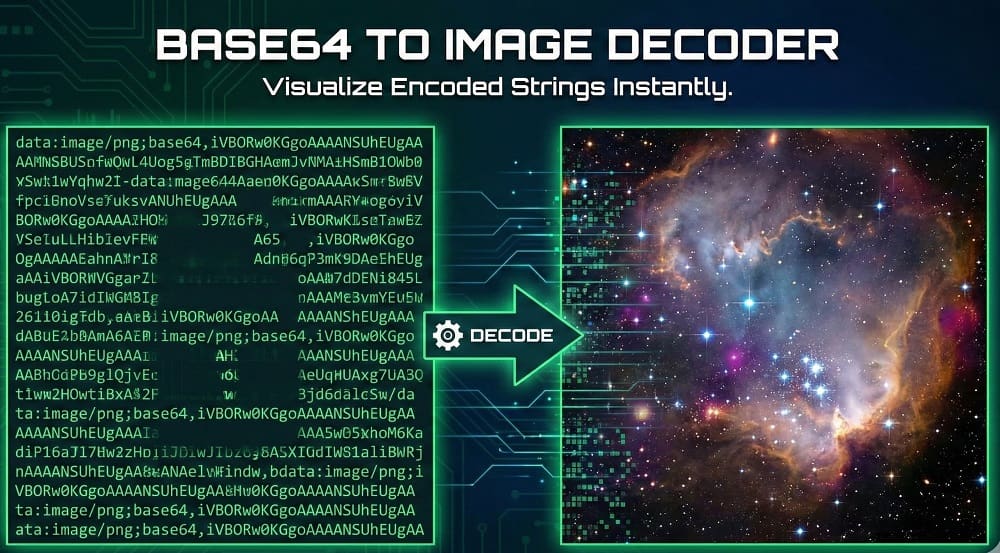
What Is a Base64 to Image Decoder?
A Base64 to Image Decoder converts an encoded Base64 string back into a visual image format like PNG or JPG.
It reads the encoded binary data, detects the image type using MIME information, and renders the image in your browser. This allows instant preview and download without writing code.
Why Are Images Encoded as Base64 Strings?
Images are encoded in Base64 to safely transfer binary data through text-based systems.
Common reasons include:
- APIs returning images inside JSON
- HTML emails embedding images without attachments
- Frontend apps avoiding separate image requests
Base64 ensures compatibility across platforms, but it increases file size and reduces readability.
How a Base64 to Image Decoder Works (Step-by-Step)
A decoder follows a simple but precise process:
- Reads the Base64 string
- Identifies the MIME type (
image/png,image/jpeg) - Decodes binary data from text
- Renders the image in the browser
This process usually runs client-side, meaning your data never leaves the browser.
How to Convert a Base64 String into an Image Online
Decoding Base64 images online takes seconds:
- Paste the Base64 string into the decoder
- The tool auto-detects the image format
- An instant image preview appears
- Download the decoded image if needed
No scripts. No installs. No technical setup.
Tools like the one available on https://onlinetoolsfree.com/ are designed for fast previews and real-world debugging.
Supported Image Formats in Base64 Decoding
Most modern decoders support common web image formats.
| Base64 Header Example | Image Type | Output Format |
|---|---|---|
| data:image/png;base64 | PNG | .png |
| data:image/jpeg;base64 | JPG / JPEG | .jpg |
| data:image/svg+xml;base64 | SVG | .svg |
| data:image/webp;base64 | WebP | .webp |
If the header is missing, many tools still detect the format automatically.
Common Base64 Image Errors and How to Fix Them
Base64 images fail for predictable reasons.
Most common issues:
- Missing
data:image/...;base64,header - Extra spaces or line breaks
- Truncated or incomplete strings
- Wrong MIME type
Quick fix:
Use a decoder to preview the image. If it doesn’t render, the string itself is broken—not your code.
Is It Safe to Use an Online Base64 Image Decoder?
Yes—if the tool processes data client-side.
Browser-based decoders:
- Don’t upload images to a server
- Don’t store your data
- Decode locally using JavaScript
This makes them safe for most use cases, including API testing and debugging.
Base64 Image Decoding: Developers vs Non-Developers
Both groups use Base64 decoding, but for different reasons.
Developers often:
- Debug API responses
- Use JavaScript (
atob(), Blob) - Render images in HTML
<img>tags
Non-developers often:
- Verify image content
- Preview encoded data
- Convert strings into downloadable images
A visual decoder bridges both workflows.
Use a Free Base64 to Image Decoder Online
If you want fast results, use a browser-based decoder.
A good tool lets you:
- Paste any Base64 string
- Preview the image instantly
- Auto-detect format
- Download the decoded file
You can test and visualize encoded images easily using the free Base64 decoding tools on https://onlinetoolsfree.com/.
FAQ: Base64 to Image Decoder
What is a Base64 to Image Decoder?
A Base64 to Image Decoder converts encoded Base64 text back into a visual image so users can preview or download the original file.
It’s commonly used for debugging APIs, viewing embedded images, and validating encoded data.
How do I convert a Base64 string into an image?
Paste the Base64 string into an online decoder, preview the image, and download it if needed.
Most tools auto-detect image format and work instantly in the browser.
Why are images encoded in Base64?
Base64 encoding allows binary image data to be transmitted safely through text-only systems like JSON and HTML.
It prevents corruption but increases file size.
Is it safe to decode Base64 images online?
Yes, if the decoding happens locally in the browser without uploading data to a server.
Client-side tools are generally safe for everyday use.
What image formats can be decoded from Base64?
Most decoders support PNG, JPG, JPEG, SVG, and WebP formats.
The format is usually identified from the Base64 header or detected automatically.
