

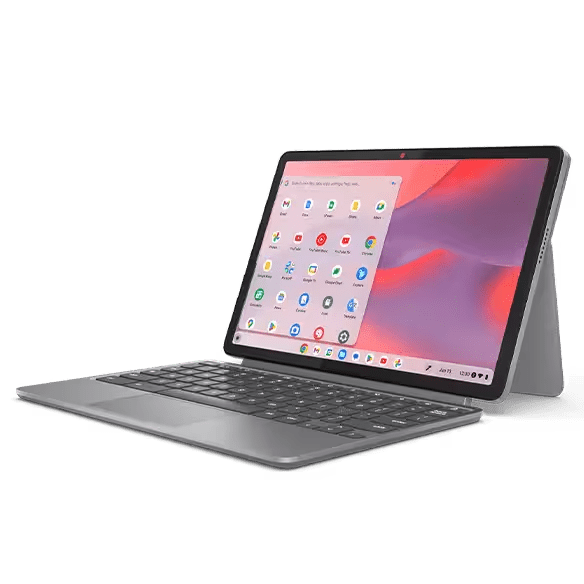
Having a big computer tower, thick cables, and large screens that eat up space can feel messy and hard to manage. This is where mini-computers come in. They give you the power of a full desktop in a tiny body.
But the best mini computers can fit in any place you want, like behind a monitor or under a TV. As a result, they keep your work area open and clean.
This article will explore why mini computers are the ultimate space-savers in homes and offices. We will also see how they can fit many different lifestyles.
Powerful Performance in a Small Box
Many people think small computers are weak, but that idea is old. Because today, even the best mini computers have fast processors and plenty of memory. They can handle web browsing, office work, streaming, light design, and more. Some models can even run modern games at decent settings. This power matters for space saving. In the past, you needed a large tower to get strong hardware. Now you can put a mini computer behind your screen and still enjoy smooth performance. As a result, you do not need a giant case, many fans, or loud parts. A small and quiet box is enough.
This frees up desk space and also cuts down on noise. You can focus on work or study instead of the sound of the fans. Your room feels calmer and more open.
Space-Saving at Home and at Work
Mini computers do best in tight rooms. Think about a small bedroom, a studio flat, or a shared home. A large computer tower can block drawers or make it hard to move your chair and take up a lot of space in those small rooms.
Here is how the best mini computers save space in daily life:
- They stay on a shelf, behind the TV, or on the back of a monitor.
- They free up desk space for books, notebooks, and other tools.
- They make it easier to move chairs and store other items.
The same is true in offices:
- Many companies use mini computers for staff who work in the cloud.
- The computers hide behind screens, so desks look neat.
- Cleaning is faster since there is less gear on each desk.
Meeting rooms also benefit from mini PCs. One tiny box can stay behind the TV and run video calls, slides, and training tools.
Neat Cables and Less Clutter
Big towers often mean more ports and more cables. Over time, many people add printers, external drives, and other equipment. And as a result, the cables wrap around the desk and collect dust. This looks bad and can also be unsafe.
Mini computers push you to keep things simple, and so most models focus on the ports that people use most.
Here is how this helps you save space:
- You can still connect screens, a mouse, and a keyboard.
- You add only the extra devices you really need.
- You use wireless tools like Bluetooth keyboards and mice when you can.
For many users, this is enough. The best mini computers often support Bluetooth and Wi Fi. This lets you use wireless headsets and speakers too.
A tidy desk can help your mind feel clear. It is easier to find what you need. It is also easier to move your computer when you change rooms or rearrange furniture.
Smart Choice for Future Upgrades
Many people worry about large desktops because upgrades feel complex. This is because a big computer tower has many parts and wires inside.
But a mini computer is simpler. Some models let you open the case with only one or two screws. You can then upgrade the storage or memory in a few minutes.
This upgrade path supports space saving in the long term. You do not need to buy a whole new desktop each time you need more speed. You keep the same tiny box on your desk.
You only change a small part inside. Many of the best mini computers also support external storage drives. You can keep photos, games, and work files on a compact drive that stays beside the PC.
Conclusion
Mini computers solve a problem that many people ignore. Big desktops take up room in our homes and offices. They make desks feel crowded and hard to clean.
They also limit where we can place our screens and chairs. Small rooms feel even smaller when a large tower stays in the corner.
The best mini computers change this story. They give you strong performance in a tiny shape. They help you cut down on cables and hardware. They fit behind a monitor, beside a TV, or on a shelf.
This keeps your space open for work, play, and rest. If you want a clean and modern setup that saves space, a mini computer is a smart choice.
