

RSVPs are still one of the most important parts of event planning in 2026. If you’re hosting a wedding, a business conference, or a private gathering, knowing who will attend is essential. The challenge is that managing responses manually often leads to confusion, missing information, and last-minute changes.
Modern RSVP software solves this problem by moving everything online. Event organizers can send invitations, collect responses, track guest lists, and manage attendance from a single place. Many RSVP tools also include automation, reminders, and reporting features that reduce manual work.
Today, RSVP platforms are used across many industries. Wedding planners rely on them for guest coordination. Businesses use them for product launches and corporate events. Individuals use them for birthdays, dinners, and celebrations.
This guide covers the best RSVP tools in 2026. Each tool offers a different approach to online RSVP management, guest tracking, and event registration.
Quick Comparison Table: The best RSVP software in 2026
| RSVP Tool | Free plan available? | Key Feature | Best For |
| Jotform RSVP Tool | ✅ Yes | Custom RSVP forms and automation | Flexible event registration and workflows |
| Evite | ✅ Yes | Simple invitations and RSVP tracking | Casual gatherings |
| Partiful | ✅ Yes | Social, mobile-first RSVP experience | Informal social events |
| Eventbrite | ✅ Yes (free events) | Ticketing and event discovery | Public ticketed events, concerts and workshops |
| Paperless Post | ✅ Yes | Designer invitations | Weddings and social events |
| RSVPify | ✅ Yes | Guest list and RSVP management | Structured event planning |
| Whova | ❌ No | Attendee engagement platform | Conferences and large events |
| Splash | ❌ No | Event marketing and branding | Corporate events |
The Best RSVP Software in 2026
1. Jotform RSVP Tool

Jotform RSVP Maker is one of the most complete RSVP platforms available in 2026. It allows users to create custom RSVP forms and event registration pages without coding.
The platform uses a drag-and-drop builder that makes it easy to design RSVP forms with custom fields. Organizers can collect details such as guest names, plus-ones, meal preferences, and special requests.
Jotform also supports automation and integrations. Responses can trigger confirmation emails, update spreadsheets, or connect with other tools used in event planning workflows. Users can also make RSVP event apps without coding.
Because of its flexibility, Jotform works well for weddings, corporate events, webinars, and nonprofit events.
Jotform RSVP Tool key features
- Easy-to-use drag-and-drop form builder
- Highly customizable RSVP forms
- No-code RSVP app builder
- 20,000+ template library
- Automated confirmations and notifications
- AI agents for events
- Integrations with many third-party tools
Jotform RSVP Tool cons
- Advanced setups may take some time
Jotform RSVP Tool pricing
- Free plan available
- Bronze: $34/month
- Silver: $39/month
- Gold: $99/month
- Enterprise: Custom pricing
Jotform RSVP Tool Is Best For:
Users who want flexible RSVP forms with strong customization and automation.
2. Evite
Evite is one of the well-known online RSVP platforms in 2026. It focuses on sending digital invitations and tracking guest responses in a simple way.
The platform offers a wide range of invitation templates. Hosts can send invites, track RSVPs, and communicate with guests through built-in messaging tools.
Evite is commonly used for casual events such as birthdays, holiday parties, and small gatherings.
Evite key features
- Very easy to use
- Large selection of invitation templates
- RSVP tracking and reminders
- Guest messaging features
Evite cons
- Limited customization options
- Ads included in free version
- Not ideal for professional events
Evite pricing
- Free version includes ads
- Premium, ad-free designs start at $17.99 for up to 12 guests, with an annual subscription available for $249.99 that supports up to 2,500 guests per invitation
Evite Is Best For:
Casual events and small gatherings that need simple RSVP tracking.
3. Partiful
Partiful is a newer RSVP platform that focuses on modern, mobile-first invitations and social event planning in 2026.
It allows hosts to create event pages, send invitations, and collect RSVPs quickly. The platform is designed to feel more like a social app, making it easy for guests to respond and interact.
Partiful also includes features like group chats, reminders, and event updates, which help keep guests engaged before the event.
Partiful key features
- Modern and mobile-friendly design
- Easy RSVP process for guests
- Built-in social and messaging features
- Free to use
Partiful cons
- Limited advanced event management features
- Not designed for large or corporate events
Partiful pricing
- Free to use
Partiful Is Best For:
Social events and informal gatherings where ease of use and guest interaction matter.
4. Eventbrite
Eventbrite is an event platform that combines RSVP management with ticketing and event promotion in 2026.
Organizers can create event pages where guests register or purchase tickets. The platform supports both free and paid events, making it suitable for a wide range of use cases.
Eventbrite also includes marketing tools and a discovery marketplace that helps promote events to a broader audience.
Eventbrite key features
- Supports both RSVPs and ticket sales
- Built-in event promotion tools
- Mobile check-in features
- Strong reporting and analytics
Eventbrite cons
- Fees for paid events
- Limited design flexibility
- Less suitable for private events
Eventbrite pricing
- Free for free events
- For ticketed events, the service fee for the US is 3.7% + $1.79 per sold ticket, plus a 2.9% payment processing fee. You can choose to cover the fees or let the attendees pay them.
- Custom pricing for large events
Eventbrite Is Best For:
Public events, workshops, and conferences that require registration or ticketing.
5. Paperless Post
Paperless Post is a digital invitation platform that combines RSVP tracking with strong design options in 2026.
The platform offers high-quality invitation templates that resemble printed cards. Hosts can send invitations, track responses, and manage guest lists from a simple dashboard.
Paperless Post is often used for weddings, dinner parties, and other social events where presentation is important.
Paperless Post key features
- High-quality invitation designs
- Easy RSVP tracking
- Guest messaging tools
Paperless Post cons
- Limited event management features
- Premium designs require credits
- Not ideal for large-scale events
Paperless Post pricing
- Free options available
- Premium invitations require credits (e.g., $12 for about 25 credits)
- Each invitation typically costs between 1–10 credits
- A subscription option is available, offering about 25% savings per event
Paperless Post Is Best For:
Events where invitation design and guest experience are a priority.
6. RSVPify

RSVPify is a dedicated RSVP software platform built specifically for event registration and guest list management in 2026.
It allows organizers to create RSVP forms, send invitations, and track responses in one place. The platform includes features such as custom questions, guest tagging, and automated reminders.
RSVPify works well for both private and professional events.
RSVPify key features
- Focused RSVP and guest management system
- Custom RSVP questions
- Automated reminders
- Guest list segmentation
RSVPify cons
- Limited design flexibility
- Advanced features require paid plans
RSVPify pricing
- Free plan available
- Paid plans start at $10/month for personal events and $24/month for businesses and nonprofits
- For ticketed events, 1.95% + $.90 per ticket fees apply. You can choose to pass along fees to attendees.
- Enterprise options available
RSVPify Is Best For:
Event organizers who want structured RSVP tracking and guest list management.
7. Whova
Whova is an event management platform designed for conferences and large professional events in 2026.
In addition to RSVP and registration features, it offers tools for attendee engagement. Organizers can manage schedules, networking sessions, and event communication through the platform.
Whova also includes a mobile app that allows attendees to interact, view agendas, and connect with others.
Whova key features
- Strong attendee engagement features
- Mobile event app
- Agenda and schedule management
- Networking tools
Whova cons
- Setup can be time-consuming
- Higher pricing for small events
- More features than needed for simple RSVPs
Whova pricing
- Custom pricing is available based on event size
- 3% + $0.99 per-ticket fee, plus Whova event app fees and 3rd party processing fees
Whova Is Best For:
Large conferences and events that require attendee engagement tools.
8. Splash
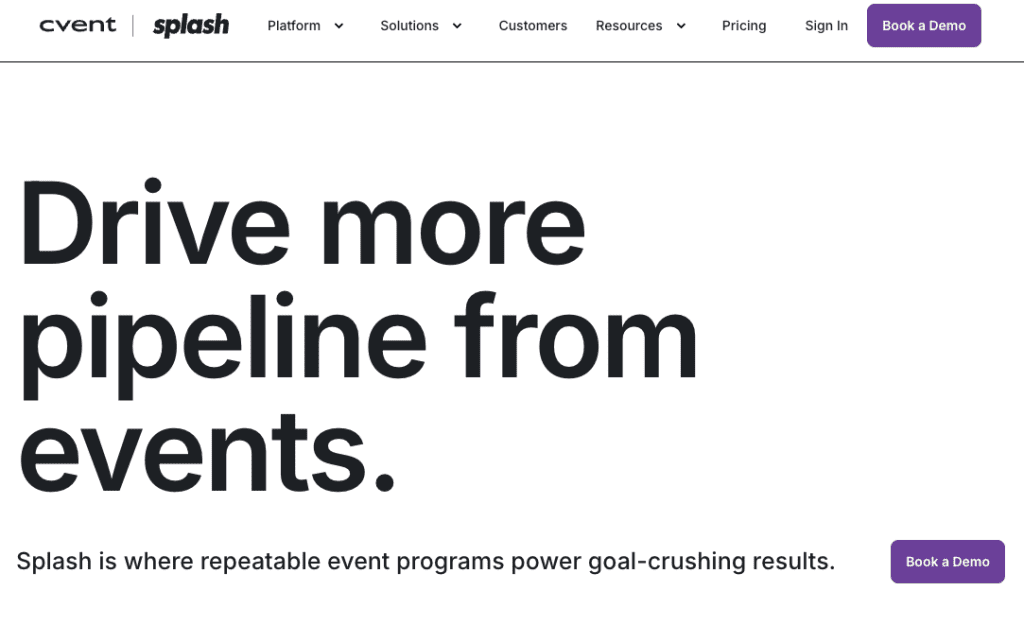
Splash is an RSVP and event marketing platform designed for branded events and corporate experiences in 2026.
It allows organizers to build event pages, send invitations, collect RSVPs, and track attendee engagement. Splash also integrates with marketing tools, making it useful for companies that run multiple events.
The platform focuses on design, branding, and event performance tracking.
Splash key features
- Strong branding and customization options
- RSVP tracking and guest management
- Marketing and CRM integrations
- Event performance analytics
Splash cons
- Higher pricing
- Setup may require marketing teams
- Not suitable for small personal events
Splash pricing
- No free plan
- Pro and Enterprise plans available, contact sales for pricing
Splash Is Best For:
Corporate events and branded experiences that require marketing integration.
How to Choose the Best RSVP Software in 2026
Selecting the best RSVP software depends on the type of event and the level of control needed.
Event Type
Casual events work well with simple tools like Jotform, Evite or Partiful. Complex events may require platforms like Eventbrite, Whova, or Splash.
Customization
If custom forms and workflows are important, tools like Jotform provide more flexibility.
Design
For events where invitation design matters, Paperless Post is a strong option.
Event Size
Large events benefit from platforms with registration and engagement features, such as Eventbrite or Whova.
Guest Experience
Some platforms focus on interaction and communication, which can improve attendance and engagement.
FAQ
What is the best RSVP software in 2026?
Jotform RSVP Tool is one of the most flexible options due to its customization and automation features. Eventbrite and RSVPify are also widely used depending on the type of event.
Are there free RSVP tools?
Yes. Many platforms offer free plans, including Jotform RSVP Tool, Evite, Partiful, RSVPify, and Paperless Post.
Which RSVP software is best for casual events?
Evite and Partiful are well suited for casual gatherings because they are easy to use and focus on simple invitations.
Which RSVP tool is best for business events in 2026?
Jotform, Eventbrite, Whova, and Splash are commonly used for business events because they support registration, tracking, and attendee engagement.
What features should RSVP software include in 2026?
Most RSVP software should include RSVP forms, guest tracking, automated reminders, and reporting. Some also include ticketing, check-in tools, and integrations with other platforms.