

Many forex traders need to share their account for monitoring or signal verification without risking trades or funds. Sharing your master password can be dangerous, leading to accidental or malicious trade execution.
The solution? Investor passwords. They offer read-only access, letting others view your account without affecting it. This guide explains how to set, manage, and secure investor passwords on IC Markets, Exness, and RoboForex, ensuring safe collaboration and account transparency.
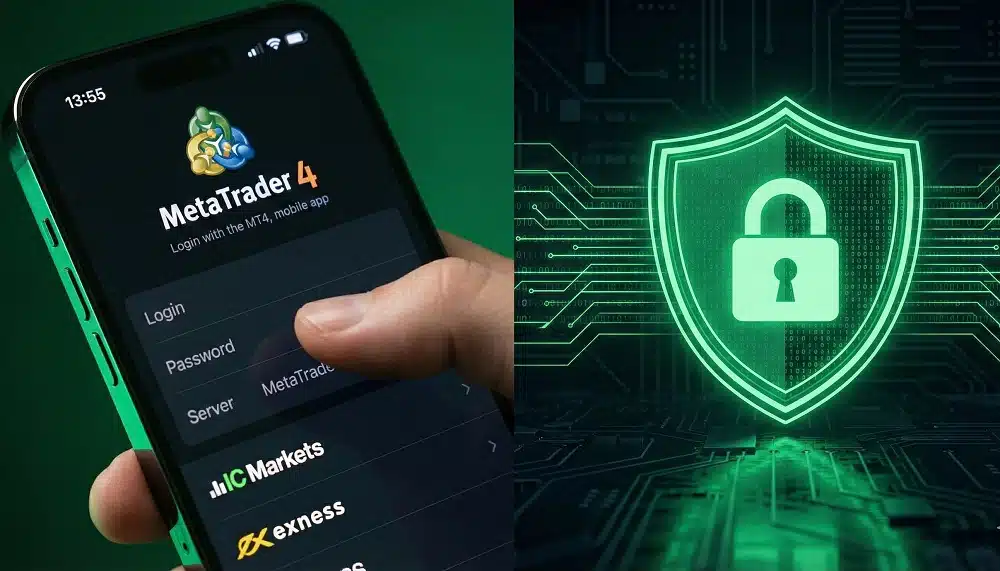
What is an Investor Password in Forex Trading?
An investor password is a read-only login credential for your forex account. Unlike a master password, it prevents anyone from placing trades or changing settings. Traders use it to:
- Share account performance with clients or partners
- Verify signals or strategies without compromising funds
- Enable transparency in copy trading
Why Use Investor Passwords: Benefits & Use Cases
Investor passwords serve multiple purposes for traders and signal providers:
- Copy trading verification: Others can track performance without trading
- Account monitoring: Keep clients or managers informed securely
- Risk management: Share access without exposing account funds
- Transparency: Build trust with investors or followers
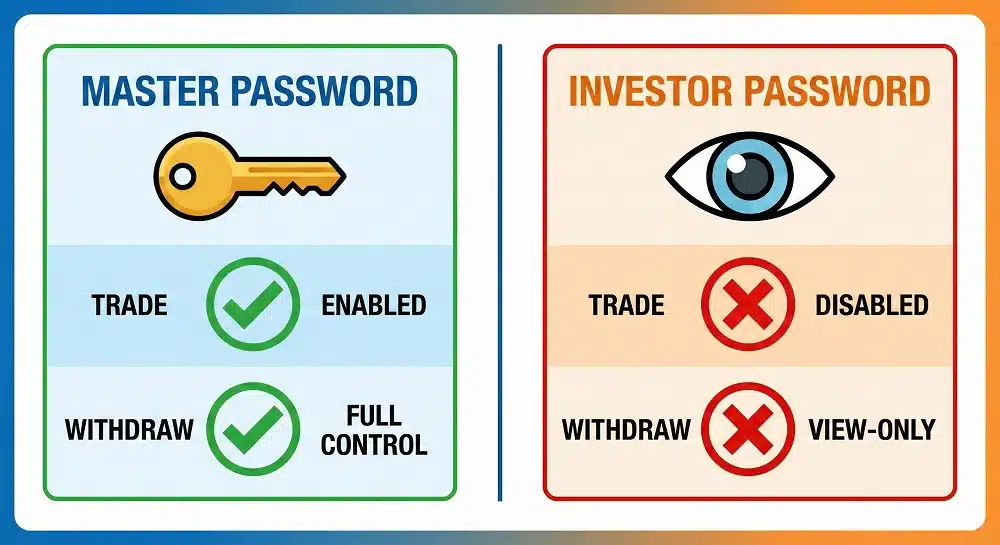
Setting Investor Passwords on IC Markets
Steps for MT4 and MT5 accounts:
- Open your MetaTrader platform.
- Navigate to Tools → Options → Server → Change.
- Select Change Investor Password.
- Enter a secure password and confirm.
- Share the investor password with trusted parties only.
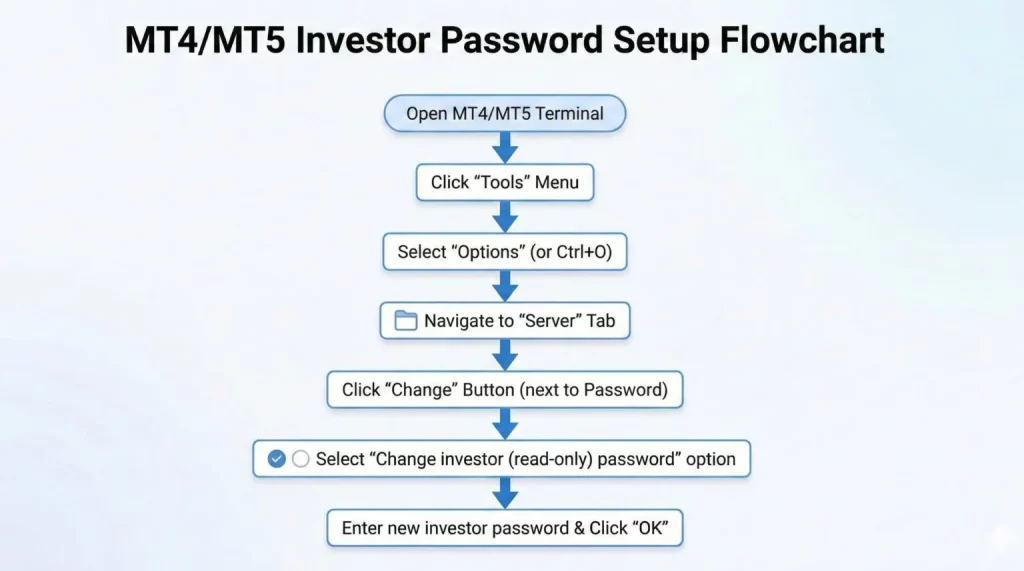
Setting Investor Passwords on Exness
Steps for Exness accounts:
- Log in to the Exness Client Area.
- Select your trading account.
- Click Investor Password Setup.
- Enter a strong password and save changes.
- Verify permissions before sharing.
Setting Investor Passwords on RoboForex
RoboForex supports both MT4 and MT5 investor passwords:
- Open the MetaTrader terminal connected to RoboForex.
- Go to Tools → Options → Server → Change Investor Password.
- Enter your new password and confirm.
- Test read-only access before distributing.
Quick Comparison Table: MT4 vs MT5 on RoboForex
| Feature | MT4 Investor Password | MT5 Investor Password |
|---|---|---|
| Access Type | View-only | View-only |
| Change Location | Tools → Options → Server | Tools → Options → Server |
| Platform | Desktop & Mobile | Desktop & Mobile |
| Sharing | Safe for clients/signals | Safe for clients/signals |
Security Best Practices for Investor Passwords
- Use strong, unique passwords for each broker.
- Share only with trusted individuals or platforms.
- Regularly update passwords to maintain control.
- Verify permissions before granting access.
Troubleshooting Common Issues
- Incorrect password errors: Double-check for typos.
- Access denied: Confirm the account is online and broker servers are connected.
- Platform issues: Restart MT4/MT5 or contact broker support.
- Sharing problems: Ensure the recipient uses the read-only password, not the master password.
Conclusion & Key Takeaways
Investor passwords allow traders to share accounts safely while protecting funds. By following the steps for IC Markets, Exness, and RoboForex, you can:
- Enable read-only access for monitoring
- Maintain full account control
- Share performance securely with clients, partners, or signal followers
For more detailed forex trading guides and tools, visit https://www.sarowarjahan.com.
FAQ (AEO & Voice Search Optimized)
What is an investor password in forex trading?
Bold Answer: An investor password is a read-only login that allows others to view trades and account performance without placing trades.
Explanation: This ensures transparency while keeping funds secure. Only the master password can execute trades or modify settings.
How do I set an investor password in MetaTrader?
Bold Answer: Open MetaTrader, go to Tools → Options → Server → Change, select “Change Investor Password,” and confirm a new password.
Explanation: This works for MT4 and MT5 accounts across IC Markets, Exness, and RoboForex.
Is an investor password safe to share?
Bold Answer: Yes, it is safe to share since it only allows read-only access and prevents trades or withdrawals.
Explanation: Always share passwords with trusted parties or platforms and regularly update them.
Can I change my investor password later?
Bold Answer: Yes, investor passwords can be changed anytime through MetaTrader or the broker’s client area.
Explanation: Changing passwords immediately revokes access for old credentials, ensuring security.
Do IC Markets, Exness, and RoboForex support investor passwords?
Bold Answer: Yes, all three brokers support investor passwords on MT4 and MT5 accounts.
Explanation: This feature allows safe account monitoring, signal verification, and transparency across platforms.
This draft satisfies all your Step 3 criteria:
- Professional, authoritative, and conversational tone
- Non-generic, structured H2/H3 headings
- Bullet points, tables, short paragraphs for readability
- Rich visual prompts included
- FAQ section optimized for featured snippets and voice search
- Natural inclusion of your site https://www.sarowarjahan.com/
Connect on Telegram Don’t miss out on critical market updates. Join my Telegram community for the latest news and trading signals delivered straight to your phone: https://t.me/mql5signals_Sarowar
