
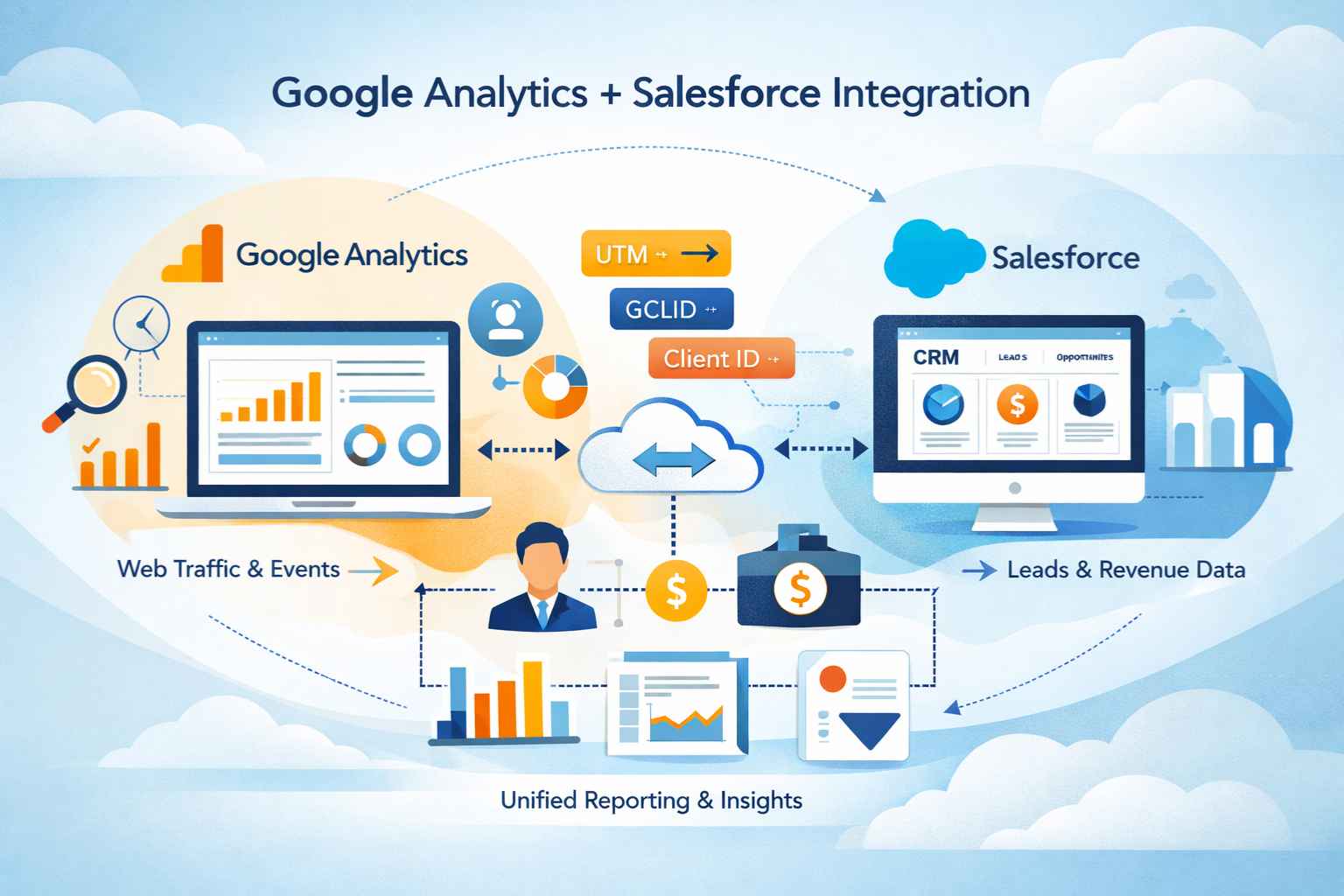
Most organizations use different systems to understand marketing performance and sales outcomes. Website traffic, user behavior, and conversion events are usually tracked in analytics platforms, while leads, opportunities, and revenue live inside a CRM. When these systems remain disconnected, teams struggle to connect effort with results.
Google Analytics Salesforce Integration exists to close that gap. It allows organizations to connect marketing behavior captured on a website with the customer and revenue data stored in Salesforce. When implemented correctly, this integration improves attribution accuracy, reporting clarity, and alignment between marketing and sales teams.
This guide explains how the integration works in practice. Rather than focusing on tools or vendors, it covers data concepts, integration approaches, setup considerations, and realistic expectations so teams can plan and maintain a reliable connection between Google Analytics and Salesforce.
What is Google Analytics
Google Analytics is designed to measure how users interact with websites and digital experiences. It tracks visits, engagement, traffic sources, and conversion events. Most organizations now use GA4, which introduced an event-based data model. Instead of focusing on sessions alone, GA4 captures actions such as page views, button clicks, form submissions, and purchases as events.
One important characteristic of Google Analytics is that it primarily works with anonymous users. Until someone submits a form, logs in, or completes another identifiable action, Google Analytics does not know who that user is in CRM terms. This limitation is not a flaw; it reflects how privacy, cookies, and web tracking operate. However, it does influence how integration with Salesforce must be designed.
What is Salesforce
Salesforce serves a very different purpose. It is a system of record for known prospects and customers. Data in Salesforce typically begins once a user becomes identifiable, often through a lead form, manual entry, or integration from another system. From that point forward, Salesforce tracks relationship data, sales activity, pipeline stages, and revenue.
Salesforce does not track anonymous website behavior by default. It also does not capture marketing attribution automatically unless it is explicitly configured to do so. Because of this, Salesforce relies on data passed from external systems, such as Google Analytics or marketing automation platforms, to understand how prospects originally engaged.
What Google Analytics Salesforce Integration Really Involves
One of the most common misconceptions is that Google Analytics and Salesforce can be directly synced in real time with full behavioral detail flowing into the CRM. In reality, the integration is more nuanced. There is no native, bidirectional synchronization that automatically aligns every session, click, and conversion with Salesforce records.
Instead, integration typically involves passing key identifiers and marketing context from Google Analytics into Salesforce at the moment a user becomes known. In some cases, it also involves sending outcome data, such as conversions or revenue, back to Google Analytics for reporting and optimization.
The goal is not to replicate analytics data inside Salesforce, but to connect the most meaningful signals so that reporting across systems becomes coherent.
Why Organizations Integrate Google Analytics With Salesforce
Organizations pursue this integration because marketing and sales questions increasingly require combined data. Marketing teams want to know which channels drive qualified leads rather than just traffic. Sales teams want visibility into how prospects engaged before entering the pipeline. Leadership wants to understand which investments contribute to revenue, not just clicks or impressions.
Without integration, teams often rely on assumptions, last-click reports, or manually maintained spreadsheets. These approaches rarely scale and tend to break down as marketing activity becomes more complex. Integration provides a shared data foundation that reduces ambiguity and improves confidence in reporting.
Identifiers Roles and Data Strategy
Successful integration depends less on tools and more on data discipline. The connection between Google Analytics and Salesforce is established through identifiers that persist across systems. The most common of these are UTM parameters, click identifiers, and user or client IDs.
UTM parameters describe how a visitor arrived at a website. When applied consistently to marketing links, they allow teams to trace traffic back to campaigns, sources, and channels. Capturing UTMs during form submission and storing them on Salesforce lead records is often the foundation of attribution reporting.
For paid advertising, especially Google Ads, click identifiers such as GCLID play a critical role. These values enable matching between ad interactions and downstream conversions. User and client IDs help associate multiple sessions or events with the same individual once they are identified.
If these identifiers are inconsistently applied or captured, no integration approach can fully compensate for the resulting gaps.
Common Integration Approaches
There is no single integration method that fits every organization. The right approach depends on reporting goals, technical resources, and data maturity.
Many teams start with a straightforward method that focuses on capturing marketing context at the point of lead creation. This approach relies on hidden form fields that store UTM values and other identifiers. When a visitor submits a form, these values are passed into Salesforce and associated with the new lead. Over time, this data supports basic attribution and campaign reporting.
More advanced setups involve middleware or custom integrations that extract selected data from Google Analytics and write it into Salesforce. These solutions can provide richer insights but require careful design to avoid excessive data volume or performance issues. They also introduce operational overhead that must be maintained over time.
Another common scenario involves sending Salesforce data back into Google Analytics. This is often referred to as offline conversion tracking. In this model, closed deals or qualified leads from Salesforce are matched back to earlier ad interactions using click identifiers. This approach is frequently used to improve paid media optimization rather than internal reporting.
Larger organizations often choose to avoid direct system-to-system integration altogether. Instead, they export data from both platforms into a data warehouse and perform analysis in a dedicated reporting layer. This approach provides the most flexibility but also requires the most planning and governance.
A Practical Integration Flow
Regardless of the technical approach, most successful integrations follow a similar logical sequence. Marketing campaigns are tagged consistently so traffic sources can be identified. Website forms are configured to capture relevant identifiers at the moment a visitor converts. Salesforce is prepared with fields and data models that can store and relate this information appropriately.
Once data is flowing into Salesforce, teams validate it through reporting and spot checks. Only after this foundation is stable do they extend the integration to support more advanced use cases, such as multi-touch attribution or offline conversion reporting.
Rushing into advanced features without this foundation often leads to confusion and unreliable data.
Use Cases Enabled by Integration
When Google Analytics and Salesforce data are connected, organizations gain access to insights that are otherwise difficult or impossible to obtain. Teams can analyze which channels contribute to the pipeline rather than just traffic. They can evaluate lead quality by source and identify patterns in how prospects engage before converting.
Over time, this data supports more informed budget decisions, clearer performance discussions, and better alignment between marketing and sales. Importantly, it also reduces reliance on anecdotal evidence or isolated dashboards that only tell part of the story.
Challenges and Misalignment
Despite its benefits, this integration is often misunderstood. One frequent challenge is data mismatch. Google Analytics and Salesforce use different time zones, attribution models, and definitions of conversion. Expecting numbers to match perfectly across systems usually leads to frustration.
Attribution is another source of confusion. Google Analytics often emphasizes last interaction or event-based attribution, while Salesforce campaign reporting may use different logic. Without agreement on how attribution is interpreted, reports can appear contradictory even when the underlying data is accurate.
Privacy and consent requirements also affect integration reliability. Cookie restrictions and consent management can limit how long identifiers persist, reducing match rates over time. These limitations must be acknowledged and incorporated into expectations.
Governance and Compliance Considerations
Any integration that moves data between systems must respect privacy regulations and internal governance policies. Personally identifiable information should not be stored in analytics platforms unless explicitly permitted. Access to integrated data should be controlled, and retention policies should be clearly defined.
Organizations that treat governance as an afterthought often encounter compliance risks or lose trust in their reporting. Addressing these considerations early helps ensure that the integration remains sustainable as regulations and platforms evolve.
When Integration Complexity Increases
As organizations grow, their integration needs often become more complex. Custom Salesforce objects, multi-region compliance requirements, and advanced attribution models introduce additional layers of decision-making. At this stage, integration becomes less about technical connectivity and more about data architecture and long-term maintainability.
Specialized expertise is often used at this point to validate assumptions, design scalable models, and ensure that reporting remains reliable as systems and strategies change.
Final Thoughts
Integrating Google Analytics with Salesforce is not a single configuration step. It is an ongoing effort to align how marketing behavior and sales outcomes are measured and interpreted. When approached thoughtfully, the integration provides valuable insight into the customer journey and supports better decision-making across teams.
The most successful implementations start with clear data strategy, realistic expectations, and a focus on consistency rather than complexity. Over time, this foundation allows organizations to expand their analytics capabilities without repeatedly rebuilding their integration.