
Introduction
In today’s fast-paced retail environment, efficiency at the checkout counter is crucial for both customer satisfaction and business profitability. Long lines, slow transactions, and errors in billing can lead to frustrated customers and lost sales. Retailers are increasingly turning to technology to streamline these processes, and one of the most effective solutions is the desktop POS system. This device integrates hardware and software to provide a seamless checkout experience, making it an indispensable tool for modern retail operations.
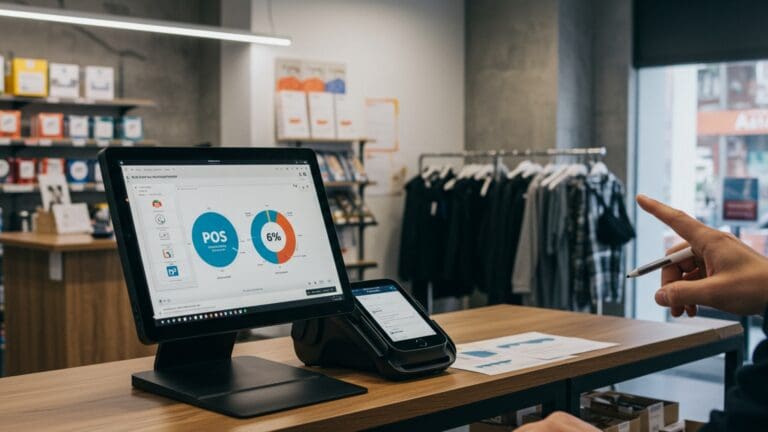
A desktop POS system combines a computer terminal, barcode scanner, receipt printer, cash drawer, and specialized software to manage sales efficiently. Many businesses choose a Desktop POS Machine because it not only speeds up transactions but also supports inventory management, secure payment processing, and detailed reporting. By centralizing these functions, businesses can significantly reduce the time customers spend at the checkout while improving accuracy and overall service quality.
Key Features That Enhance Checkout Speed
Desktop POS machines are equipped with several features specifically designed to optimize the checkout process. These features make transactions faster, reduce human error, and enhance the overall shopping experience.
High-Speed Processing
One of the main advantages of a desktop POS system is its high processing power. Unlike smaller mobile POS devices, desktop machines can handle multiple transactions simultaneously without lag. This is particularly beneficial during peak shopping hours, ensuring that customers do not face delays at the counter.
Large and Clear Display
Desktop POS machines typically have large screens that display all necessary information clearly. Cashiers can view product details, pricing, discounts, and transaction totals without switching screens or scrolling excessively. This reduces mistakes and speeds up the checkout process.
Barcode Scanning and Product Lookup
Barcode scanners integrated with desktop POS systems allow employees to quickly scan items rather than manually entering product codes. This eliminates the risk of input errors and ensures that transactions are processed in seconds. In addition, advanced POS software can quickly look up product information, apply discounts, or suggest promotions, further accelerating checkout.
Multiple Payment Options
A modern desktop POS system supports a variety of payment methods, including credit cards, debit cards, digital wallets, and contactless payments. This flexibility enables customers to pay using their preferred method, reducing friction and wait times at the register.
Benefits of Using a Desktop POS Machine for Retail Checkout
Investing in a desktop POS machine brings measurable improvements to the checkout process, benefiting both the business and its customers.
Faster Transactions
With automation, barcode scanning, and pre-configured product databases, a desktop POS machine drastically reduces the time required to process each transaction. Faster checkouts lead to shorter lines and improved customer satisfaction, which can directly impact repeat business and overall sales.
Accurate Billing
Human errors in pricing or item entry are common in manual systems. Desktop POS machines automatically calculate totals, apply taxes, and manage discounts with precision. Accurate billing reduces disputes and improves trust between the retailer and the customer.
Real-Time Inventory Updates
Every sale processed through a desktop POS system automatically updates inventory records in real time. This ensures that stock levels are accurate and allows employees to quickly identify when an item is out of stock or in limited supply. Efficient inventory management prevents delays caused by product unavailability at checkout.
Employee Efficiency
Desktop POS machines simplify the cashier’s workflow by consolidating multiple functions into a single interface. Employees spend less time performing repetitive tasks, allowing them to serve more customers efficiently. Features like role-based access and activity tracking also help managers monitor performance and identify areas for improvement.
Enhanced Customer Experience
A fast, accurate, and smooth checkout process contributes directly to a positive shopping experience. Customers appreciate short wait times and hassle-free payment, which encourages loyalty and repeat visits. Features such as digital receipts, loyalty program integration, and personalized promotions further enhance satisfaction.
Scalability and Integration
Desktop POS machines are scalable and can be integrated with other business systems, such as accounting, e-commerce platforms, and customer relationship management tools. As a business grows, the POS system can adapt, supporting multiple registers, additional locations, and more advanced functions without slowing down checkout efficiency.
Conclusion
A desktop POS machine is a powerful tool that transforms the checkout process in retail environments. By combining high-speed processing, barcode scanning, multiple payment options, and real-time inventory management, it streamlines transactions and reduces wait times. Retailers benefit from accurate billing, improved employee productivity, and enhanced customer satisfaction, all of which contribute to business growth and profitability.
For businesses seeking to optimize their checkout operations, investing in a desktop POS machine is a strategic decision. It not only improves efficiency at the counter but also provides a foundation for better inventory control, reporting, and customer management. In a competitive retail landscape, the right POS system can make a significant difference in both operational effectiveness and the overall shopping experience.