
In an era where digital data grows exponentially, finding reliable and affordable storage solutions has become essential for both home users and small businesses. Network Attached Storage systems have emerged as a practical answer, with 4bay NAS devices striking an ideal balance between capacity, performance, and cost. These versatile storage units offer the ability to centralize data, protect against drive failures, and expand storage as needs evolve, all without requiring enterprise-level budgets or technical expertise.
A 4bay NAS provides four drive bays that can accommodate multiple hard drives or solid-state drives, creating a unified storage pool accessible across your network. Whether you’re backing up family photos, streaming media content, or managing business files, understanding how these devices work can help you make informed decisions about your storage infrastructure. This article explores the fundamentals of 4bay NAS technology, examines its key benefits, and explains the mechanisms that make it such a cost-effective solution for modern storage challenges.
Understanding 4bay NAS
What is 4bay NAS?
A 4bay NAS is a network-attached storage device equipped with four physical drive bays designed to house hard disk drives or solid-state drives. Unlike traditional external hard drives that connect directly to a single computer, a 4bay NAS connects to your network router, making stored data accessible to any authorized device on the network. This includes computers, smartphones, tablets, and smart TVs. The device operates independently with its own processor, memory, and operating system, functioning as a dedicated file server that runs continuously. The four-bay configuration represents a sweet spot for users who need substantial storage capacity with redundancy options, without the complexity and expense of larger enterprise systems.
Key Features of 4bay NAS
Modern 4bay NAS devices come equipped with processors ranging from dual-core to quad-core CPUs, enabling smooth multitasking and media transcoding capabilities. They typically include multiple Gigabit Ethernet ports for enhanced network performance, with some models offering 2.5GbE or even 10GbE connectivity for demanding applications. The devices support various file-sharing protocols including SMB, NFS, and AFP, ensuring compatibility across Windows, Mac, and Linux systems. Most units feature USB ports for connecting external drives or printers, creating a shared network resource. Advanced features include mobile apps for remote access, automated backup software, surveillance station capabilities for IP cameras, and virtualization support. The operating systems are designed with user-friendly web interfaces that simplify configuration and management, making these devices accessible even to users with limited technical backgrounds.
Benefits of Using 4bay NAS
Cost-Effective Storage
The economics of 4bay NAS make it particularly attractive compared to cloud storage subscriptions or enterprise solutions. While the initial hardware investment may seem significant, it pays for itself over time as you avoid recurring monthly fees that cloud services require. You can start with just two drives and add more as your budget allows, spreading costs over time. The ability to use consumer-grade hard drives rather than proprietary storage solutions further reduces expenses. For families and small businesses storing multiple terabytes of data, a 4bay NAS typically reaches cost parity with cloud storage within two to three years, after which all storage becomes essentially free aside from electricity costs and occasional drive replacements.
Scalability
A 4bay NAS grows with your needs through multiple expansion pathways. You can initially populate just one or two bays and add drives as storage requirements increase, avoiding upfront costs for unused capacity. When individual drives reach capacity, you can replace them with larger models one at a time, with the system rebuilding data automatically. Many devices support expansion units that connect via eSATA or USB, effectively adding more bays without replacing the main unit. This flexibility means your storage investment remains relevant for years, adapting to changing demands whether you’re accumulating more family videos, expanding a photo library, or growing a small business database.
Data Security
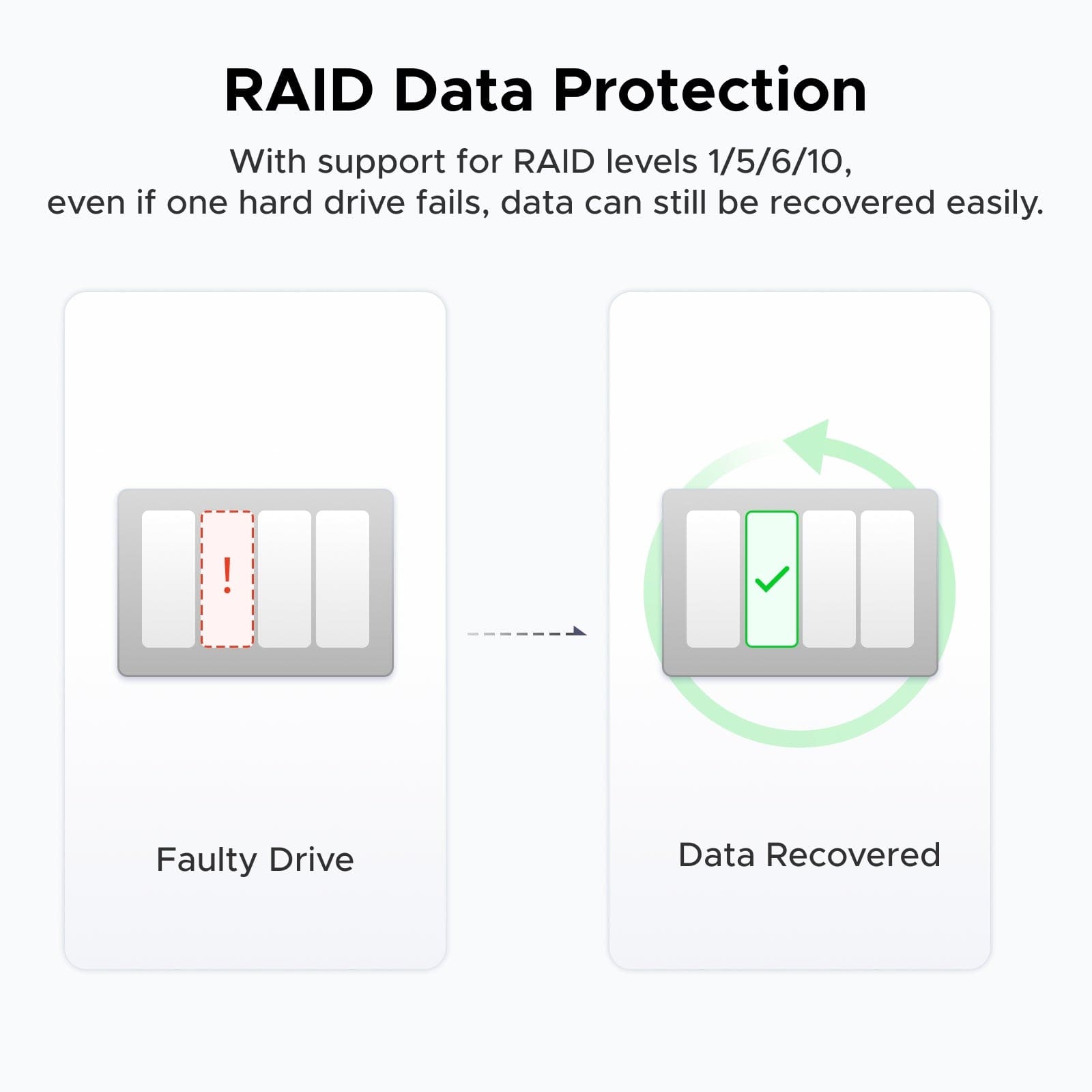
Security advantages of 4bay NAS extend beyond simple backup functionality. RAID configurations protect against drive failures, ensuring data remains accessible even when hardware malfunctions. Unlike cloud storage where you rely on third-party security measures, your data stays under your physical control within your network perimeter. Most systems offer encrypted folders, user authentication, and permission controls that restrict access to sensitive files. Automated backup schedules create versioned snapshots, allowing recovery from accidental deletions or ransomware attacks. The ability to implement off-site backup strategies by replicating data to another NAS location provides disaster recovery capabilities that rival professional solutions, giving peace of mind that irreplaceable files remain protected through multiple failure scenarios.
How 4bay NAS Works
RAID Configurations
RAID technology forms the foundation of how 4bay NAS devices manage data across multiple drives. RAID 0 stripes data across all drives for maximum performance and capacity but offers no protection against failure. RAID 1 mirrors data between two drives, providing complete redundancy at the cost of using only half your total capacity. RAID 5 requires at least three drives and distributes data with parity information, allowing the system to survive one drive failure while offering better capacity efficiency than mirroring. RAID 6 extends this protection to handle two simultaneous drive failures, ideal for larger drives where rebuild times increase vulnerability. RAID 10 combines mirroring and striping, requiring four drives but delivering both speed and redundancy. For most home users and small businesses, RAID 5 provides the best balance, offering reasonable protection while maximizing usable storage. Some NAS systems also support proprietary RAID alternatives like Synology Hybrid RAID or QNAP’s RAID configurations, which simplify drive mixing and expansion by automatically managing redundancy levels based on available drives.
Setting Up 4bay NAS
Initial setup begins with physically installing drives into the bays, ensuring they’re properly seated and secured. Connect the NAS to your router via Ethernet cable and power it on. Most manufacturers provide discovery software or mobile apps that automatically locate the device on your network. Access the web-based interface through your browser, where an installation wizard guides you through creating an administrator account and configuring basic settings. Select your preferred RAID configuration based on your priorities for capacity, performance, or redundancy. The system will initialize the drives, a process that may take several hours depending on capacity. Create shared folders with appropriate access permissions for different users or groups. Configure network settings including static IP addresses if needed, and enable desired services such as file sharing protocols, media servers, or backup applications. Set up user accounts with passwords and access rights, establishing security from the start. Finally, install mobile apps and desktop utilities on devices that will access the NAS regularly.
Maintaining 4bay NAS
Regular maintenance ensures long-term reliability and optimal performance of your 4bay NAS. Monitor drive health through the system’s dashboard, which displays SMART statistics indicating potential failures before they occur. Schedule regular RAID integrity checks, typically monthly, to verify data consistency across drives. Keep the operating system and applications updated through the built-in update mechanism, applying security patches promptly. Clean dust from ventilation areas every few months to prevent overheating, which accelerates drive wear. Test your backup and restore procedures periodically to confirm data recovery works when needed. Review system logs for unusual errors or warnings that might indicate developing problems. Replace aging drives proactively when SMART data shows degradation, rather than waiting for complete failure. Verify that automated backup jobs complete successfully and adjust schedules as data volumes grow. Manufacturers like UGREEN have also developed companion mobile apps that simplify monitoring and maintenance tasks, allowing users to check system status and receive alerts remotely.
Maximizing Your Storage Investment
A 4bay NAS represents a pragmatic investment for anyone seeking reliable, expandable storage without the ongoing costs of cloud subscriptions or complexity of enterprise systems. By housing four drives in configurable RAID arrays, these devices deliver redundancy that protects against hardware failures while maximizing usable capacity. The ability to start small and scale gradually makes them financially accessible, while features like remote access, automated backups, and media streaming add versatility that extends far beyond simple file storage. Whether safeguarding family memories, supporting creative workflows, or managing small business data, a 4bay NAS puts you in control of your digital assets.
Understanding the fundamentals of RAID configurations, proper setup procedures, and ongoing maintenance requirements empowers you to leverage this technology effectively. The initial learning curve pays dividends through years of dependable service, with your storage infrastructure adapting as needs evolve. As data continues to accumulate across our digital lives, the combination of capacity, security, and cost-efficiency that 4bay NAS devices provide makes them an increasingly essential tool for managing our most valuable information assets with confidence and independence.
