
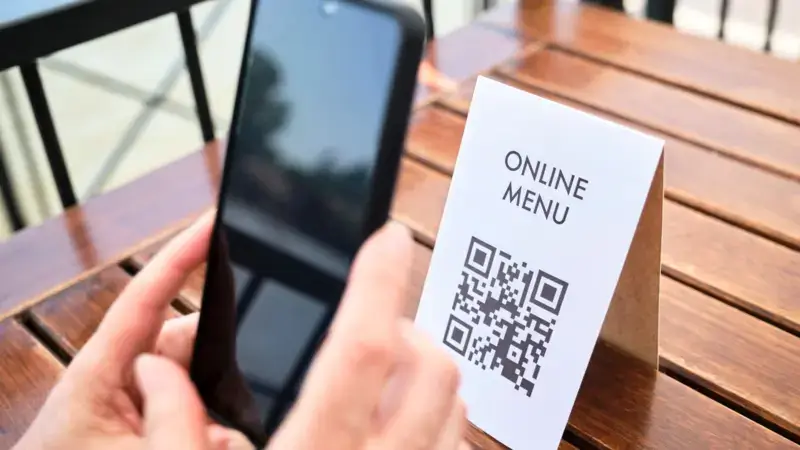
In today’s fast-paced digital world, barcodes are everywhere — from your grocery items and shipping labels to your movie tickets and medical prescriptions. These tiny black-and-white lines carry big data, helping businesses, stores, and logistics systems stay efficient and connected.
But what happens when those lines get blurry? A blurred barcode can cause scanning errors, frustration, and delays — unless, of course, you’re using advanced technology designed to decode even the toughest, blurriest images. That’s where the concept of a blur barcode and smart decoding APIs like the Blur Barcode Scanner come into play.
Let’s explore what blur barcodes are, why they happen, and how modern scanner APIs — powered by AI and computer vision — are making it easier than ever to read even the most distorted codes with precision and speed.
What Is a Blur Barcode?

A blur barcode is exactly what it sounds like — a barcode image that appears smeared, unclear, or out of focus. This blurriness usually makes it hard for traditional scanners or apps to interpret the data correctly. You might have noticed it yourself — maybe a product label printed with low-quality ink, or a photo of a barcode taken while the camera was moving.
The black and white bars lose their sharpness, and suddenly, your scanner can’t recognize what it’s looking at. But in reality, the data behind the barcode is still there — it’s just visually hidden behind the blur. Advanced barcode reading algorithms are now being trained to see beyond what’s clear to the human eye, enabling accurate decoding even when the image looks unusable.
Why Do Barcodes Become Blurry?
There are several reasons barcodes end up blurred, and most of them happen during printing, scanning, or photography. Here are some common causes:
- Motion Blur:
When a camera or scanner moves while capturing a barcode image, the result is a stretched or smeared pattern. This happens often in logistics or production lines where items move fast. - Low Resolution:
If the image of a barcode is captured using a low-quality camera, the fine lines that define barcode data get lost or merged. - Out-of-Focus Cameras:
When the lens isn’t focused properly, the image becomes soft, and the scanner struggles to differentiate between the dark and light regions. - Printing Issues:
Low-quality printers, smudged ink, or worn-out labels can make the barcode edges fuzzy. - Environmental Factors:
Dirt, dust, or glare can also distort the barcode’s clarity, making it appear blurry to optical scanners.
These issues might seem minor, but in industries like retail, logistics, and healthcare, even a small scanning error can disrupt entire workflows. That’s why blur barcode decoding has become such an important innovation.
The Magic Behind the Blur Barcode Scanner API
This is where technology truly shines. The Blur Barcode Scanner API features a special algorithm capable of decoding heavily blurred EAN and UPC barcodes — the two most common types used in retail and inventory systems worldwide.
EAN (European Article Number) and UPC (Universal Product Code) barcodes are the backbones of product identification. But when they’re blurred, traditional barcode readers often fail. The Blur Barcode Scanner API solves this by using an advanced image pre-processing and pattern recognition technique.
Here’s how it works in simple terms:
- Step 1: Image Analysis
The API analyzes the input image, identifying the region where a barcode is likely to exist — even if the area looks unclear or noisy. - Step 2: Deblurring and Enhancement
The software applies an intelligent deblurring algorithm to restore line contrast and sharpness. It enhances barcode edges so they can be interpreted digitally. - Step 3: Pattern Reconstruction
Even when the original barcode lines are partially lost, the algorithm reconstructs the probable pattern using statistical models of known barcode structures. - Step 4: Decoding and Validation
Finally, the system decodes the information and cross-verifies it with checksum data to ensure accuracy — producing the correct code from a nearly unreadable image.
This process happens in milliseconds, making it suitable for real-time applications like warehouse scanners, retail point-of-sale systems, and mobile apps.
How AI and Computer Vision Power Blur Barcode Decoding
Artificial intelligence plays a massive role in making blurred barcode reading possible. By training neural networks on thousands of distorted barcode images, the system learns how to identify patterns that humans can’t.
For instance, even when lines appear faded or blended, AI can predict the correct spacing, width, and ratio that a barcode should have. This allows the software to recover data that traditional optical scanners would reject.
Computer vision techniques like edge detection, contrast normalization, and noise filtering further refine the process. It’s not just reading what’s visible — it’s reconstructing what’s missing.
In essence, AI doesn’t just “see” the barcode — it understands it.
Real-World Applications of Blur Barcode Technology
Blur barcode decoding is transforming multiple industries where speed, accuracy, and automation are essential. Let’s look at where this technology is making the biggest impact:
- Retail and E-commerce:
With mobile checkout and digital receipts becoming the norm, customers often scan product barcodes using their phone cameras. Even if the image is slightly out of focus, a blur barcode API ensures the scan works flawlessly, improving user experience. - Logistics and Warehousing:
On conveyor belts or during package sorting, items move fast — causing motion blur. The ability to decode blurry barcodes helps streamline inventory management and prevent costly scanning errors. - Healthcare:
Medicine bottles, patient wristbands, and medical supplies often use barcodes. A blurry print could risk patient safety or data mix-ups, so blur barcode technology ensures accurate readings every time. - Manufacturing and Quality Control:
Industrial cameras capture thousands of product labels per hour. Even if some come out smudged, advanced barcode reading APIs can still decode the information without slowing production. - Document Scanning and Archiving:
Old printed labels, photocopies, or low-quality images can now be processed with improved accuracy, helping businesses digitize their archives more efficiently.
Advantages of Using a Blur Barcode Scanner API
Let’s break down why using a blur barcode decoding API is a game-changer:
- High Accuracy: Reads barcodes that would normally be unreadable by traditional scanners.
- Speed: Processes images quickly — ideal for real-time scanning.
- Flexibility: Supports multiple barcode formats, including EAN, UPC, Code 128, and more.
- Easy Integration: APIs can be embedded into mobile apps, web platforms, or enterprise systems effortlessly.
- Cost-Effective: Reduces the need for manual entry or reprinting labels.
- AI-Driven Learning: Improves performance over time through data training.
How to Improve Barcode Scanning Results
While technology can fix a lot, there are still simple steps we can take to get better results when dealing with blur barcodes:
- Use higher-resolution cameras when possible.
- Ensure proper lighting and avoid reflections on glossy labels.
- Keep the camera steady when capturing the barcode.
- Maintain clean and undamaged label surfaces.
- Regularly update scanning software to benefit from new decoding algorithms.
These habits, combined with modern APIs, can make barcode scanning virtually error-free.
The Future of Barcode Scanning – Beyond the Blur
We’re entering a new era where barcode scanning is smarter, faster, and more forgiving than ever. The rise of AI-driven vision systems means that even imperfect images — blurred, damaged, or distorted — can still deliver accurate data.
Future barcode readers might go beyond simple decoding and integrate with broader AI systems that analyze context, inventory trends, and even predictive logistics. Imagine a world where your scanner doesn’t just read the barcode but also predicts restock times or identifies counterfeit products based on subtle label variations.
The technology behind the Blur Barcode Scanner API is just the beginning — it’s a glimpse into a smarter, more connected future.
Final Thoughts
Blurry barcodes used to be a big problem — a small flaw that could cause big disruptions. But now, with advanced barcode decoding APIs and AI-driven vision systems, we’ve turned that challenge into an opportunity for innovation.
At the heart of it, this technology reminds us that clarity isn’t always necessary — sometimes, intelligence and adaptability make up the difference. So, whether we’re scanning products in a store, tracking shipments, or digitizing documents, the next time a barcode looks too blurry to read, we can trust that technology has it covered.
FAQs
Q1. What is a blur barcode?
A blur barcode is a barcode image that appears smeared, unclear, or out of focus. This can happen due to motion, poor camera quality, printing errors, or environmental issues. Even when the barcode looks unreadable, advanced decoding software can still extract the hidden data using AI and computer vision.
Q2. Why do barcodes get blurry?
Barcodes usually become blurry because of motion during scanning, low-resolution cameras, out-of-focus images, or smudged printing. Sometimes dirt, glare, or damaged labels can also distort the barcode’s clarity and cause scanning failures.
Q3. Can blurred barcodes still be scanned?
Yes, absolutely. With the help of advanced blur barcode scanner APIs, even heavily blurred barcodes — like EAN and UPC codes — can be decoded accurately. These tools use smart algorithms and image enhancement techniques to reconstruct the barcode pattern and extract data.
Q4. How does the Blur Barcode Scanner API work?
The Blur Barcode Scanner API uses a multi-step process that includes image analysis, deblurring, pattern reconstruction, and data validation. It applies AI-powered image processing to sharpen blurred lines and then decodes the barcode in real time with high precision.
Q5. What types of barcodes can a blur barcode API decode?
Most blur barcode APIs can handle multiple barcode formats including EAN, UPC, Code 39, Code 128, QR codes, and more. The special algorithm is particularly optimized for EAN and UPC barcodes used in retail and product labeling.
Q6. Where is blur barcode technology used?
Blur barcode technology is used in industries like retail, logistics, healthcare, manufacturing, and e-commerce. It’s also valuable in archiving and document management where old or low-quality barcode images need to be digitized accurately.
Q7. What makes the Blur Barcode Scanner API better than regular barcode readers?
Traditional barcode readers often fail with unclear or damaged images, but a blur barcode API uses AI and image enhancement to recover data from imperfect visuals. It’s faster, more reliable, and works even when the barcode isn’t crystal clear.
Q8. Does the blur barcode API require a high-end device?
No, not necessarily. Modern blur barcode APIs are optimized for both desktop and mobile environments. As long as the camera or scanner captures a basic image, the software can process and decode it efficiently.
Q9. Can I integrate a blur barcode API into my app or system?
Yes! Most APIs are designed for easy integration. Developers can embed them into mobile apps, retail POS systems, web platforms, or enterprise software to enhance barcode reading performance instantly.
Q10. How can I avoid barcode blurriness in the first place?
We can reduce blur issues by using high-resolution cameras, keeping labels clean, ensuring proper lighting, and maintaining focus while capturing barcodes. However, when blur happens, modern decoding APIs are there to fix it instantly.
Q11. What’s the future of blur barcode technology?
The future looks exciting — with AI-driven barcode readers getting smarter, faster, and more context-aware. Soon, barcode scanning might go beyond reading and help predict product trends, detect counterfeits, and optimize supply chains automatically.
Q12. Is the Blur Barcode Scanner API useful for mobile users?
Yes, it’s perfect for mobile users. Whether you’re scanning barcodes for shopping, inventory, or deliveries, the API can handle motion blur and low-light conditions — making mobile barcode scanning more reliable than ever.