
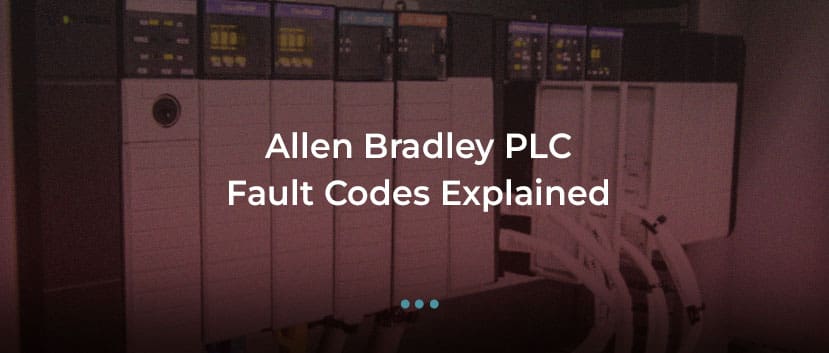
ControlLogix & CompactLogix Troubleshooting Guide
Allen Bradley PLC fault codes on ControlLogix and CompactLogix systems can trigger major faults, communication errors, and unexpected production stops. This guide explains common fault types, what they mean, and how to apply a structured troubleshooting approach to restore operation safely.
Allen Bradley PLCs, manufactured by Rockwell Automation, are widely deployed across industrial automation environments. ControlLogix and CompactLogix platforms are used in manufacturing, packaging, process control, utilities, and heavy industry.
When a PLC enters fault mode or reports a major fault type, production can stop immediately. Understanding how Allen Bradley fault codes are structured — and what they indicate — is critical to reducing downtime and preventing repeat failures.
This guide covers the most common fault conditions across:
- ControlLogix (1756 series)
- CompactLogix (1768 / 1769 / 5069 series)
Understanding Allen Bradley PLC Fault Types
Allen Bradley PLC faults are typically categorised as:
- Major faults
- Minor faults
- I/O faults
- Communication faults
- Power-related faults
Major faults usually stop the controller from executing logic, while minor faults may allow the program to continue running.
Fault information can be viewed through:
- Studio 5000 Logix Designer
- Controller Properties → Major Fault tab
- Controller status LEDs
Major Fault Type Codes Explained
A major fault will typically display as:
The Type number identifies the fault category. The Code number specifies the exact condition.
Common Major Fault Types
Type 01 – Program Fault
Typically related to:
- Invalid array indexing
- Divide by zero operation
- Math overflow
- Invalid pointer reference
These faults originate within the application logic.
Diagnosis requires reviewing:
- The rung or routine referenced in the fault log
- Recent program modifications
- Data type consistency
Type 02 – Hardware Fault
Indicates controller or module-level issues such as:
- Faulted I/O module
- Backplane communication error
- Module removed during operation
Check:
- I/O tree status
- Module LED indicators
- Backplane seating
Type 03 – Memory Fault
Often associated with:
- Corrupted program memory
- Firmware incompatibility
- Unexpected power loss during write operation
If persistent, firmware update or controller replacement may be required.
Type 60 – Communication Fault (Common in ControlLogix)
Often linked to:
- Ethernet/IP connection timeout
- Produced/consumed tag loss
- Module communication interruption
Verify:
- Network switch status
- IP configuration
- Module firmware compatibility
CompactLogix-Specific Faults
CompactLogix systems frequently report faults due to:
- 1769 I/O module removal
- Expansion module power limitation
- Embedded Ethernet configuration errors
- Safety task faults (in GuardLogix models)
Always confirm that:
- The I/O configuration matches physical hardware
- Expansion power supply capacity is sufficient
- Firmware versions are aligned
Controller in Fault Mode (Flashing Red LED)
A flashing red OK LED typically indicates a major fault.
Structured response:
- Connect via Studio 5000.
- Navigate to Controller Properties.
- Record Major Fault Type and Code.
- Clear fault only after root cause identified.
Repeated clearing without diagnosis risks recurring shutdown.
I/O Module Faults
Allen Bradley I/O modules may fault due to:
- Short circuit on digital output
- Open circuit on analogue input
- Incorrect configuration
- Firmware mismatch
In Studio 5000, check:
- Module properties
- Fault details
- Connection status
Replacing modules without confirming configuration alignment may not resolve the issue.
Ethernet/IP Communication Faults
Communication faults are common in distributed systems.
Typical causes:
- IP address conflict
- Network switch failure
- Incorrect subnet configuration
- Excessive network traffic
- Damaged Ethernet cable
Symptoms may include:
- I/O timeout
- Produced tag failure
- Controller faulted state
Structured network diagnostics are essential before replacing controller hardware.
Power-Related Faults
Intermittent PLC faults may originate from unstable power supply.
Check for:
- Loose DC supply connections
- Voltage dips during motor start
- Failing power supply modules
- Improper grounding
Power instability can mimic communication or memory faults.
Structured Troubleshooting Approach
When diagnosing Allen Bradley PLC fault codes:
- Record exact fault type and code.
- Review fault history.
- Identify whether issue is logic, hardware, or network related.
- Inspect I/O tree for module errors.
- Verify firmware compatibility.
- Confirm power stability.
Avoid immediately replacing the CPU without isolating the cause.
When Repair Is Appropriate
Repair may be justified when:
- Controller fails to power
- Persistent internal hardware fault exists
- Communication module fails electrically
- Backplane damage is confirmed
Component-level repair can extend system life when full migration is unnecessary.
When Upgrade Is Necessary
Upgrade may be appropriate when:
- Platform reaches end-of-support
- Spare availability is severely limited
- Repeated faults indicate ageing hardware
- System expansion exceeds controller capacity
Migration from SLC 500 or PLC-5 to ControlLogix should be strategically planned rather than triggered by emergency failure.
Conclusion
Allen Bradley PLC fault codes on ControlLogix and CompactLogix platforms are structured diagnostic indicators. Major faults typically result from:
- Logic errors
- Hardware failures
- Communication instability
- Power supply issues
Effective troubleshooting requires systematic diagnosis rather than repeated reset attempts.
Understanding major fault type codes, reviewing controller diagnostics, and verifying network and power integrity ensures faster recovery and improved long-term reliability.
Fault codes are not just alarms — they are structured signals that protect production systems when interpreted correctly.
