
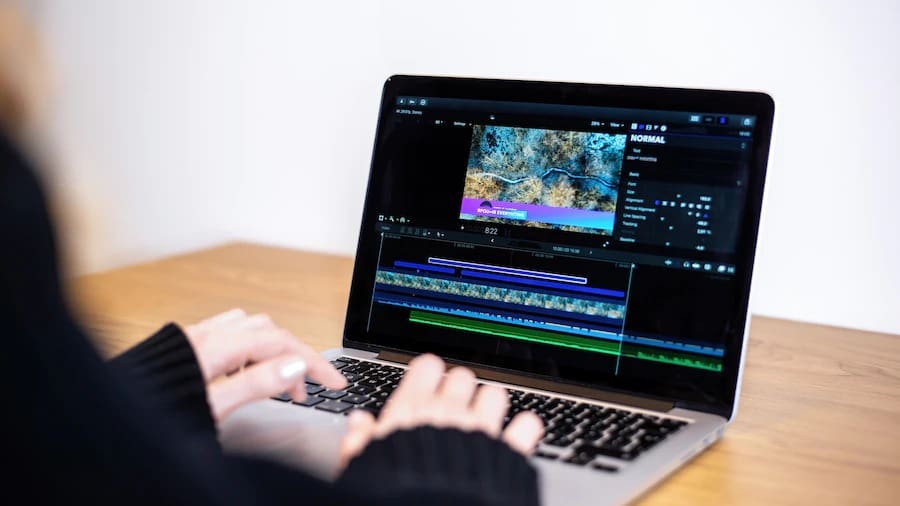
You sit down to edit your latest masterpiece, but the screen freezes. Your laptop fans sound like a jet engine taking off. This frustration is common for many video editors today. As one balances power and price to get the correct machine, it may seem like a foreign language to the majority. But by knowing these fundamentals, you can work more and better. High-resolution footage demands more than just a pretty screen. It requires a harmony of internal parts working together.
This guide breaks down the essential factors that make or break your editing flow. We will look at hardware that turns a lagging machine into a professional workstation. Get ready to transform your editing experience and reclaim your creative time.
1. The Core of the Machine Powering Your Timeline
The processor serves as the brain for every single action you take. It handles the heavy lifting when you scrub through your timeline. A fast chip ensures your software stays responsive during complex tasks. You should look for high clock speeds and multiple cores. These elements allow your laptop to handle several data streams at once. Modern software relies heavily on this internal engine to function.
Choosing the Right Number of Cores
Why Core Count Matters for 4K
More cores mean your laptop can multitask without breaking a sweat. Most professional editors prefer at least eight cores for smooth performance. This setup prevents the dreaded spinning wheel of death during exports. High core counts translate directly to shorter waiting times for you. The best video editing laptop combines high core counts with strong single-core performance to ensure smooth timeline playback, faster rendering, and efficient multitasking across demanding projects.
2. Visual Power for Real-Time Effects Processing
The graphics card or GPU takes the weight off your main processor. It specifically manages the pixels and visual effects on your screen. You will notice a huge difference when color grading your footage. A dedicated card is much better than one built into the chip. It uses its own memory to process high-resolution images quickly. This part is crucial for anyone working with 3D or VR.
- Look for a dedicated GPU with its own VRAM
- Check for compatibility with your specific editing software
- Prioritize newer models for better driver support
- Ensure the card handles hardware acceleration effectively
- More VRAM helps with 8K projects and heavy layering
3. Short-Term Memory for Massive Video Projects
RAM is the temporary storage that keeps your project files accessible. Low memory causes your laptop to stutter and lag constantly. Most experts recommend starting with at least 16GB of memory. The system needs 16GB of memory because it uses that amount to store large video files, which can be played back instantly. It bridges the gap between your storage drive and your processor.
Finding the Sweet Spot for RAM
How Memory Speed Affects Playback Fluidity
Faster memory helps data travel through your system at lightning speeds. It reduces the time it takes to load preview files. You can work with more layers when your RAM is fast and plentiful. This upgrade is often the cheapest way to boost performance. High memory capacity is great, but you also need a permanent home for files.
4. Storage Speed and the End of Loading Screens
Traditional hard drives are far too slow for modern video editing needs. You must use a Solid State Drive or SSD for your primary storage. These drives have no moving parts and read data almost instantly. They allow you to open massive project files in seconds rather than minutes.
- Select NVMe SSDs for the fastest possible data transfer
- Keep your project files on a separate drive if possible
- Avoid nearly full drives as they tend to slow down
- Use external SSDs for archiving older footage
Fast storage keeps things moving, but the heat can slow everything down. Managing temperature is the secret to maintaining peak performance over long hours.
5. Staying Cool Under the Pressure of Exporting
Video editing generates a massive amount of heat inside your laptop casing. If the components get too hot, they will slow down to protect themselves. This process is called thermal throttling, and it ruins your productivity. A good cooling system uses fans and heat pipes to move air. The design requirements for your laptop should focus on two main functions, which are airflow management and heat dissipation.
Thermal management keeps the parts safe while the screen shows you the results. A high-quality display is your window into the world you are creating.
6. Color Accuracy for Professional Grade Results
You cannot edit what you cannot see clearly on your screen. The display system needs to have high color accuracy because your final video work will be affected by display systems that show incorrect colors. You should look for a screen that covers the sRGB or DCI-P3 color space. Brightness is also important if you plan to edit in different lighting. High-resolution screens like 4K help you see fine details in your footage.
The Importance of Panel Technology
Why IPS Panels Rule the Editing World
IPS panels offer the best viewing angles and most consistent colors. They prevent the image from shifting when you move your head. A great screen shows the work, but the ports allow you to expand. Connectivity is how you link your laptop to the rest of your gear.
7. Plugging into a Wider Creative Ecosystem
People usually ignore ports until they require them to connect their external display. Users require Thunderbolt and USB-C high-speed connections to achieve their quick data transfer needs. An SD card slot is a huge bonus for transferring files from your camera. The best video editing laptop comes with ample ports for your mouse and hard drives. Carrying dongles everywhere can be a major hassle for mobile editors.
- Thunderbolt 4 offers the best speeds for external hardware
- HDMI ports are essential for secondary displays
- USB-A is still useful for older peripherals
- Check for a high speed SD card reader
8. Power on the Go Without Loss of High Speed
Editing video drains a battery faster than almost any other task. Many laptops actually perform worse when they are not plugged into a wall. You want a machine that maintains its power even in battery mode. Look for a large battery capacity measured in watt-hours. This gives you the freedom to edit in a coffee shop or on a plane. Just remember that the most powerful settings will always eat more juice.
The battery keeps you mobile, but the software must be a perfect match. Your operating system and editing app need to talk to each other.
9. Software Optimization and the User Experience
Hardware is only half of the story when it comes to speed. Your operating system must manage resources efficiently for your editing software. Some apps run better on specific platforms due to better coding. Make sure your drivers are always updated to the latest versions. This prevents crashes and unlocks new performance features in your GPU. A clean system with no bloatware will always run faster.
Optimization is the final touch on a powerful editing setup. Now you have all the tools to choose your next creative companion.
Conclusion
Building a great editing setup is an investment in your future career. You now know which parts matter most for a smooth workflow. Focus on the processor and memory first to avoid annoying lag. A good screen and fast storage will make your daily life much easier. Do not let technical specs intimidate you or stop your progress. Choose the laptop that fits your specific style and budget.
