
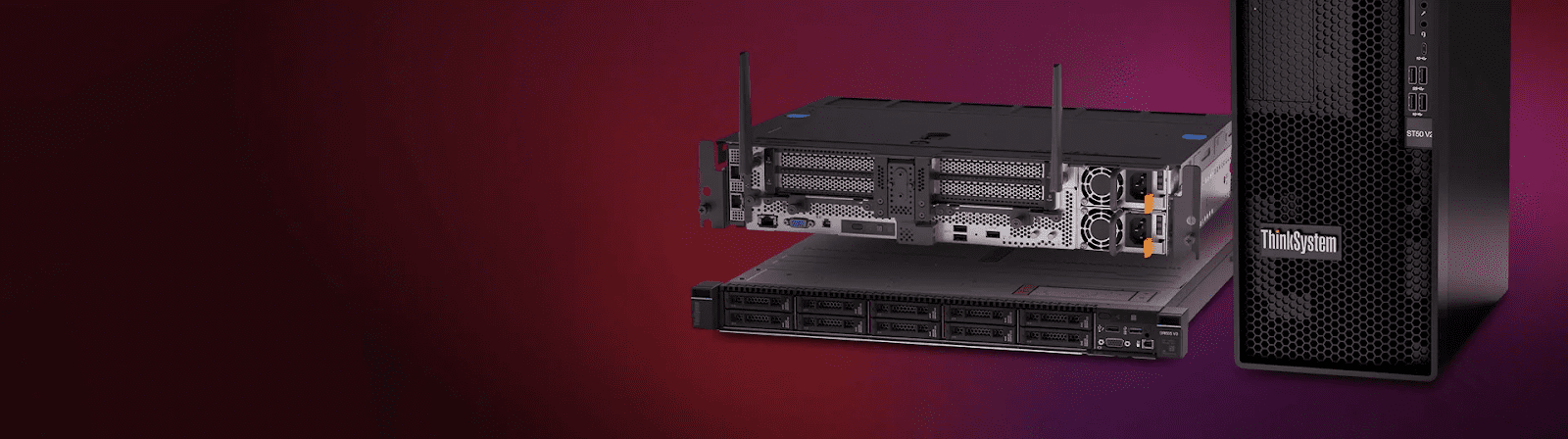
Low power server optimization saves money and protects your hardware. You likely run a small home lab or a tiny edge device. These machines have limited resources and heat up fast. Every extra process eats into your power budget and slows down your tasks. Managing these systems requires a smart approach to software and hardware settings. You want high performance without a high electricity bill. This guide shows you how to trim the fat from your server environment. We will look at background tasks, disk usage, and network efficiency.
These steps help your server run cool and quiet for years. Small changes lead to massive gains in efficiency and speed. Let us dive into the best ways to squeeze power from your mini server setup.
1. Reduce UI Resource Consumption
Most mini servers come with a full desktop environment. This visual layer consumes lot of RAM and CPU cycles. You do not need a mouse or icons for a server. Switching to a headless setup saves significant power immediately. You can manage everything through a remote terminal instead. This move frees up resources for your actual applications. Your mini servers run cooler, use less power, and focus almost all their resources on the tasks that really matter.
Trim the Fat with Headless Mode
A headless server runs only the essential command-line tools. You stop the graphics card from working hard for no reason. This reduces heat and lowers the total wattage of your machine.
Once you remove the desktop, you need a way to talk to the machine. This leads us to the best way to handle remote tasks efficiently.
2. Master the Power of SSH
Secure Shell or SSH is the gold standard for server management. It uses almost zero power to maintain a connection. You can run scripts and update packages from any other computer. This keeps your server focused on its primary jobs. As compared to a tower server, these offer the same remote management flexibility while consuming only a fraction of the energy and physical space.
Why Text Beats Graphics
Text commands require very little data transfer across your network. Your CPU stays in a low-power state while you type commands.
Efficient management is great, but your hardware needs a direct power plan too. We must look at how the processor handles its workload.
3. Adjust the CPU Governor
Your processor can change its speed based on the current task. Most systems stay in performance mode by default. This keeps the clock speed high even when the server is idle. You should switch to a power-saving or on-demand governor. This allows the CPU to rest during quiet periods.
Smart Scaling for Better Longevity
The reduced clock speeds create less thermal energy, which builds up within the compact enclosure. Your fans will operate at reduced frequency, which will result in additional energy savings.
Controlling the brain of the server is vital for heat management. Next, we should look at how the server stores and reads data.
With the global server market expected to surpass $175.29 billion by 2030, mini servers are emerging as a smart, efficient choice for scalable computing.
4. Optimize Your Disk Sleep Settings
All hard drives and SSDs use power whenever they are spinning or actively operating. The system enables you to configure your disks for automatic transition into low power mode after they become inactive. This is very helpful if your server only handles occasional file backups.
Saving Energy One Spin at a Time
Mechanical drives benefit most from these sleep settings. Even SSDs have lower power modes that help reduce the overall draw.
Storage efficiency keeps the hardware cool and ready. Now we need to look at the background apps that never stop running.
5. Stop Unnecessary Background Services
Every operating system starts with dozens of services you never use. Bluetooth and print spoolers, and many others, run in the background. These services wake up the CPU periodically and waste energy. You should audit your service list and disable anything non-essential. This makes your boot time faster, and your power draw lower.
Clean Systems Run Faster
A lean system has fewer points of failure and better security. You only want the services that directly support your goals.
Cleaning the software list makes the system snappy. However, the way you run those apps also matters for efficiency.
6. Embrace Lightweight Containerization
Running full virtual machines is a massive waste for mini servers. Just like a tower server, it unlocks better efficiency and lets mini servers focus on lightweight, high-value workloads. Each VM needs its own kernel and overhead. Containers like Docker share the host kernel instead. This allows you to run dozens of apps with minimal power impact. Containers start instantly and use very little memory compared to VMs.
Packing More into Less Space
Containers isolate your apps without the heavy performance penalty. You get the benefits of a large server on tiny hardware.
Using containers organizes your workload perfectly. Now we must ensure the network does not become a power hog.
7. Fine-Tune Your Network Interface
Network cards stay active to listen for incoming traffic constantly. You can enable Wake on LAN features to keep the card in standby. Also, check if your server supports Green Ethernet standards. This reduces power when the cable length is short or traffic is low.
Efficiency Over the Wire
Small tweaks to the network stack reduce the work the CPU does. This ensures your data moves fast without burning extra watts.
A fast network is useless if the server stays awake for no reason. We need a way to schedule the downtime.
8. Automate Your Power Schedule
Your server might not need to run twenty-four hours a day. You can set BIOS timers to turn the machine off at night. This is the most effective way to save power in a home lab. A smart plug can also help you monitor the exact wattage. Scheduling updates during off-peak hours also helps the local grid.
Rest Periods for Your Silicon
Giving the hardware a break prevents wear and tear on the components. It ensures the server is fresh for your morning tasks.
Scheduling saves the most energy over a full year. Finally, we must look at how the OS handles its temporary memory.
9. Reduce Swap Usage on Flash Storage
Mini servers often use SD cards or small SSDs for boot drives. Constant writing to a swap file uses power and kills the drive. You should reduce the swappiness value in your system settings. This forces the OS to use the actual RAM instead of the disk. It makes the system more responsive and saves hardware life.
Protecting Your Storage Media
Less disk activity means less power used for data movement. Your server stays fast because RAM is much quicker than flash storage.
Conclusion
Optimizing a low-power server is a rewarding project for any tech fan. You have learned to trim software and manage hardware, and schedule tasks. These nine steps turn a basic machine into an efficiency powerhouse. You will see lower temperatures and a smaller electricity bill every month. Your hardware will last longer because it does not work harder than necessary. Focus on keeping the system lean and the processes intentional. Start with one or two changes today and monitor the results.
